
Linux® is indeed available free of charge, but the total cost for companies goes far beyond license fees. While you do not need to purchase software licenses, costs arise for support, training, migration, and professional services. The true cost of Linux & open-source software lies in implementation and ongoing operations—not in the software itself.
(more…)Open source software differs from proprietary software primarily in the availability of the source code and the licensing. With open source, the source code is freely accessible and can be viewed, modified, and distributed by users. Proprietary software, on the other hand, is distributed with closed source code that belongs exclusively to the manufacturer. These fundamental differences influence costs, flexibility, support, and strategic decisions in companies. In this article, I would like to attempt a comparison of open source software vs. proprietary software.
(more…)This December, we are launching the very first Open Source Virtualization Meeting, also known as the Open Source Virtualization Gathering!
Join us for an evening of open exchange on virtualization with technologies such as KVM, Proxmox, and XCP-ng.
Dear Open Source Community, dear partners and customers,
We are pleased to announce that credativ GmbH is once again a member of the Open Source Business Alliance (OSBA) in Germany. This return is very important to us and continues a long-standing tradition, because even before the acquisition by NetApp,

The OSBA
OSBA aims to strengthen the use of Open Source Software (OSS) in businesses and public administration. We share this goal with deep conviction. Our renewed membership is intended not only to promote networking within the community but, above all, to support the important work of the OSBA in intensifying the public dialogue about the benefits of Open Source.
With our membership, we reaffirm our commitment to an open, collaborative, and sovereign digital future. We look forward to further advancing the benefits of Open Source together with the OSBA and all members.
Schleswig-Holstein’s Approach
We see open-source solutions not just as a cost-efficient alternative, but primarily as a path to greater digital sovereignty. The state of Schleswig-Holstein is a shining example here: It demonstrates how public authorities can initiate change and reduce dependence on commercial software. This not only leads to savings but also to independence from the business models and political influences of foreign providers.
Open Source Competition
Another highlight in the open-source scene is this year’s OSBA Open Source Competition. We are particularly pleased that this significant competition is being held this year under the patronage of Federal Digital Minister Dr. Karsten Wildberger. This underscores the growing importance of Open Source at the political level. The accompanying sponsor is the Center for Digital Sovereignty (ZenDiS), which also emphasizes the relevance of the topic.
We are convinced that the competition will make an important contribution to promoting innovative open-source projects and look forward to the impulses it will generate.
Further information about the competition can be found here:
Key Takeaways
- credativ GmbH has rejoined the Open Source Business Alliance (OSBA) in Germany.
- The OSBA promotes the use of open-source software in businesses and public administration.
- Membership reaffirms the commitment to an open digital future and fosters dialogue about Open Source.
- Schleswig-Holstein demonstrates how open-source solutions can enhance digital sovereignty.
- The OSBA’s Open Source Competition is under the patronage of Federal Minister for Digital Affairs Dr. Karsten Wildberger.
Migrating VMs from VMware ESXi to Proxmox
In response to Broadcom’s recent alterations in VMware’s subscription model, an increasing number of enterprises are reevaluating their virtualization strategies. With heightened concerns over licensing costs and accessibility to features, businesses are turning towards open source solutions for greater flexibility and cost-effectiveness. Proxmox VE, in particular, has garnered significant attention as a viable alternative. Renowned for its robust feature set and open architecture, Proxmox offers a compelling platform for organizations seeking to mitigate the impact of proprietary licensing models while retaining comprehensive virtualization capabilities. This trend underscores a broader industry shift towards embracing open-source technologies as viable alternatives in the virtualization landscape. Just to mention, Proxmox is widely known as a viable alternative to VMware ESXi but there are also other options available, such as bhyve which we also covered in one of our blog posts.
Benefits of Opensource Solutions
In the dynamic landscape of modern business, the choice to adopt open source solutions for virtualization presents a strategic advantage for enterprises. With platforms like KVM, Xen and even LXC containers, organizations can capitalize on the absence of license fees, unlocking significant cost savings and redirecting resources towards innovation and growth. This financial flexibility empowers companies to make strategic investments in their IT infrastructure without the burden of proprietary licensing costs. Moreover, open source virtualization promotes collaboration and transparency, allowing businesses to tailor their environments to suit their unique needs and seamlessly integrate with existing systems. Through community-driven development and robust support networks, enterprises gain access to a wealth of expertise and resources, ensuring the reliability, security, and scalability of their virtualized infrastructure. Embracing open source virtualization not only delivers tangible financial benefits but also equips organizations with the agility and adaptability needed to thrive in an ever-evolving digital landscape.
Migrating a VM
Prerequisites
To ensure a smooth migration process from VMware ESXi to Proxmox, several key steps must be taken. First, SSH access must be enabled on both the VMware ESXi host and the Proxmox host, allowing for remote management and administration. Additionally, it’s crucial to have access to both systems, facilitating the migration process. Furthermore, establishing SSH connectivity between VMware ESXi and Proxmox is essential for seamless communication between the two platforms. This ensures efficient data transfer and management during migration. Moreover, it’s imperative to configure the Proxmox VE system or cluster in a manner similar to the ESXi setup, especially concerning networking configurations. This includes ensuring compatibility with VLANs or VXLANs for more complex setups. Additionally, both systems should either run on local storage or have access to shared storage, such as NFS, to facilitate the transfer of virtual machine data. Lastly, before initiating the migration, it’s essential to verify that the Proxmox system has sufficient available space to accommodate the imported virtual machine, ensuring a successful transition without storage constraints.
Activate SSH on ESXi
The SSH server must be activated in order to copy the content from the ESXi system to the new location on the Proxmox server. The virtual machine will later be copied from the Proxmox server. Therefore, it is necessary that the Proxmox system can establish an SSH connection on tcp/22 to the ESXi system:
- Log in to the VMware ESXi host.
- Navigate to Configuration > Security Profile.
- Enable SSH under Services.
Find Source Information about VM on ESXi
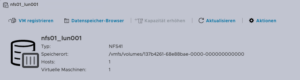
One of the challenging matters in finding the location of the virtual machine holding the virtual machine disk. The path can be found within the web UI of the ESXi system:
- Locate the ESXi node that runs the Virtual Machine that should be migrated
- Identify the virtual machine to be migrated (e.g., pgsql07.gyptazy.ch).
- Obtain the location of the virtual disk (VMDK) associated with the VM from the configuration panel.
- The VM location path should be shown (e.g., /vmfs/volumes/137b4261-68e88bae-0000-000000000000/pgsql07.gyptazy.ch).
- Stop and shutdown the VM.
Create a New Empty VM on Proxmox
- Create a new empty VM in Proxmox.
- Assign the same resources like in the ESXi setup.
- Set the network type to VMware vmxnet3.
- Ensure the needed network resources (e.g., VLAN, VXLAN) are properly configured.
- Set the SCSCI controller for the disk to VMware PVSCSI.
- Do not create a new disk (this will be imported later from the ESXi source).
- Each VM gets an ID assigned by Proxmox (note it down, it will be needed later).
Copy VM from ESXi to Proxmox
The content of the virtual machine (VM) will be transferred from the ESXi to the Proxmox system using the open source tool rsync for efficient synchronization and copying. Therefore, the following commands need to be executed from the Proxmox system, where we create a temporary directory to store the VM’s content:
mkdir /tmp/migration_pgsql07.gyptazy.ch
cd /tmp/migration_pgsql07.gyptazy.ch
rsync -avP root@esx02-test.gyptazy.ch:/vmfs/volumes/137b4261-68e88bae-0000-000000000000/pgsq07.gyptazy.ch/* .
Depending on the file size of them virtual machine and the network connectivity this process may take some time.
Import VM in Proxmox
 Afterwards, the disk is imported using the qm utility, defining the VM ID (which got created during the VM creation process), along with specifying the disk name (which has been copied over) and the destination data storage on the Proxmox system where the VM disk should be stored:
qm disk import 119 pgsql07.gyptazy.ch.vmdk local-lvm
Depending on the creation format of the VM or the exporting format there may be multiple disk files which may also be suffixed by _flat. This procedure needs to be repeated by all available disks.
Starting the VM
In the final step, all settings, resources, definitions and customizations of the system should be thoroughly reviewed. One validated, the VM can be launched, ensuring that all components are correctly configured for operation within the Proxmox environment.
Conclusion
This article only covers one of many possible methods for migrations in simple, standalone setups. In more complex environments involving multiple host nodes and different storage systems like fibre channel or network storage, there are significant differences and additional considerations. Additionally, there may be specific requirements regarding availability and Service Level Agreements (SLAs) to be concern. This may be very specific for each environment. Feel free to contact us for personalized guidance on your specific migration needs at any time. We are also pleased to offer our support in related areas in open source such as virtualization (e.g., OpenStack, VirtualBox) and topics pertaining to cloud migrations.
Addendum
On the 27th of March, Proxmox released their new import wizard (pve-esxi-import-tools) which makes migrations from VMware ESXi instances to a Proxmox environment much easier. Within an upcoming blog post we will provide more information about the new tooling and cases where this might be more useful but also covering the corner cases where the new import wizard cannot be used.
This year’s FOSS Backstage took place on 2024-03-04 and 2024-03-05 at bUm in Berlin, Germany. One Debian Developer and employee of NetApp had the opportunity to attend this conference: Bastian Blank.
FOSS Backstage focuses on the non-coding aspects of Open Source projects. Aspects like governance, how to structure a project, and how to grow your project where talked a lot about. But also legal aspects on licenses choice and license compliance showed up.
Many startups will eventually show up the radar of Venture Capital. While this will make some people wealthy, this is often a turning point for FOSS principles. Melanie Rieback presented the keynote with insight into her successful non-profit security company. A company that can’t be sold to anyone really.
Once in a while, hopefully not too often, it will be necessary to change the structure of a project. For example if the founder of the project and his company suddenly goes away. Ruth Cheesley showed how changing the governance model can work in reality.
Funding is a not so easy, but still important part of every project. Some insights where given by Shane Curcuru about how projects are currently funded, with data he collects and publishes.
All presentations have been recorded and should show up on the YouTube channel of the organizers.
This years All Systems Go! took place on 2023-09-13 and 2023-09-14 at the nice location of Neue Mälzerei in Berlin, Germany. One Debian Developer and employee of NetApp had the opportunity to attend this conference: Bastian Blank.
All Systems Go! focuses on low-level user-space for Linux systems. Everything that is above the kernel, but is so fundamental that systems won’t work without.
A lot of talks happened, ranging from how to use TPM with Linux for measured boot, how to overcome another Y2038 problem, up to just how to actually boot fast. Videos for all talks are kindly provided by the nice people of the C3VOC.
DebConf23 https://debconf23.debconf.org/ took place from 2023-09-10 to –17 in Kochi, India.
Four employees (three Debian developers) from NetApp had the opportunity to participate in the annual event, which is the most important conference in the Debian world: Christoph Senkel, Andrew Lee, Michael Banck and Noël Köthe.




DebCamp
What is DebCamp? DebCamp usually takes place a week before DebConf begins. For participants, DebCamp is a hacking session that takes place just before DebConf. It’s a week dedicated to Debian contributors focusing on their Debian-related projects, tasks, or problems without interruptions.
DebCamps are largely self-organized since it’s a time for people to work. Some prefer to work individually, while others participate in or organize sprints. Both approaches are encouraged, although it’s recommended to plan your DebCamp week in advance.
During this DebCamp, there are the following public sprints:
- Debian Boot Camp: An introduction for newcomers on how to contribute to Debian more deeply.
- GPG keys 101: Get your keys ready for DebConf’s key signing party: An introduction to PGP/GPG keys and the web of trust, primarily targeting those new to Debian who don’t have a GPG key yet.
In addition to the organizational part, our colleague Andrew also attended and arranged private sprints during DebCamp:
- Debian Installer hacking: Debian installer is a complex project with multiple components. We had an on-site d-i hacker, Alper Nebi Yasak, who guided us in addressing issues specific to zh_TW locale users in the Debian installer.
- LXQt/LXDE hacking session: LXQt and LXDE are lightweight desktop environments for Linux users. Our colleague Andrew Lee leads the LXQt team in Debian and also provided assistance to the LXDE team in the absence of their original team leader from Ukraine.
It also allows the DebConf committee to work together with the local team to prepare additional details for the conference. During DebCamp, the organization team typically handles the following tasks:
- Setting up the Frontdesk: This involves providing conference badges (with maps and additional information) and distributing SWAG such as food vouchers, conference t-shirts, and sponsor gifts.
- Setting up the network: This includes configuring the network in conference rooms, hack labs, and video team equipment for live streaming during the event.
- Accommodation arrangements: Assigning rooms for participants to check in to on-site accommodations.
- Food arrangements: Catering to various dietary requirements, including regular, vegetarian, vegan, halal, gluten-free (regular, vegetarian, vegan), and accommodating special religious and allergy-related needs.
- Setting up a conference bar: Providing a relaxed environment for participants to socialize and get to know each other.
- Writing daily announcements: Keeping participants informed about ongoing activities.
- Organizing day trip options.
- Arranging parties.
Conference talks
The conference itself started on Sunday 10. September with an opening, some organizational stuff, GPG keysigning information (the fingerprint was printed on the badge) and a big welcome to everyone onsite and in the world.
Most talks of DebConf were live streamed and are available in the video archive. The topics were broad from very technical (e.g., “What’s new in the Linux kernel”) over organizational (e.g., “DebConf committee”) to social (e.g., “Adulting”).
Schedule: https://debconf23.debconf.org/schedule/
Videos: https://meetings-archive.debian.net/pub/debian-meetings/2023/DebConf23/
Thanks a lot, to the voluntarily organized video team for this video transmission coverage.
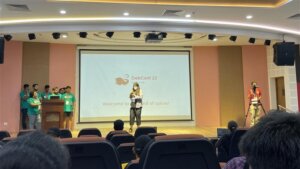
Lightning Talks
On the last day of DebConf, the traditional lightning talks were held. One talk in particular was noticed, the presentation of extrepo by Wouter Verhelst. At NetApp, we use bookworm-based Debian ThinkPad’s. However, in a corporate environment, non-packaged software needs to be used from time to time, and extrepo is a very elegant way to solve this problem by providing, maintaining and keeping UpToDate a list of 3rd-party APT repositories like Slack or Docker Desktop.
Sadya
On Tuesday, an incredibly special lunch was offered at DebConf: a traditional Kerala vegetarian banquet (Sadya in Maralayam), which is served on a banana leaf and eaten by hand. It was quite unusual for the European part of the attendees at first, but a wonderful experience once one got into it.

Daytrip
On Wednesday, the Daytrip happened and everybody could choose out of five different trips: https://wiki.debian.org/DebConf/23/DayTrip
The houseboat trip was a bus tour to Alappuzha about 60 km away from the conference venue. It was interesting to see (and hear) the typical bus, car, motorbike and Tuktuk road traffic in action. During the boat trip the participants socialized and visited the local landscape outside the city.

Unfortunately, we had an accident at one of the daytrip options. Abraham a local Indian participant drowned while swimming.
https://debconf23.debconf.org/news/2023-09-14-mourning-abraham/
It was a big shock for everybody and all events including the traditional formal dinner were cancelled for Thursday. The funeral with the family was on Friday morning and DebConf people had the opportunity with organized buses to participate and say goodbye.
NetApp internal dinner on Friday
The NetApp team at DebConf wanted to take the chance to go to a local restaurant (“were the locals go eating”) and enjoyed very tasty food.


DebConf24
Sunday was the last day of DebConf23. As usual, the upcoming DebConf24 was very briefly presented and there was a call for bids for DebConf25.
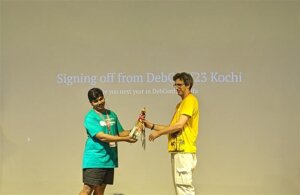
Maybe see you in Haifa, Israel next year.
https://www.debconf.org/goals.shtml
Authors: Andrew Lee, Michael Banck and Noël Köthe
As described in the previous post, access control on Unix-like systems is traditionally based on the principle of Discretionary Access Control (DAC). Applications and services run under a specific user and group ID and are granted the corresponding access rights to files and folders.
AppArmor implements a Mandatory Access Control for Linux, based on the Linux Security Modules: an access control strategy that allows specific rights to be granted or denied to individual programs. This security layer exists in addition to the traditional DAC.
Since Debian 10 buster, AppArmor has been included and activated in the kernel by default. The packages apparmor and apparmor-utils provide tools for creating and maintaining AppArmor profiles.
Included Profiles
The two packages mentioned do not come with ready-made profiles, but only the Abstractions mentioned in the previous article: collections of rules that can be included in multiple profiles.
Some programs include their profiles in their own packages, while others contain profiles if corresponding modules are installed later – for example, mod_apparmor for the Apache web server.
The packages apparmor-profiles and apparmor-profiles-extra contain AppArmor profiles that can be found after installation in the directories /etc/apparmor.d (for tested profiles) and /usr/share/apparmor/extra-profiles (for experimental profiles), respectively. These profiles can be used as a basis for custom profiles.
Create Profiles Yourself
While at least experimental profiles are available for most common server services, such as the Apache web server, nothing can be found for the nginx web server. However, this is not a major issue, as a new AppArmor profile can be quickly created with the help of apparmor-utils.
Nginx Example
The following assumes a simple base installation of nginx that only serves HTML files under /var/www/html via HTTP. The focus here is primarily on the general approach, so repetitive steps will be skipped.
The described approach can be applied to any other program. To find out about the paths and files used by a program, dpkg can be used with the -L option, which lists all paths of a package. It should be noted that several packages may need to be queried for this; for nginx, the package of the same name provides hardly any useful information; this is only obtained with the nginx-common package:
# dpkg -L nginx-common
For the following steps, it is recommended to have two terminals open with root privileges.
Before the web server process can be observed for profile creation, all its running processes must be terminated:
# systemctl stop nginx
Once all processes are stopped, aa-genprof is called in the second terminal with the path of the web server’s program file:
# aa-genprof /usr/sbin/nginx
Some information about the current call of aa-genprof appears, including the hint Profiling: /usr/sbin/nginx, followed by Please start the application to be profiled in another window and exercise its functionality now.
To comply with this, the web server process is restarted in the first terminal window:
# systemctl start nginx
Before calling the S option in the second window to search the log files for AppArmor events, the web server should run for a few moments, and it should also be accessed from a browser so that as many typical activities of the process as possible are recorded.
Once this is done, the log files can be searched for events by pressing the S key:
[(S)can system log for AppArmor events] / (F)inish
Reading log entries from /var/log/syslog.
Updating AppArmor profiles in /etc/apparmor.d.
Complain-mode changes:
If an event is found, the affected profile and the action recorded by AppArmor are displayed:
Profile: /usr/sbin/nginx
Capability: dac_override
Severity: 9

 [1 - capability dac_override,]
(A)llow / [(D)eny] / (I)gnore / Audi(t) / Abo(r)t / (F)inish
Here, the program /usr/sbin/nginx requests the Capability dac_override, which was already described in the last article. It is indispensable for the operation of the web server and is allowed by pressing A. Alternatively, the request can be denied with D or ignored with I. With the Audit option, this request would continue to be recorded in the log file during operation.
Profile: /usr/sbin/nginx Capability: net_bind_service Severity: 8 [1 - #include] 2 - capability net_bind_service,
The next event shows that the process requests the Capability net_bind_service, which is needed to open a port with a port number less than 1024.
Unlike the first query, there are two ways to allow access in the future: the first option involves integrating Abstractions for NIS, the Network Information Service. In this Abstraction, which can be found under /etc/apparmor.d/abstractions/nis, in addition to a rule that allows access to rule sets for NIS, the Capability net_bind_service is also listed.
However, since the HTTP server does not include NIS functionality, it is sufficient to only allow the Capability. By pressing 2 and A, this is adopted into the profile.
The same applies to the Abstractions proposed in the following steps for dovecot and postfix: here it is sufficient to only allow the Capabilities setgid and setuid.
Sometimes the designation of the Abstractions can be somewhat misleading: for example, the Abstraction nameservice contains, in addition to rules that allow read access to common nameservice files like passwd or hosts, also rules that permit network access. It is therefore always worthwhile to take a look at the respective file under /etc/apparmor.d/abstractions/ to see if including the Abstraction is beneficial.
After the web server process has received all necessary Capabilities, it apparently tries to open its error log file /var/log/nginx/log with write permissions. It is noticeable here that, in addition to the usual Allow, Deny, and Ignore, the options Glob and Glob with Extension have been added.
Profile: /usr/sbin/nginx
Path: /var/log/nginx/error.log
New Mode: w
Severity: 8

 [1 - /var/log/nginx/error.log w,]
(A)llow / [(D)eny] / (I)gnore / (G)lob / Glob with (E)xtension / (N)ew / Audi(t) / Abo(r)t / (F)inish
Entering E adds another suggestion to the list:
 1 - /var/log/nginx/error.log w,
 [2 - /var/log/nginx/*.log w,]
The filename error.log has been replaced by a wildcard and the extension .log. This rule would grant write permissions to the file /var/log/nginx/error.log as well as, for example, to the file /var/log/nginx/access.log – these are (at least) two rules combined into a single one.
These rules would already be sufficient for this example, but it might also be necessary to allow files that do not have the .log file extension to be written in the /var/log directory. By entering G, another suggestion is added to the list:
  1 - /var/log/nginx/error.log w,
 2 - /var/log/nginx/*.log w,
 [3 - /var/log/nginx/* w,]
The filename has now been replaced by a single wildcard, meaning the process would be allowed to open any files in /var/log/nginx with write permissions.
As already mentioned, the proposed rules only grant write permissions, but no read permissions, even if the file’s access rights would allow more. However, for a web server’s log file, write permissions are entirely sufficient.
Subsequently, nginx requests read access to various configuration files, for example /etc/nginx/nginx.conf. This file is located in the nginx web server’s configuration directory, which contains other files that should also be readable.
Profile: /usr/sbin/nginx
Path: /etc/nginx/nginx.conf
New Mode: owner r
Severity: unknown

 [1 - owner /etc/nginx/nginx.conf r,]
Here too, with G, the rule can be extended to all files in the /etc/nginx directory.
 1 - owner /etc/nginx/nginx.conf r,
 [2 - owner /etc/nginx/* r,]
The same applies to the subdirectories of the configuration directory; these can be covered by globbing as /etc/nginx/*/.
A special case for globbing is the files contained in those subdirectories:
Profile: /usr/sbin/nginx
Path: /etc/nginx/sites-available/default
New Mode: owner r
Severity: unknown

 [1 - owner /etc/nginx/sites-available/default r,]
After entering G twice, the wildcard ** is suggested after the wildcard * known from above, which, as described in the previous article, covers all files located in subdirectories (and their subdirectories).
 1 - owner /etc/nginx/sites-available/default r,
 2 - owner /etc/nginx/sites-available/* r,
 [3 - owner /etc/nginx/** r,]
The last steps also all contained the attribute owner: this ensures that a rule only applies if the accessing process is also the owner of the file. If the file exists but belongs to someone else, access is denied.
There are still some other paths and files such as /usr/share/nginx/modules-available/, /run/nginx.pid, and /proc/sys/kernel/random/boot_id, which nginx also requires for proper operation. However, the procedure remains unchanged.
Once all events have been processed, the program concludes with the message:
= Changed Local Profiles =

The following local profiles were changed. Would you like to save them?

 [1 - /usr/sbin/nginx]
(S)ave Changes / Save Selec(t)ed Profile / [(V)iew Changes] / View Changes b/w (C)lean profiles / Abo(r)t
The options are clear: S saves changes, while V allows them to be viewed as a Diff beforehand. The following listing shows the profile generated in the run above.
include <tunables/global>

profile nginx /usr/sbin/nginx {
 include <abstractions/base>
 include <abstractions/nameservice>

 capability dac_override,
 capability dac_read_search,
 capability setgid,
 capability setuid,

 /usr/sbin/nginx mr,

 /var/log/nginx/*.log w,

 /var/www/html/** r,

 owner /etc/nginx/* r,
 owner /etc/nginx/** r,

 owner /run/nginx.pid rw,

 owner /usr/share/GeoIP/*.mmdb r,
 owner /usr/share/nginx/modules-available/*.conf r,

 owner /var/cache/nginx/** rw,
 owner /var/lib/nginx/** rw,
}
After saving the changes, aa-genprof returns to its start screen. Here, one could search for events in log files again or exit the program with F.
The program ends with the message:
Setting /usr/sbin/nginx to enforce mode.

Reloaded AppArmor profiles in enforce mode.
The profile just created has therefore been loaded and put into enforce mode. This means that the program can only access what is allowed in the profile; all other access attempts are blocked by AppArmor and recorded in the Syslog.
For simple programs, the creation of a profile is thus complete, and AppArmor can perform its work; more complex programs, however, will show previously unknown behavior later on, which would be prevented by the profile created so far. In such cases, it helps to switch the profile to complain mode using aa-complain.
# aa-complain nginx
Accesses that go beyond the known profile are generally allowed in complain mode but are recorded in the Syslog.
Feb 18 15:25:50 web01 kernel: [ 9908.611408] audit: type=1400 audit(1645197950.338:100): apparmor="ALLOWED" operation="open" profile="nginx" name="/srv/www/index.html" pid=4490 comm="nginx" requested_mask="r" denied_mask="r" fsuid=33 ouid=0
In the excerpt from the Syslog above, the webroot directory on host web01 was changed to /srv/www, but the previously created AppArmor profile was not adjusted. Since the profile is now in complain mode, access was still allowed: apparmor="ALLOWED"; in enforce mode, it would say DENIED and access would be denied.
The remaining information clearly shows what happened: the process with process ID (pid) 4190 tried to open the file /srv/www/index.html (name) for reading (requested_mask), which would, however, be forbidden (denied_mask) due to the profile (profile) nginx.
So, if software secured with AppArmor doesn’t work as expected, the first place to look is the Syslog!
After some time, there will be several entries there that should then be incorporated into the AppArmor profile. For this, the program aa-logprof is used: it searches the Syslog for entries and, in the manner of aa-genprof, asks if and how entries should be created in the profile. This process can be repeated as often as necessary.
If no further entries are found in the Syslog, the profile has been sufficiently adjusted and can be switched back to enforce mode with aa-enforce:
# aa-enforce nginx
This completes the basic creation of a simple AppArmor profile, and the nginx processes are controlled and monitored according to the rules defined within it.
We are Happy to Support You
Whether AppArmor, Debian, or PostgreSQL: with over 22+ years of development and service experience in the open-source sector, credativ GmbH can professionally support you with unparalleled and individually configurable support and assist you fully with all questions regarding your open-source infrastructure.
Do you have questions about our article or would you like credativ’s specialists to look at another software of your choice?
Then visit us and contact us via our contact form or write us an email at info@credativ.de.
About Credativ
credativ GmbH is a vendor-independent consulting and service company based in Mönchengladbach.
Fundamentally, access control under Linux is a simple matter:
Files specify their access rights (execute, write, read) separately for their owner, their group, and finally, other users. Every process (whether a user’s shell or a system service) running on the system operates under a user ID and group ID, which are used for access control.
A web server running with the permissions of user www-data and group www-data can thus be granted access to its configuration file in the directory /etc, its log file under /log, and the files to be delivered under /var/www. The web server should not require more access rights for its operation.
Nevertheless, whether due to misconfiguration or a security vulnerability, it could also access and deliver files belonging to other users and groups, as long as these are readable by everyone, as is technically the case, for example, with /etc/passwd. Unfortunately, this cannot be prevented with traditional Discretionary Access Control (DAC), as used in Linux and other Unix-like systems.
However, since December 2003, the Linux kernel has offered a framework with the Linux Security Modules (LSM), which allows for the implementation of Mandatory Access Control (MAC), where rules can precisely specify which resources a process may access. AppArmor implements such a MAC and has been included in the Linux kernel since 2010. While it was originally only used in SuSE and later Ubuntu, it has also been enabled by default in Debian since Buster (2019).
AppArmor
AppArmor checks and monitors, based on a profile, which permissions a program or script has on a system. A profile typically contains the rule set for a single program. For example, it defines how (read, write) files and directories may be accessed, whether a network socket may be created, or whether and to what extent other applications may be executed. All other actions not defined in the profile are denied.
Profile Structure
The following listing (line numbers are not part of the file and serve only for orientation) shows the profile for a simple web server, whose program file is located under /usr/sbin/httpd is located.
By default, AppArmor profiles are located in the directory /etc/apparmor.d and are conventionally named after the path of the program file. The first slash is omitted, and all subsequent slashes are replaced by dots. The web server’s profile is therefore located in the file /etc/apparmor.d/usr.sbin.httpd.
 1 include <tunables/global>
  2
 3 @{WEBROOT}=/var/www/html
  4
 5 profile httpd /usr/sbin/httpd {
 6 include <abstractions/base>
 7 include <abstractions/nameservice>
  8
 9 capability dac_override,
10 capability dac_read_search,
11 capability setgid,
12 capability setuid,
13
14 /usr/sbin/httpd mr,
15
16 /etc/httpd/httpd.conf r,
17 /run/httpd.pid rw,
18
19 @{WEBROOT}/** r,
20
21 /var/log/httpd/*.log w,
22 }
Preamble
The instruction include in line 1 inserts the content of other files in place, similar to the C preprocessor directive of the same name. If the filename is enclosed in angle brackets, as here, the specified path refers to the folder /etc/apparmor.d; with quotation marks, the path is relative to the profile file.
Occasionally, though now outdated, the notation #include can still be found. However, since comments in AppArmor profiles begin with a # and the rest of the line is ignored, the old notation leads to a contradiction: a supposedly commented-out #include instruction would indeed be executed! Therefore, to comment out a include instruction, a space after the # is recommended.
The files in the subfolder tunables typically contain variable and alias definitions that are used by multiple profiles and are defined in only one place, according to the Don’t Repeat Yourself principle (DRY).
In line 2, the variable @{WEBROOT} is created with WEBROOT and assigned the value /var/www/html. If other profiles, in addition to the current one, were to define rules for the webroot directory, it could instead be defined in its own file tunables and included in the respective profiles.
Profile Section
The profile section begins in line 5 with the keyword profile. It is followed by the profile name, here httpd, the path to the executable file, /usr/sbin/httpd, and optionally flags that influence the profile’s behavior. The individual rules of the profile then follow, enclosed in curly braces.
As before, in lines 6 and 7, include also inserts the content of the specified file in place. In the subfolder abstractions, according to the DRY principle, there are files with rule sets that appear repeatedly in the same form, as they cover both fundamental and specific functionalities.
For example, in the file base, access to various file systems such as /dev, /proc, and /sys, as well as to runtime libraries or some system-wide configuration files, is regulated. The file
Starting with line 9, rules with the keyword capability grant a program special privileges, known as capabilities. Among these, setuid and setgid are certainly among the more well-known: they allow the program to change its own uid and gid; for example, a web server can start as root, open the privileged port 80, and then drop its root privileges. dac_override and dac_read_search allow bypassing the checking of read, write, and execute permissions. Without this capability, even a program running under uid root would not be able to access files regardless of their attributes, unlike what one is used to from the shell.
From line 14 onwards, there are rules that determine access permissions for paths (i.e., folders and files). The structure is quite simple: first, the path is specified, followed by a space and the abbreviations for the granted permissions.
Aside: Permissions
The following table provides a brief overview of the most common permissions:
| Abbreviation | Meaning | Description |
|---|---|---|
r | read | read access |
w | write | write access |
a | append | appending data |
x | execute | execute |
m | memory map executable | mapping and executing the file’s content in memory |
k | lock | setting a lock |
l | link | creating a link |
Aside: Globbing
Paths can either be fully written out individually or multiple paths can be combined into one path using wildcards. This process, called globbing, is also used by most shells today, so this notation should not cause any difficulties.
| Expression | Description |
|---|---|
/dir/file | refers to exactly one file |
/dir/* | includes all files within /dir/ |
/dir/** | includes all files within /dir/, including subdirectories |
? | represents exactly one character |
{} | Curly braces allow for alternations |
[] | Square brackets can be used for character classes |
Examples:
| Expression | Description |
|---|---|
/dir/??? | thus refers to all files in /dir whose filename is exactly 3 characters long |
/dir/*.{png,jpg} | refers to all image files in /dir whose file extension is png or jpg |
/dir/[abc]* | refers to all files in /dir whose name begins with the letters a, b, or c |
For access to the program file /usr/sbin/httpd, the web server receives the permissions mr in line 14. The abbreviation r stands for read and means that the content of the file may be read; m stands for memory map executable and allows the content of the file to be loaded into memory and executed.
Anyone who dares to look into the file
/etc/apparmor.d/abstractions/basewill see that the permissionmis also necessary for loading libraries, among other things.
During startup, the web server will attempt to read its configuration from the file /etc/httpd.conf. Since the path has r permission for reading, AppArmor will allow this. Subsequently, httpd writes its PID to the file /run/httpd.pid. The abbreviation w naturally stands for write and allows write operations on the path. (Lines 16, 17)
The web server is intended to deliver files below the WEBROOT directory. To avoid having to list all files and subdirectories individually, the wildcard ** can be used. The expression r.
As usual, all access to the web server is logged in the log files access.log and error.log in the directory /var/log/httpd/. These are only written by the web server, so it is sufficient to set only write permission for the path /var/log/httpd/* with w in line 21.
With this, the profile is complete and ready for use. In addition to those shown here, there are a variety of other rule types with which the allowed behavior of a process can be precisely defined.
Further information on profile structure can be found in the man page for apparmor.d and in the Wiki article on the AppArmor Quick Profile Language; a detailed description of all rules can be found in the AppArmor Core Policy Reference.
Creating a Profile
Some applications and packages already come with ready-made AppArmor profiles, while others still need to be adapted to specific circumstances. Still other packages do not come with any profiles at all – these must be created by the administrator themselves.
To create a new AppArmor profile for an application, a very basic profile is usually created first, and AppArmor is instructed to treat it in the so-called complain mode. Here, accesses that are not yet defined in the profile are recorded in the system’s log files.
Based on these log entries, the profile can then be refined after some time, and if no more entries appear in the logs, AppArmor can be instructed to switch the profile to enforce mode, enforce the rules listed therein, and block undefined accesses.
Even though it is easily possible to create and adapt an AppArmor profile manually in a text editor, the package apparmor-utils contains various helper programs that can facilitate the work: for example, aa-genprof helps create a new profile, aa-complain switches it to complain mode, aa-logprof helps search log files and add corresponding new rules to the profile, and aa-enforce finally switches the profile to enforce mode.
In the next article of this series, we will create our own profile for the web server nginx based on the foundations established here.
We are Happy to Support You
Whether AppArmor, Debian, or PostgreSQL: with over 22+ years of development and service experience in the open source sector, credativ GmbH can professionally support you with unparalleled and individually configurable support, fully assisting you with all questions regarding your open source infrastructure.
Do you have questions about our article or would you like credativ’s specialists to take a look at other software of your choice? Then feel free to visit us and contact us via our contact form or send us an email at info@credativ.de.
About Credativ
credativ GmbH is a vendor-independent consulting and service company based in Mönchengladbach. Since the successful merger with Instaclustr in 2021, credativ GmbH has been the European headquarters of the Instaclustr Group.
The Instaclustr Group helps companies realize their own large-scale applications thanks to managed platform solutions for open source technologies such as Apache Cassandra®, Apache Kafka®, Apache Spark™, Redis™, OpenSearch™, Apache ZooKeeper™, PostgreSQL®, and Cadence. Instaclustr combines a complete data infrastructure environment with practical expertise, support, and consulting to ensure continuous performance and optimization. By eliminating infrastructure complexity, companies are enabled to focus their internal development and operational resources on building innovative, customer-centric applications at lower costs. Instaclustr’s clients include some of the largest and most innovative Fortune 500 companies.
100% Open Source – 100% Cost Control
The PostgreSQL® Competence Center of the credativ Group announces the creation of a new comprehensive service and support package that includes all services necessary for the operation of PostgreSQL® in enterprise environments. This new offering will be available starting August 1st, 2020.
“Motivated by the requirements of many of our customers, we put together a new and comprehensive PostgreSQL® service package that meets all the requirements for the operation of PostgreSQL® in enterprise environments.”, says Dr. Michael Meskes, managing director of the credativ Group.
“In particular, this package focuses on true open source support, placing great emphasis on the absence of any proprietary elements in our offer. Despite this, our service package still grants all of the necessary protection for operation in business-critical areas. Additionally, with this new offering, the number of databases operated within the company’s environment does not matter. As a result, credativ offers 100% cost control while allowing the entire database environment to be scaled as required.”
Database operation in enterprise environments places very high demands on the required service and support. Undoubtedly an extremely powerful, highly scalable, and rock-solid relational database is the basis for secure and high-performance operation.
However, a complete enterprise operating environment consists of much more than just the pure database; one needs holistic lifecycle management. Major and Minor version upgrades, migrations, security, services, patch management, and Long-Term Support (LTS) are just a few essential factors. Additionally, staying up to date also requires continuous regular training and practice.
Services for the entire operating environment
Beyond the database itself, one also needs a stable and highly scalable operating environment providing all necessary Open Source tools for PostgreSQL and meeting all requirements regarding high availability, security, performance, database monitoring, backups, and central orchestration of the entire database infrastructure. These tools include the open-source versions of numerous PostgreSQL related project packages, such as pgAdmin, pgBadger, pgBackrest, Patroni, but also the respective operating system environment and popular projects like Prometheus and Grafana, or even cloud infrastructures based on Kubernetes.
Just as indispensable as the accurate functioning of the database is smooth interaction with any components connected with the database. Therefore it is important to include and consider these components as well. Only when all aspects, such as operating system, load balancer, web server, application server, or PostgreSQL cluster solutions, work together, will the database achieve optimal performance.
This new support package is backed up by continuous 24×7 enterprise support, with guaranteed Service Level Agreements and all necessary services for the entire database environment, including a comprehensive set of open-source tools commonly used in today’s enterprise PostgreSQL environments. All of these requirements are covered by the PostgreSQL Enterprise package from credativ and are included within the scope of services. The new enterprise service proposal is offered at an annual flat rate, additionally simplifying costs and procurement.
About credativ
The credativ Group is an independent consulting and services company with primary locations in Germany, the United States, and India.
Since 1999, credativ has focused entirely on the planning and implementation of professional business solutions using Open Source software. Since May 2006, credativ operates the Open Source Support Center (OSSC), offering professional 24×7 enterprise support for numerous Open Source projects.
In addition, our PostgreSQL Competence Center of credativ provides a dedicated database team a comprehensive service for the PostgreSQL object-relational database eco-system.
This article was originally written by Philip Haas.
The PostgreSQL® Global Development Group (PGDG) has released version 12 of the popular, free database PostgreSQL®. As our Beta 4 article already suggested, a multitude of new features, improvements, and optimizations have been incorporated into the release. These include:
Optimized storage utilization and speed for btree indexes
btree indexes, the standard index type in PostgreSQL®, have received several optimizations in PostgreSQL® 12.
Historically, btree indexes stored duplicates (i.e., multiple entries with the same key values) in an unsorted order. This resulted in suboptimal utilization of the physical representation in the affected indexes. An optimization now stores these multiple key values in the same order as they are physically stored in the table. This improves storage utilization and reduces the overhead for managing corresponding btree indexes. Furthermore, indexes with multiple indexed columns use an improved physical representation, which also enhances their storage utilization. To benefit from this in PostgreSQL® 12, these indexes must be rebuilt or reindexed if the upgrade to the new version was performed via binary upgrade using pg_upgrade.
Insert operations into btree indexes are also accelerated by improved locking.
Improvements for pg_checksums
credativ has contributed an extension for pg_checksums that allows activating or deactivating block checksums in stopped PostgreSQL® instances. Previously, this could only be done by recreating the physical data representation of the cluster via initdb.
pg_checksums now also features the ability to display a status history on the console with the parameter --progress. The corresponding code contributions come from colleagues Michael Banck and Bernd Helmle.
Optimizer Inlining of Common Table Expressions
Up to and including PostgreSQL® 11, the PostgreSQL® Optimizer was unable to optimize Common Table Expressions (also known as CTEs or WITH queries). If such an expression was used in a query, the CTE was always evaluated and materialized first before the rest of the query was processed. For more complex CTE expressions, this led to correspondingly expensive execution plans. The following generic example clearly illustrates this. Given a join with a CTE expression that filters all even numbers from a numeric column:
WITH t_cte AS (SELECT id FROM foo WHERE id % 2 = 0) SELECT COUNT(*) FROM t_cte JOIN bar USING(id);
In PostgreSQL® 11, the use of a CTE always leads to a CTE Scan, which materializes the CTE expression first:
EXPLAIN (ANALYZE, BUFFERS) WITH t_cte AS (SELECT id FROM foo WHERE id % 2 = 0) SELECT COUNT(*) FROM t_cte JOIN bar USING(id) ;
  QUERY PLAN
─────────────────────────────────────────────────────────────────────────────────────────────────────────────────────────
  Aggregate (cost=2231.12..2231.14 rows=1 width=8) (actual time=48.684..48.684 rows=1 loops=1)
  Buffers: shared hit=488
  CTE t_cte
  ->  Seq Scan on foo (cost=0.00..1943.00 rows=500 width=4) (actual time=0.055..17.146 rows=50000 loops=1)
  Filter: ((id % 2) = 0)
  Rows Removed by Filter: 50000
  Buffers: shared hit=443
  ->  Hash Join (cost=270.00..286.88 rows=500 width=0) (actual time=7.297..47.966 rows=5000 loops=1)
  Hash Cond: (t_cte.id = bar.id)
  Buffers: shared hit=488
  ->  CTE Scan on t_cte (cost=0.00..10.00 rows=500 width=4) (actual time=0.063..31.158 rows=50000 loops=1)
  Buffers: shared hit=443
  ->  Hash (cost=145.00..145.00 rows=10000 width=4) (actual time=7.191..7.192 rows=10000 loops=1)
  Buckets: 16384 Batches: 1 Memory Usage: 480kB
  Buffers: shared hit=45
  ->  Seq Scan on bar (cost=0.00..145.00 rows=10000 width=4) (actual time=0.029..3.031 rows=10000 loops=1)
  Buffers: shared hit=45
  Planning Time: 0.832 ms
  Execution Time: 50.562 ms
(19 rows)
This plan first materializes the CTE with a Sequential Scan with the corresponding filter (id % 2 = 0). No functional index is used here, so this scan is correspondingly more expensive. Afterwards, the result of the CTE is joined with the table bar via Hash Join with the corresponding Join condition. With PostgreSQL® 12, the optimizer now gains the ability to inline these CTE expressions without prior materialization. The underlying, optimized plan in PostgreSQL® 12 then looks like this:
EXPLAIN (ANALYZE, BUFFERS) WITH t_cte AS (SELECT id FROM foo WHERE id % 2 = 0) SELECT COUNT(*) FROM t_cte JOIN bar USING(id) ;
  QUERY PLAN
───────────────────────────────────────────────────────────────────────────────────────────────────────────────────────────────────────────
  Aggregate (cost=706.43..706.44 rows=1 width=8) (actual time=9.203..9.203 rows=1 loops=1)
  Buffers: shared hit=148
  ->  Merge Join (cost=0.71..706.30 rows=50 width=0) (actual time=0.099..8.771 rows=5000 loops=1)
  Merge Cond: (foo.id = bar.id)
  Buffers: shared hit=148
  ->  Index Only Scan using foo_id_idx on foo (cost=0.29..3550.29 rows=500 width=4) (actual time=0.053..3.490 rows=5001 loops=1)
  Filter: ((id % 2) = 0)
  Rows Removed by Filter: 5001
  Heap Fetches: 10002
  Buffers: shared hit=74
  ->  Index Only Scan using bar_id_idx on bar (cost=0.29..318.29 rows=10000 width=4) (actual time=0.038..3.186 rows=10000 loops=1)
  Heap Fetches: 10000
  Buffers: shared hit=74
  Planning Time: 0.646 ms
  Execution Time: 9.268 ms
(15 rows)
The advantage of this method is that the initial materialization of the CTE expression is omitted. Instead, the query is executed directly with a Join.
This works for all non-recursive CTE expressions without side effects (e.g., CTEs with write statements) and those that are referenced only once per query. The old optimizer behavior can be forced with the WITH ... AS MATERIALIZED ... statement.
Generated Columns
New in PostgreSQL ® 12 are so-called Generated Columns, which calculate a result based on existing column values using expressions. These are stored with the corresponding source values in the tuple. The advantage is that the creation of triggers for subsequent calculation of column values can be avoided. The following simple example, based on a price table with net and gross prices, illustrates the new functionality:
CREATE TABLE preise(netto numeric,
  brutto numeric GENERATED ALWAYS AS (netto * 1.19) STORED);

INSERT INTO preise VALUES(17.30);
INSERT INTO preise VALUES(225);
INSERT INTO preise VALUES(247);
INSERT INTO preise VALUES(19.15);

SELECT * FROM preise;
  netto │ brutto
───────┼─────────
  17.30 │ 20.5870
  225 │ 267.75
  247 │ 293.93
  19.15 │ 22.7885
(4 rows)
The brutto column is calculated directly from the net price. The keyword STORED is mandatory. Of course, indexes can also be created on Generated Columns, but they cannot be part of a primary key. Furthermore, the SQL expression must be unambiguous, i.e., it must yield the same result even with the same input set. Columns declared as Generated Columns cannot be explicitly used in INSERT or UPDATE operations. If a column list is absolutely necessary, the corresponding value can be indirectly referenced with the keyword DEFAULT.
Removal of explicit OID columns
Explicit OID columns were historically a way to create unique column values so that a table row could be uniquely identified database-wide. For a long time, however, these have only been explicitly created in PostgreSQL®, and their fundamental functionality is considered obsolete. With PostgreSQL®, the ability to explicitly create such columns is now finally abolished. This means it will no longer be possible to specify the WITH OIDS directive for tables. System tables, which have always uniquely referenced objects by OID, will now return OID values without explicit specification of OID columns in the result set. Older software, in particular, that carelessly handled catalog queries, could encounter problems due to duplicate column output.
Moving recovery.conf to the postgresql.conf
Up to and including PostgreSQL® 11, database recovery and streaming replication instances were configured via a separate configuration file recovery.conf.
With PostgreSQL® 12, all configuration work previously done there now moves to the postgresql.conf. The recovery.conf file is no longer used. PostgreSQL® 12 refuses to start if this file is present. Whether recovery or a streaming standby is desired is now decided either by a recovery.signal file (for recovery) or standby.signal (for standby systems). The latter takes precedence if both files are present. The old parameter standby_mode, which previously controlled this behavior, has been removed.
For automatic deployments of high-availability systems, this represents a major change. However, it is now also possible to perform almost all corresponding configuration work via ALTER SYSTEM, so that only one configuration file needs to be maintained.
REINDEX CONCURRENTLY
With PostgreSQL® 12, there is now a way to rebuild indexes with as few locks as possible. This significantly simplifies one of the most common maintenance tasks in very write-intensive databases. Previously, a combination of CREATE INDEX CONCURRENTLY and DROP INDEX CONCURRENTLY had to be used. Care also had to be taken to assign new index names accordingly.
The Release Notes provide an even more detailed overview of all new features and, especially, incompatibilities compared to previous PostgreSQL® versions.
This article was originally written by Bernd Helmle.