
Replication Deadlock Bug in Current Postgres Releases 14-16
The current minor releases of Postgres versions 14-16 (14.23, 15.18 and 16.14, released on May 14th) introduced a regression that can lead to a MultiXactOffsetSLRU deadlock during transaction log (WAL) replay in certain circumstances.
The bug was (to our knowledge) first reported in Bug#19490 on May 20th by Radim Marek from BoringSQL. Further reports were done on the pgsql-bugs and pgsql-admin mailing lists and we also got customer support requests through our Open-Source Support Center.
What is Currently Known About This Bug
The bug can be hit in two ways. First, during streaming replication where the standby eventually hangs due to the deadlock. The other possibility is hanging point-in-time-recovery (PITR). The following is currently known:
The bug is only live on Postgres versions 14-16. Version 17 and 18 (and earlier versions) are not affected.
The WAL needs to be generated by a leader running the Q4/2025 (November 13th) back-branch releases or earlier (14.20/15.15/16.11).
The standby or the instance running PITR needs to be updated to the latest minor release (14.23/15.18/16.14).
The
startupprocess hangs with wait eventLWLock/MultiXactOffsetSLRUinpg_stat_activityduring WAL replay.
So to summarize, the leader needs to be at least a few minor versions behind and the standby needs to be updated to the latest minor version. Due to the recommended procedure of updating streaming standbys first before updating the leader, this bug is likely to be hit relatively often in the field, especially by organizations that only patch every few minor releases.
Circumventing the Issue
If one has not yet hit the issue, then not upgrading the standby or a PITR machine to the latest minor releases will avoid the problem. In the case that one is affected by the regression, there are four (well, currently three) ways to address the problem:
Downgrading the standby or the PITR instance to the Q1 (or earlier) point release (14.22/15.17/16.13) fixes the problem (but will potentially re-introduce problems fixed since).
A two-step upgrade procedure where first the standbys and then the leader are upgraded to the Q1 point releases (see previous option), followed by a second upgrade of the standbys (and then eventually the leader) to the latest point releases. This circumvents the issue as then the leader is on a safe version that will not emit the problematic WAL records that lead to the deadlock on the standbys.
Applying the patch “Fix self-deadlock when replaying WAL generated by older minor version” (version 16, version 15, version 14) from May 27th when self-compiling Postgres and starting the standby/PITR-instance with this also fixes the problem. Not using distribution packages of PostgreSQL is generally not advised, so this alternative should be chosen by organizations that always build PostgreSQL themselves anyway.
Upgrading to the upcoming minor releases (currently targeted for August 13th) will also fix the problem, once they are released.
The problem seems severe enough that one might think it should warrant an out-of-band back-branch release, which is what we have suggested on the PostgreSQL development list. So far, there have been a few other people confirming that they saw the bug (either in their own environment, or the environments of their customers), but no decision on a release has been made. As PostgreSQL 19 Beta 2 is currently scheduled for July 16th, it looks unlikely that another release could be squeezed in before. After the Beta 2 release, there is only one month left until the next scheduled minor releases. So probably no out-of-band release will be done for this issue and a downgrade of the standby (option 1 from above) or a two-step upgrade procedure (option 2 from above) should be chosen for the time being.
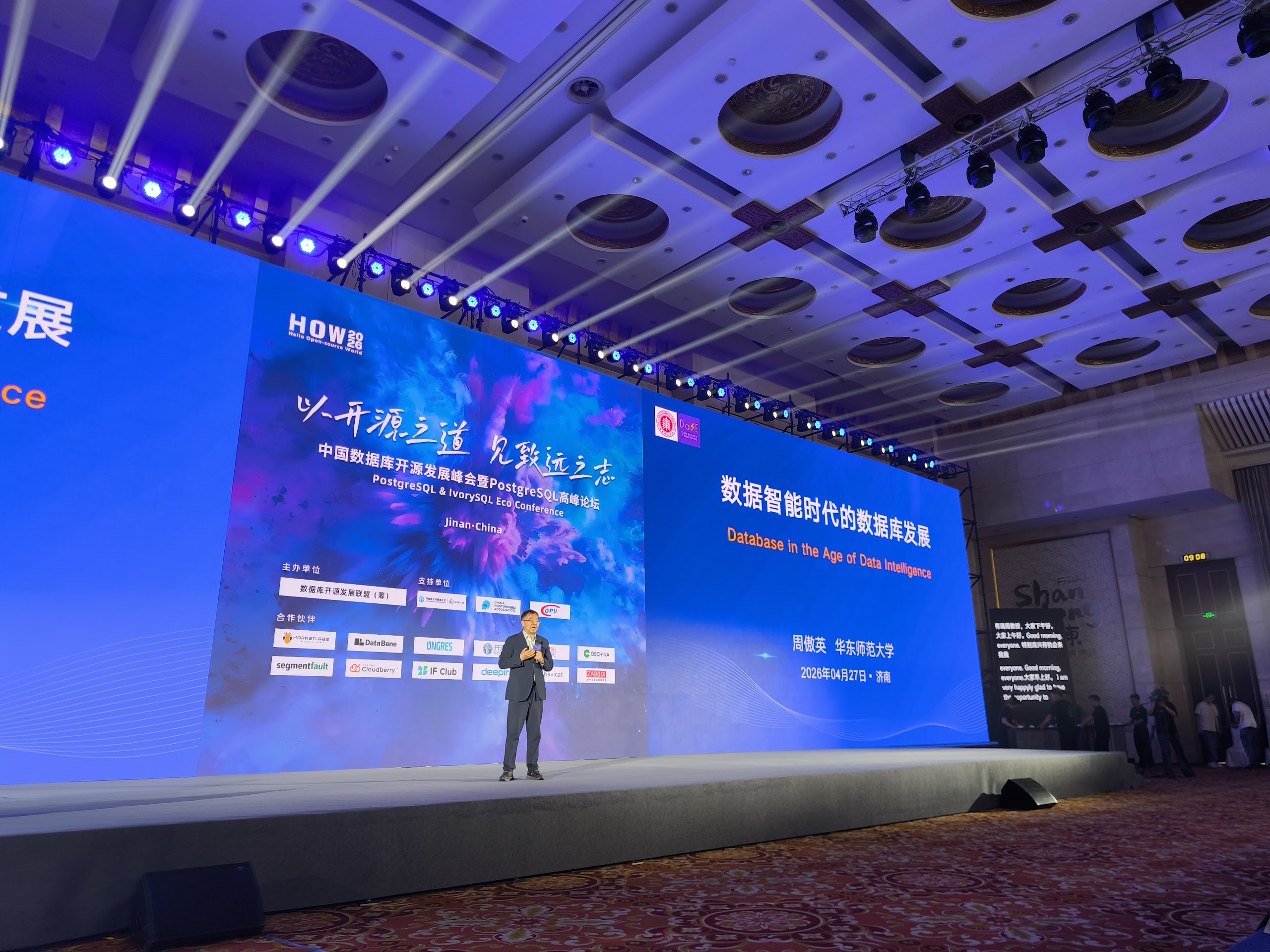
At the end of April, I had the incredible opportunity to represent credativ on the HOW2026 (Hello Open-source World), the PostgreSQL & IvorySQL Eco Conference in Jinan, China. IvorySQL is a Chinese fork of PostgreSQL with extended Oracle compatibility. In recent years, it has been gaining popularity not only in China. The conference brought together PostgreSQL and IvorySQL experts, contributors, and open-source database enthusiasts from around the world. The atmosphere was excellent, and I would like to share several highlights together with a recap of my contributions.
My Contributions
I was honored to contribute to the HOW2026 program with two sessions.
Workshop: The Alchemy of Shared Buffers
On Sunday afternoon, I led a three-hour deep-dive workshop exploring the intricate mechanics of PostgreSQL shared buffers. I discussed how Linux implements shared memory operations through the tmpfs file system, how shared buffers work internally, their practical limitations and usage patterns, why and how huge pages should be used for their allocation, why transparent huge pages negatively affect performance, and practical strategies for balancing high concurrency with optimal system performance.
Talk: Linux and PostgreSQL in the Multiverse of Connections
On Tuesday afternoon, I gave a talk focused on PostgreSQL connection overhead. I discussed how PostgreSQL connections interact with the Linux kernel, covering memory usage, physical memory allocation mapping, context-switching overhead, and PostgreSQL internals to explain why large numbers of connections can significantly degrade performance.
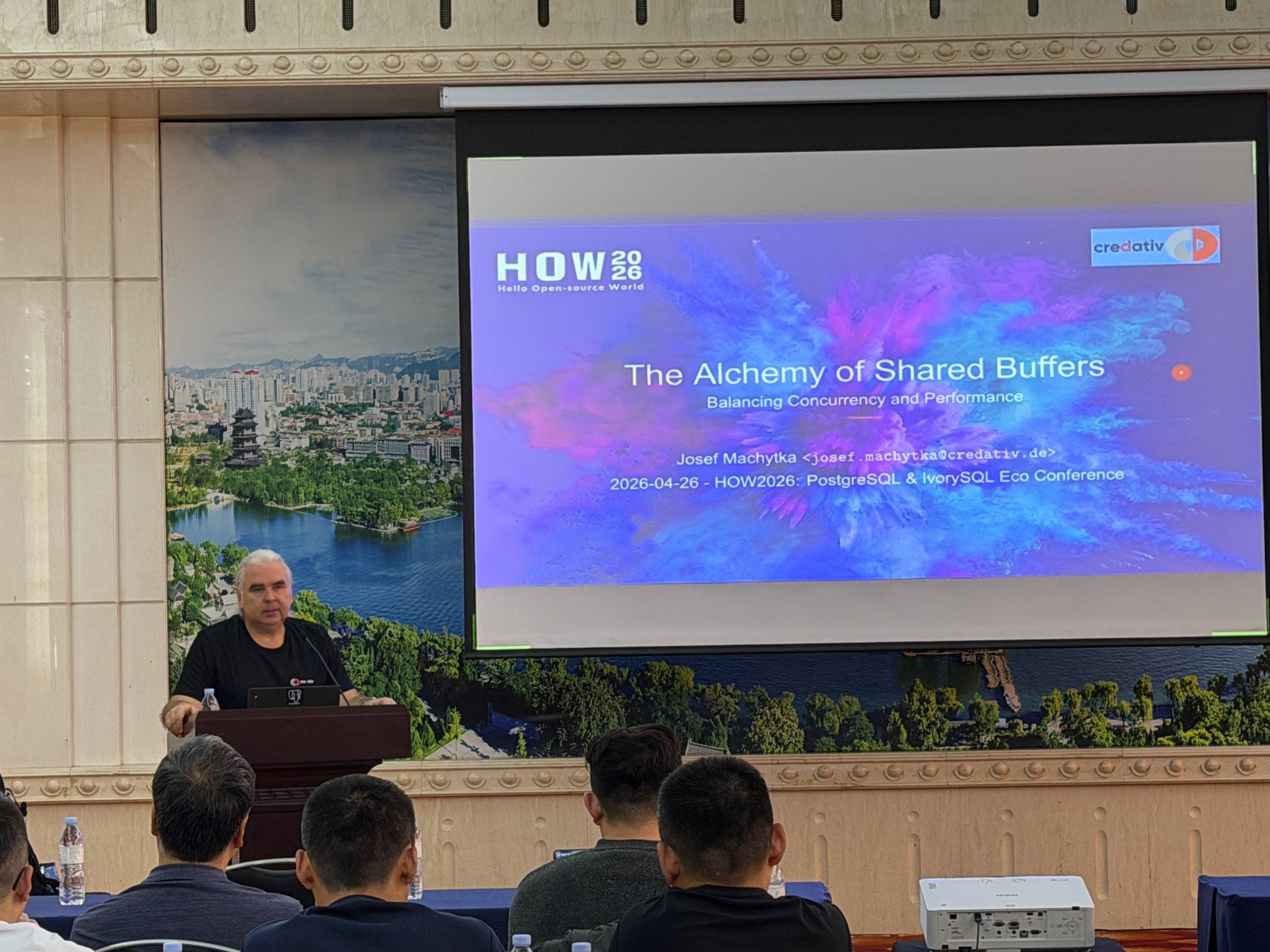
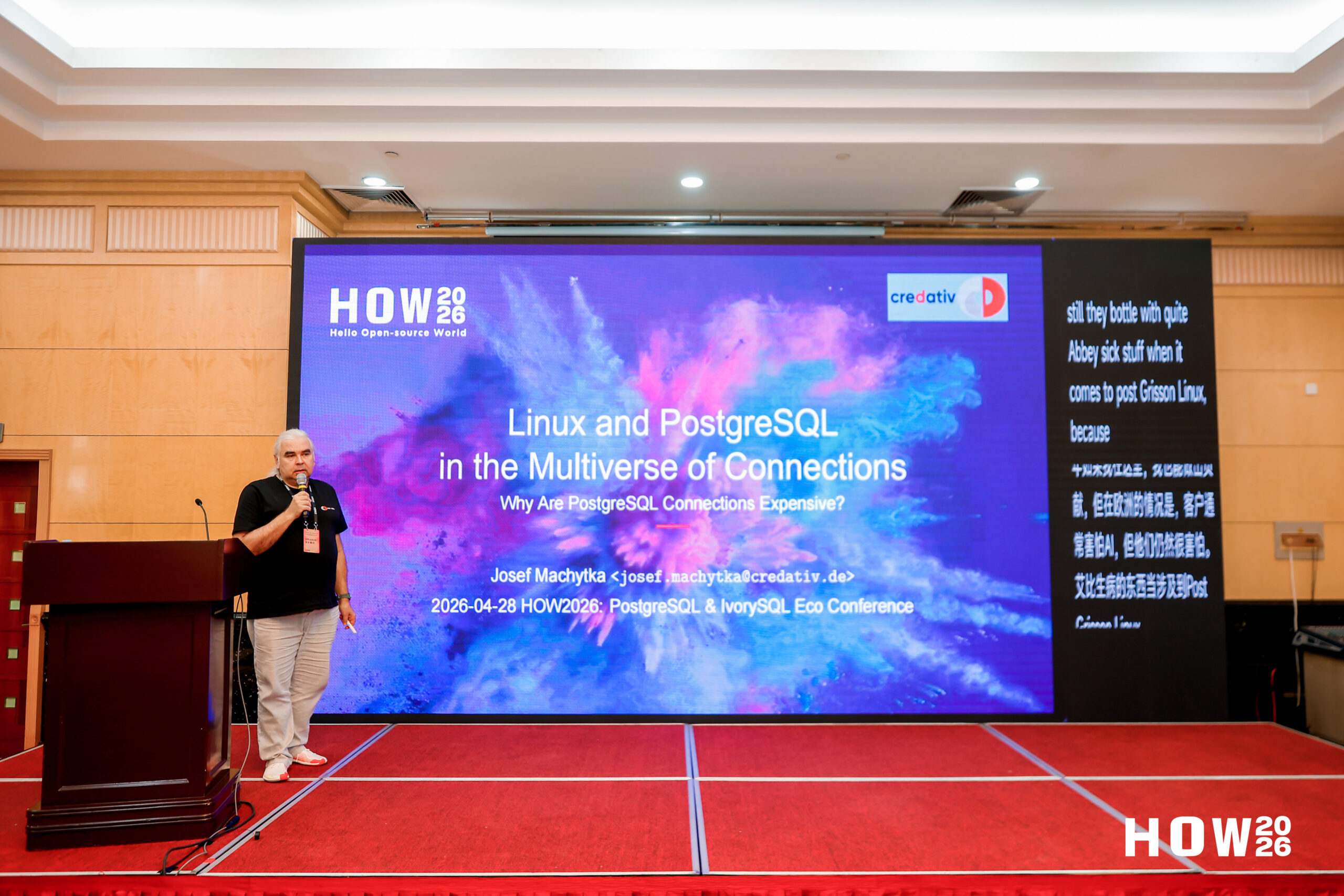
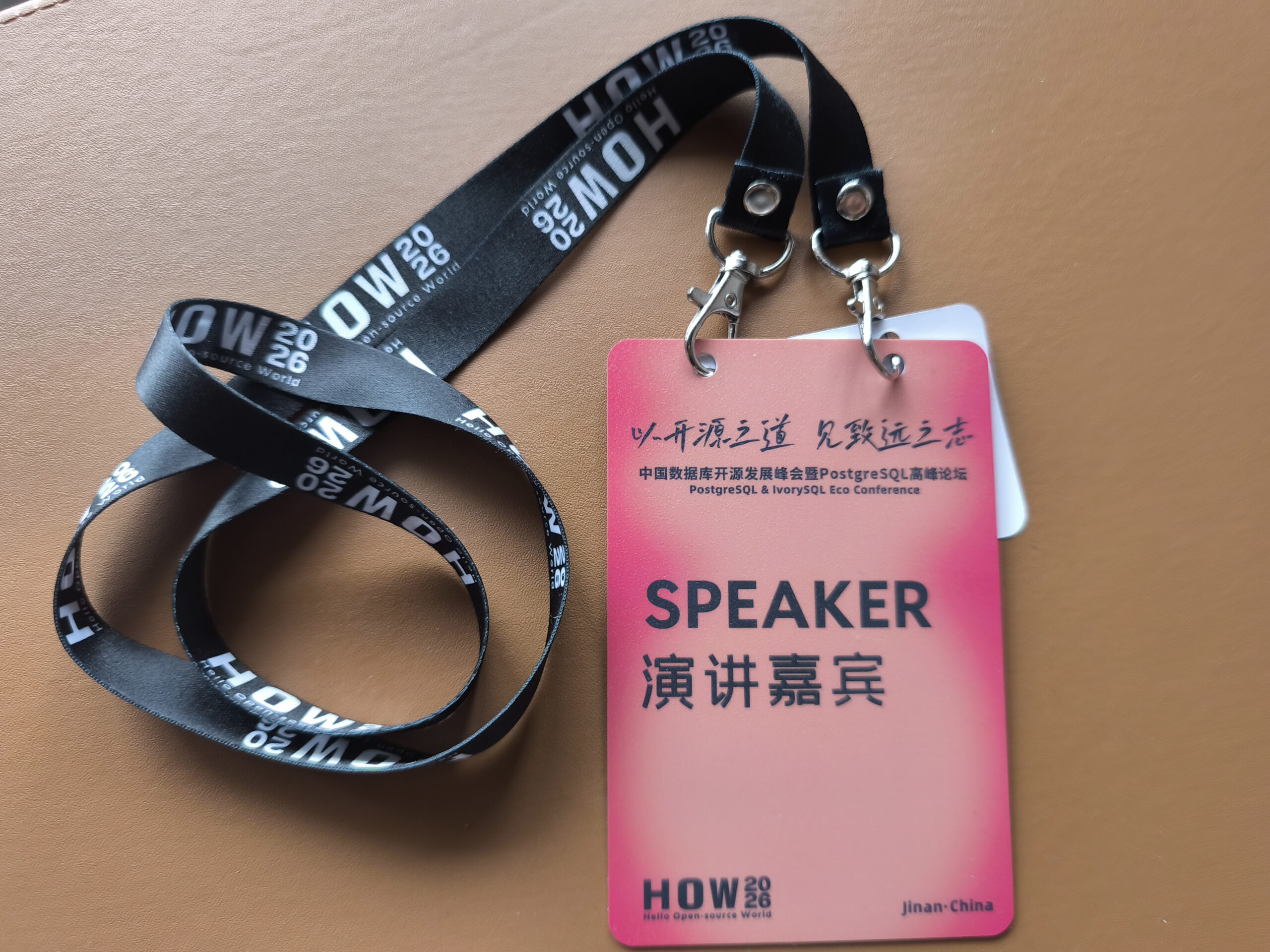
Selected Highlights from the Conference
- The Development Trends of Databases in the Era of Data Intelligence — Aoying Zhou opened the event with his perspective on the future direction of database architectures in a data-driven era shaped by Artificial Intelligence. He discussed how tighter integration between databases and AI technologies will be one of the major drivers of future technological advancement.
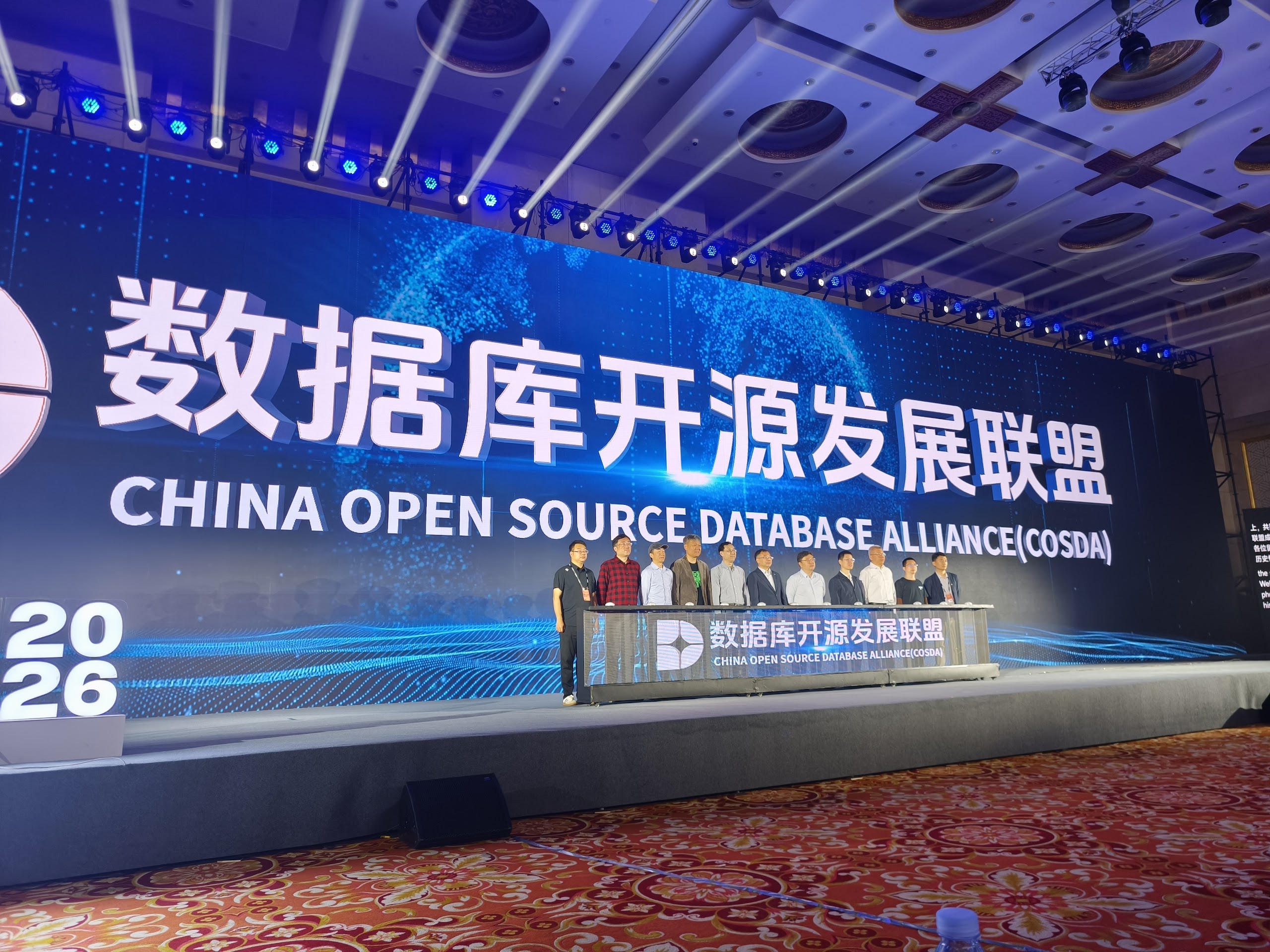
- Inauguration Ceremony of COSDA & China’s PostgreSQL Industry — We witnessed the official inauguration of the China Open Source Database Alliance (COSDA), followed by a strategic overview from Zhongyi Tan covering opportunities and the future roadmap for PostgreSQL in China. Chinese companies see significant potential in PostgreSQL and IvorySQL as widely deployable open-source database solutions that can also be offered internationally.
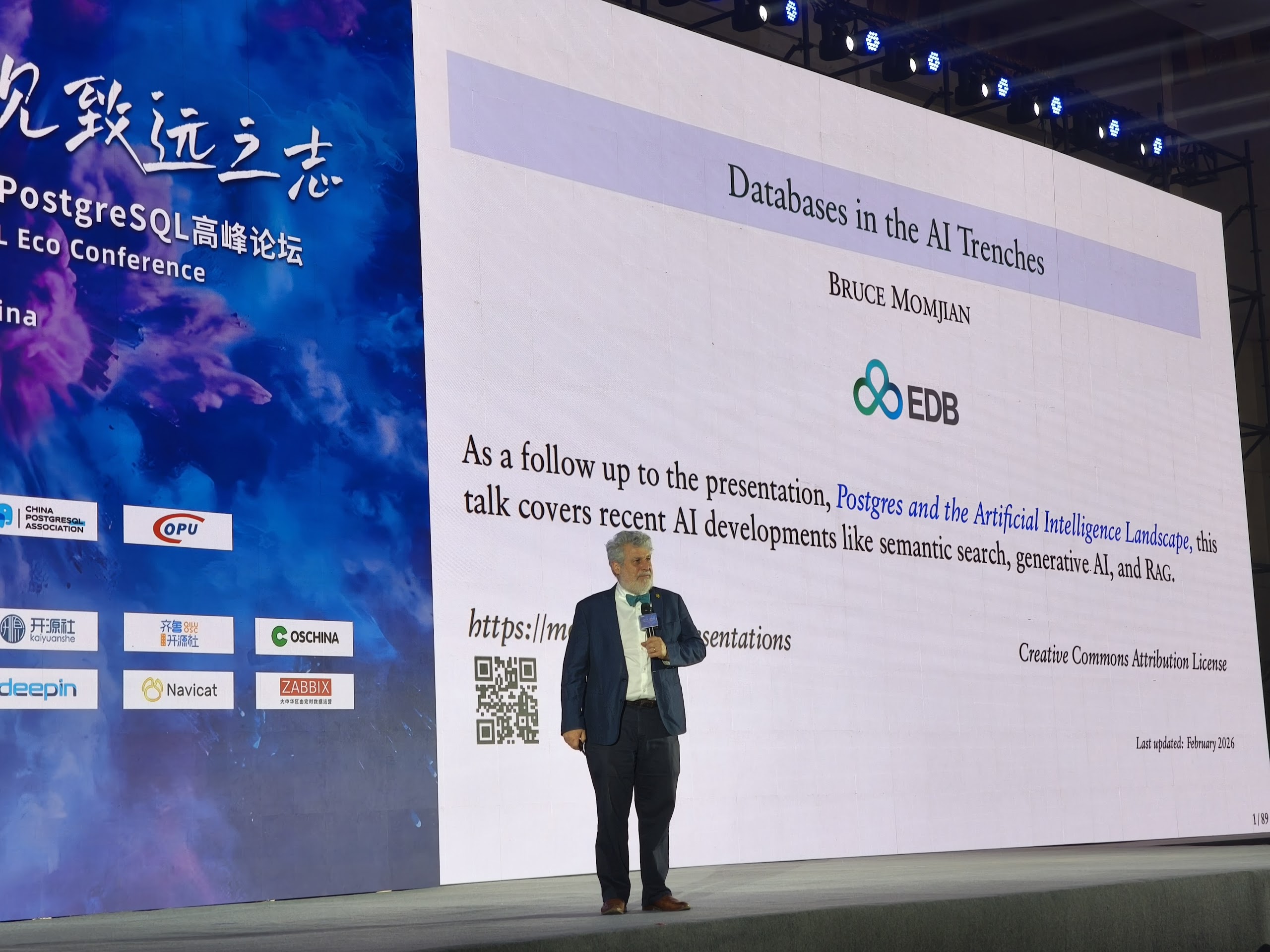
- Databases in the AI Trenches — Bruce Momjian delivered an insightful keynote on how PostgreSQL is adapting to the rapidly evolving demands of AI workloads.
- Open-Source Foundation, Boundless Intelligence Connection — Xinjie Lv highlighted the critical role that open-source communities play as the foundation for modern intelligent applications and platforms.
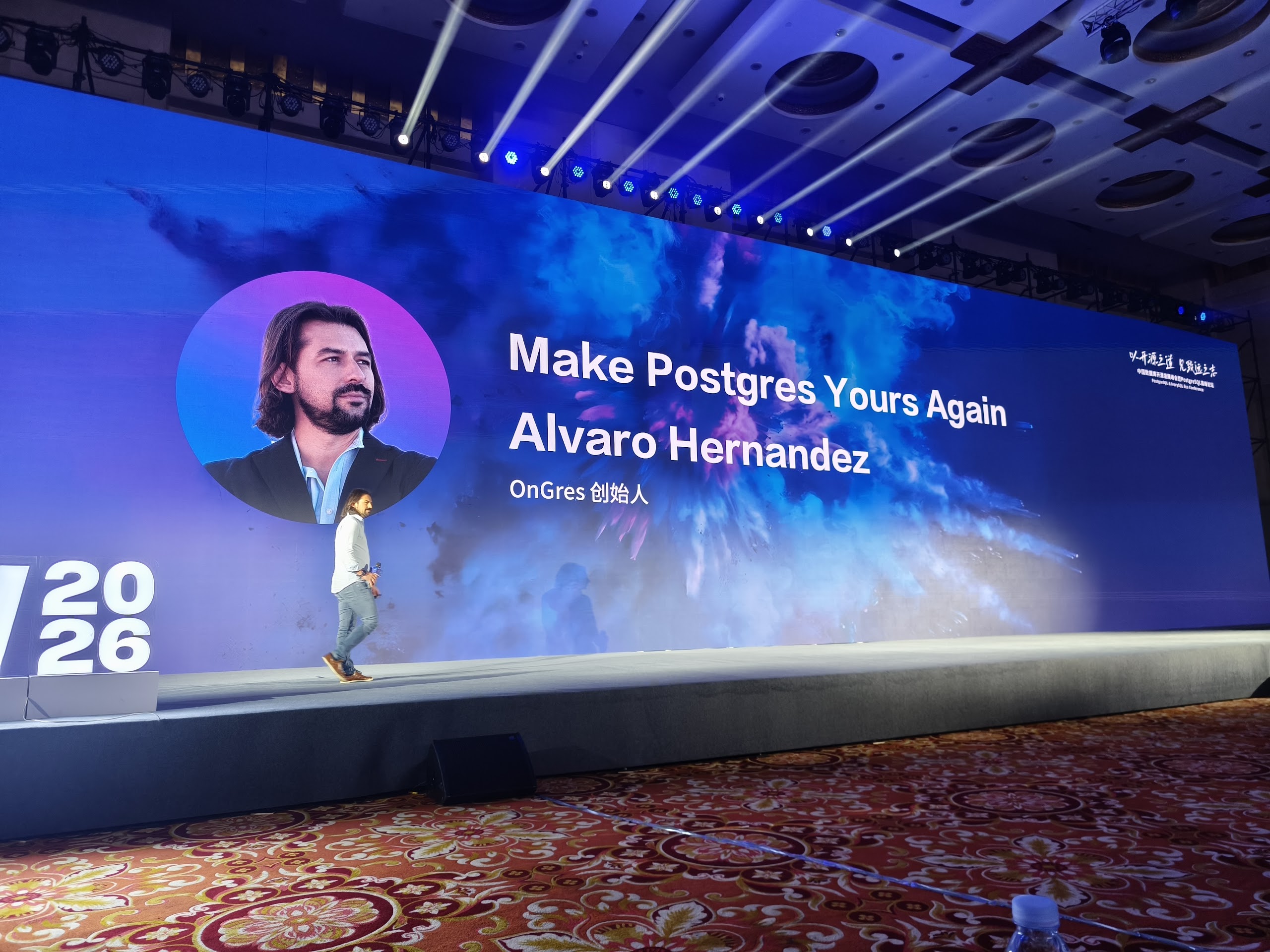
- Make Postgres Yours Again — Alvaro Hernandez presented an inspiring talk on PostgreSQL extensibility and on regaining operational control of database deployments through a new open-source deployment environment developed by his company.
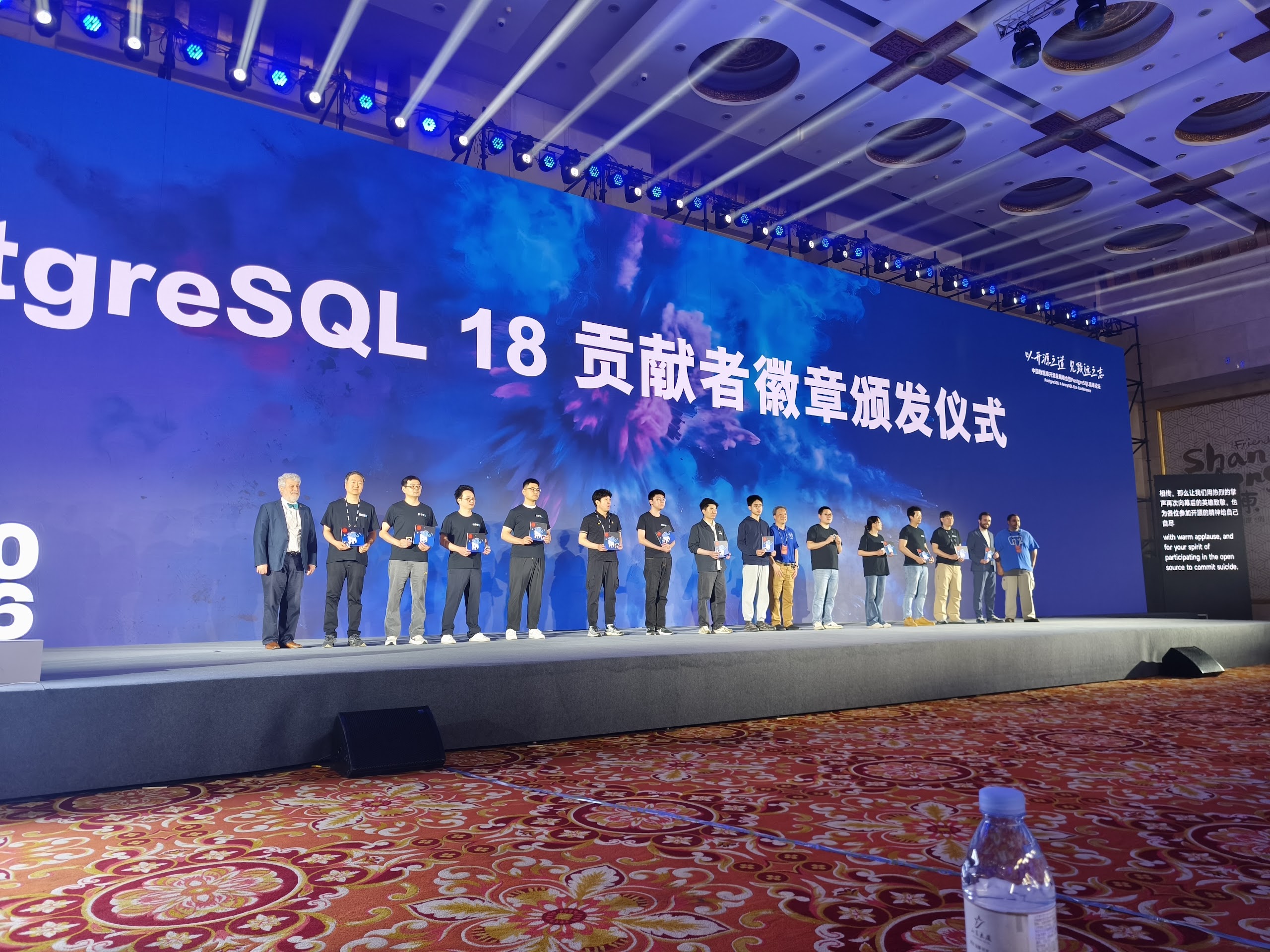
- Community Exhibitions & Awards — The morning concluded with Robert Treat and Mark Wong explaining how PostgreSQL conferences and community events are organized, together with ways to become involved in the PostgreSQL ecosystem. This was followed by a special Badge Award Ceremony recognizing contributors who worked on PostgreSQL 18.
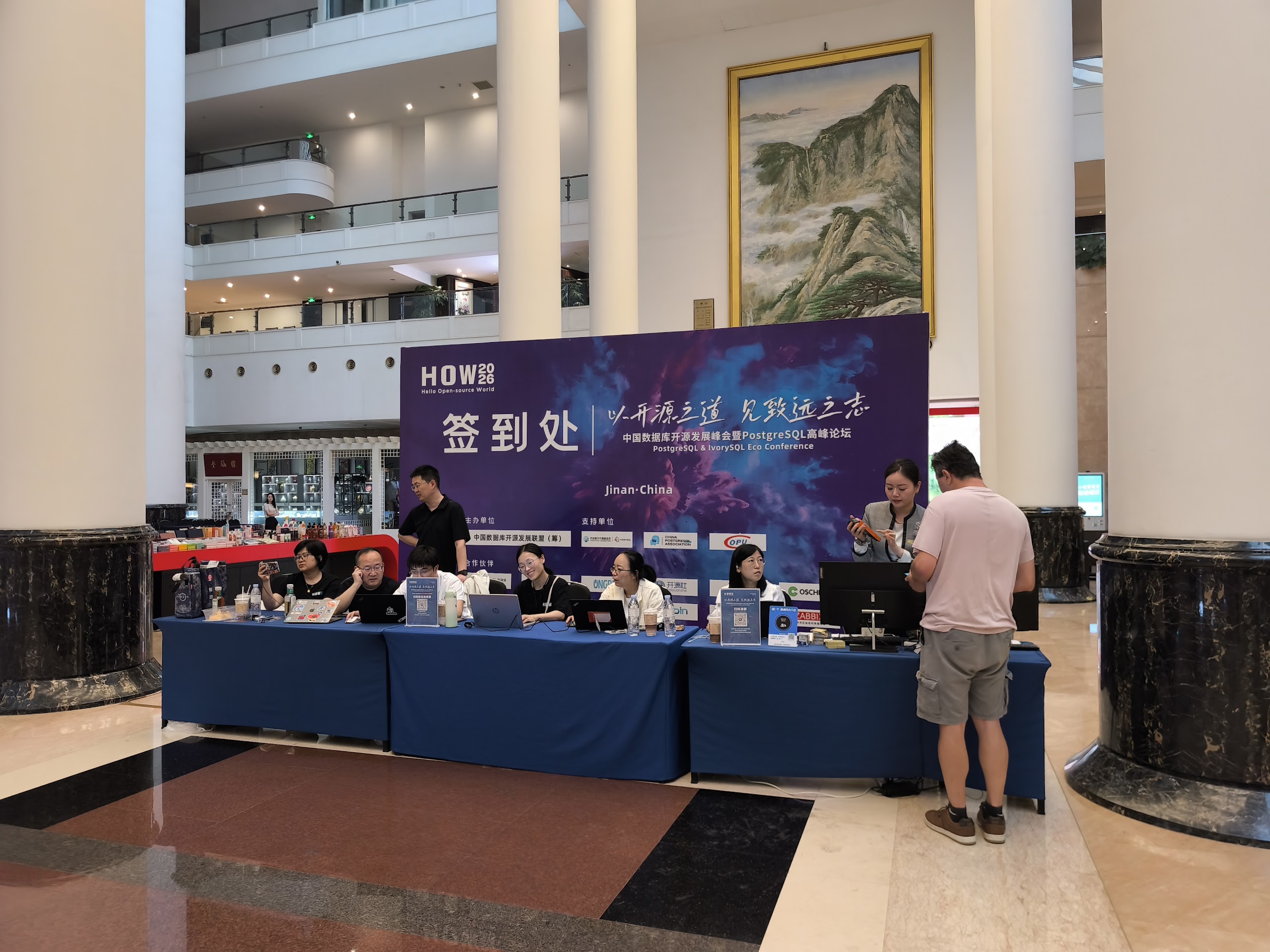
Databases and AI
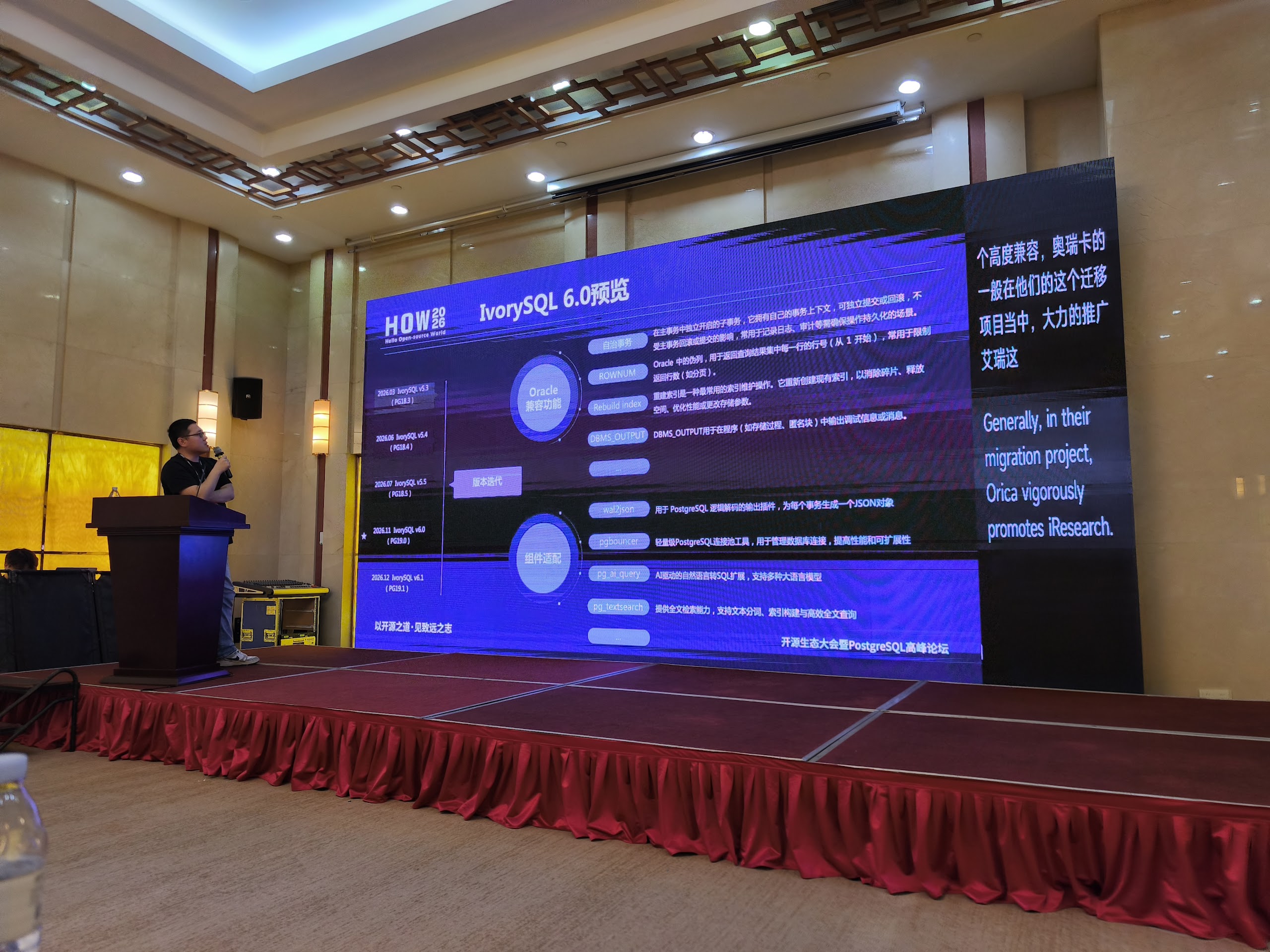
- AI Breakout Year: What Can IvorySQL Do? (Shawn Yan) — An overview of the practical applications and capabilities of IvorySQL for supporting AI-oriented workloads.
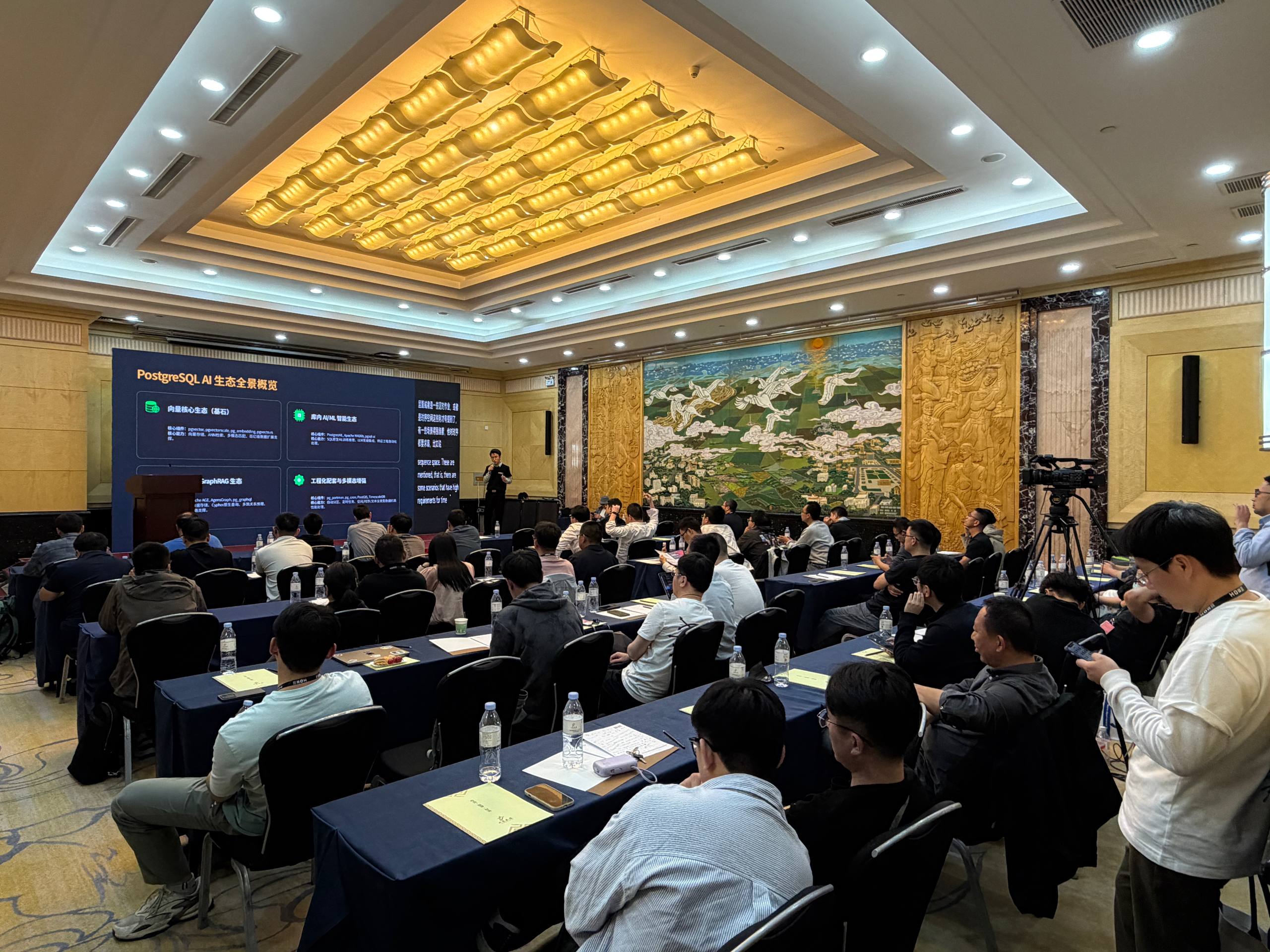
- Applications and Practices of PostgreSQL in AI (Dingding Wang) — This talk focused on leveraging PostgreSQL and its ecosystem to build efficient and cost-effective AI data pipelines and intelligent applications.
- AI Performance Analysis of the PostgreSQL Database (Shan Bai) and AI-Driven Query Optimization: Tree Transformer Breakthrough (Peng Cui) — These sessions were highly technical. Shan Bai demonstrated the use of AI techniques for general query optimization, while Peng Cui introduced QPR (Tree Transformer Representation) for multi-dimensional feature extraction and QPSLR (Ranking Learning) for ranking-based query optimization.
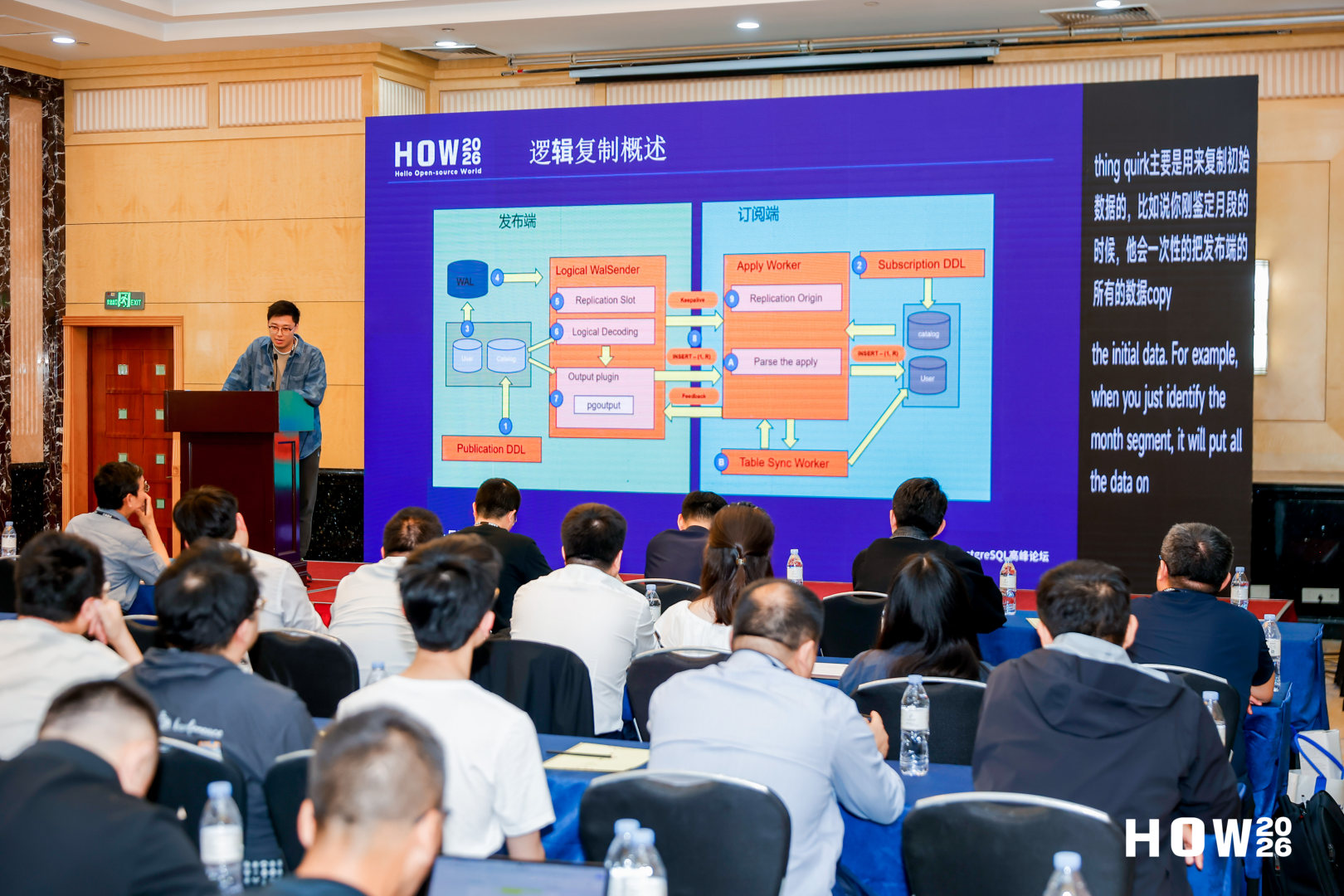
- AI-Native PG Diagnosis (Xiang Zheng) — A presentation focused on operational aspects of PostgreSQL, showcasing a transition from reactive diagnostics performed manually by administrators toward AI-native systems capable of proactively identifying problems.
- PostgreSQL in AI Applications: Reality Is More Complex Than Similarity Search (Florents Tselai) — A very practical talk highlighting that while pgvector and similarity search are valuable technologies, real-world AI applications require significantly broader and more sophisticated data modeling approaches.
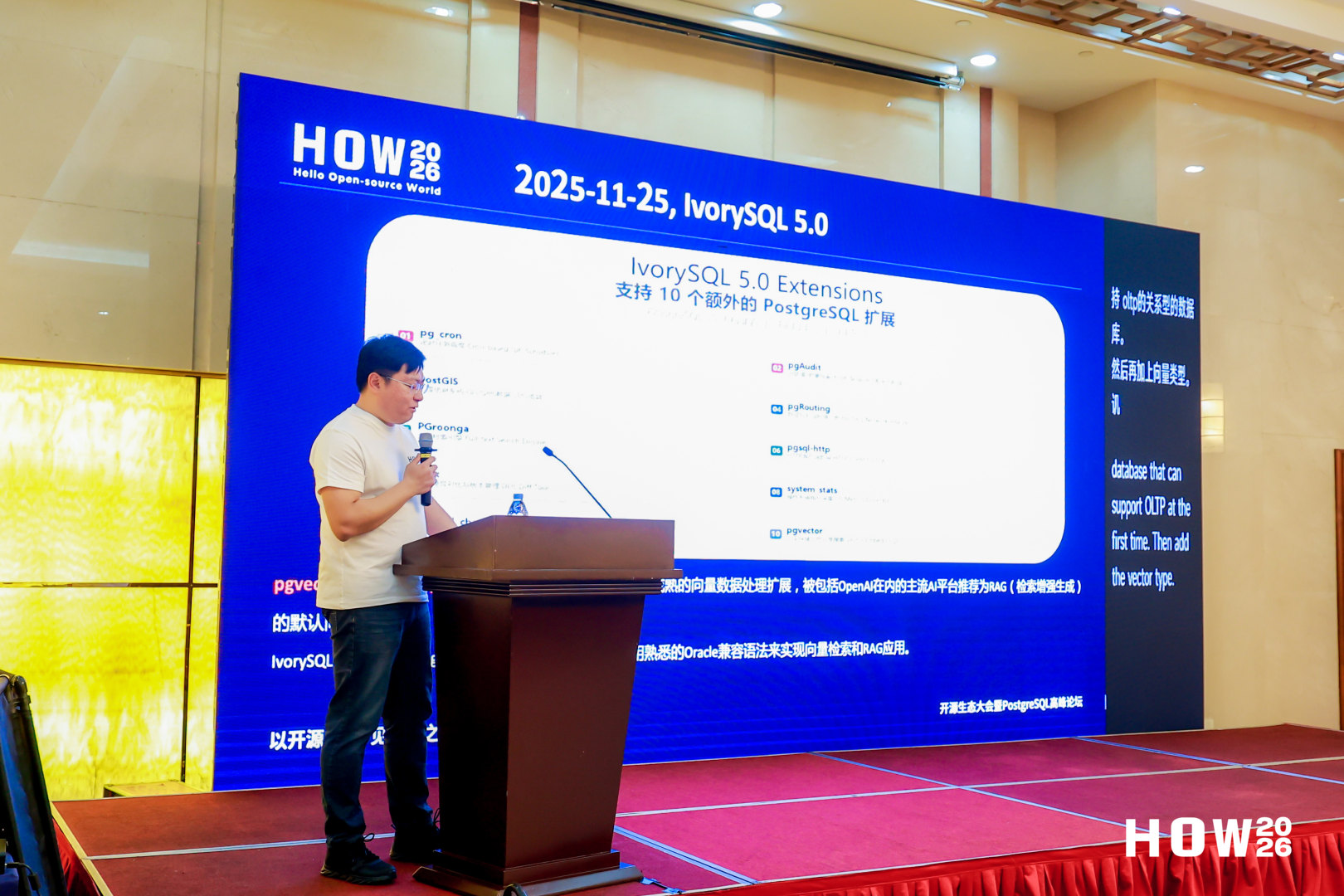

Other Interesting Talks
- PostgreSQL Hacker: My Experience and Lessons (Chao Li) — A candid reflection on Chao Li’s first year as a PostgreSQL contributor. Rather than focusing primarily on tools, the talk explored early misunderstandings, technical and communication mistakes, and the strategies that helped overcome the perceived barriers to entry, offering valuable guidance for new contributors interested in joining the PostgreSQL community.
- Tracking Vacuum Resource Consumption: From Idea to Patch (Alena Rybakina) — An insightful presentation describing the architectural journey behind developing per-relation vacuum resource statistics in PostgreSQL. The talk demonstrated how strict internal constraints influenced key design decisions and provided valuable lessons about balancing observability with performance overhead in complex subsystems.
- Zabbix 7.0 PostgreSQL Monitoring Configuration (Yong Ren) — A highly practical session covering the latest features of Zabbix 7.0 and how to configure it effectively for PostgreSQL monitoring. The presentation covered essential metrics, anomaly alerting, monitoring of connection health, replication lag, hardware utilization, and strategies for maintaining high availability.
Conclusion
HOW2026 was an unforgettable experience. Jinan was a great host city, and the depth of knowledge shared by the PostgreSQL and IvorySQL communities was truly impressive. Many thanks to the organizers for the invitation and for the excellent organization of the conference.
Photos (c) HOW2026 organizers / Josef Machytka
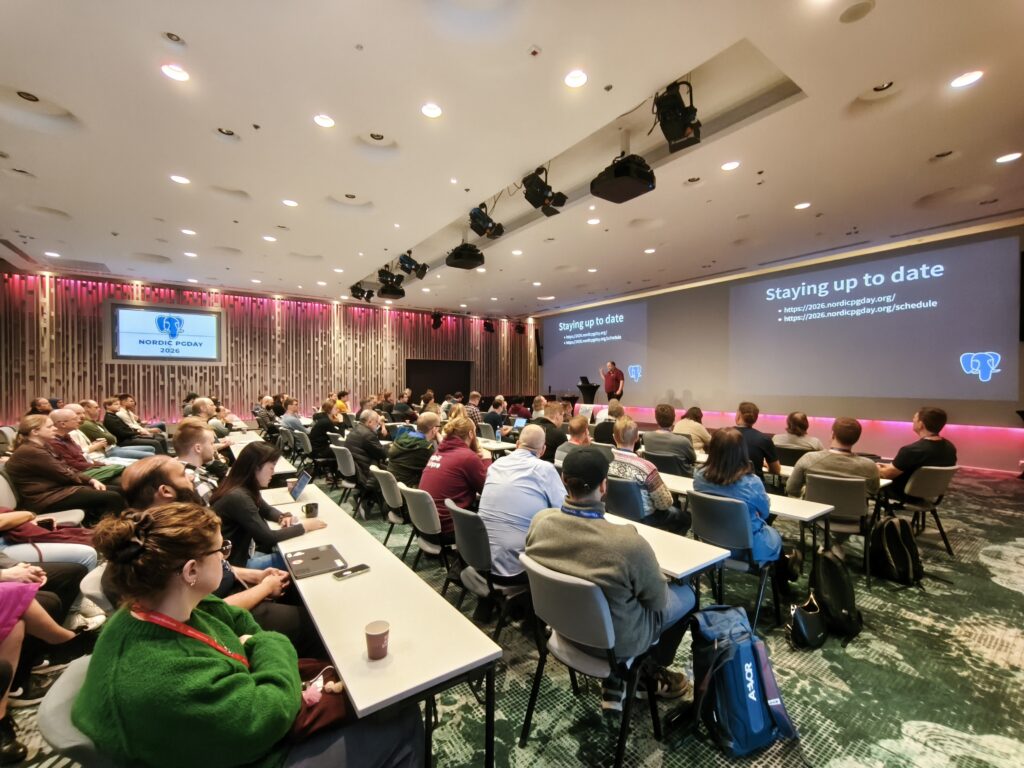
On March 24, I had the pleasure of attending and speaking at Nordic PGDay 2026. This year, the PostgreSQL community gathered at the Scandic Park Hotel in Helsinki, Finland, for the 11th edition of the conference. The event was fully sold out and, for the first time, was organized as a two-track conference.
There is a special kind of magic in visiting Finland, a nation repeatedly ranked as the happiest country in the world. From the moment we arrived at the Scandic Park Hotel, it was clear that this reputation extended to the PostgreSQL community as well. The overall atmosphere was exceptionally positive, welcoming, and constructive. And the magic began even before the conference doors opened. On the evening before the event, the Helsinki skies treated us to a beautiful display of the aurora borealis — a truly unforgettable welcome and a fitting prelude to this stellar conference.
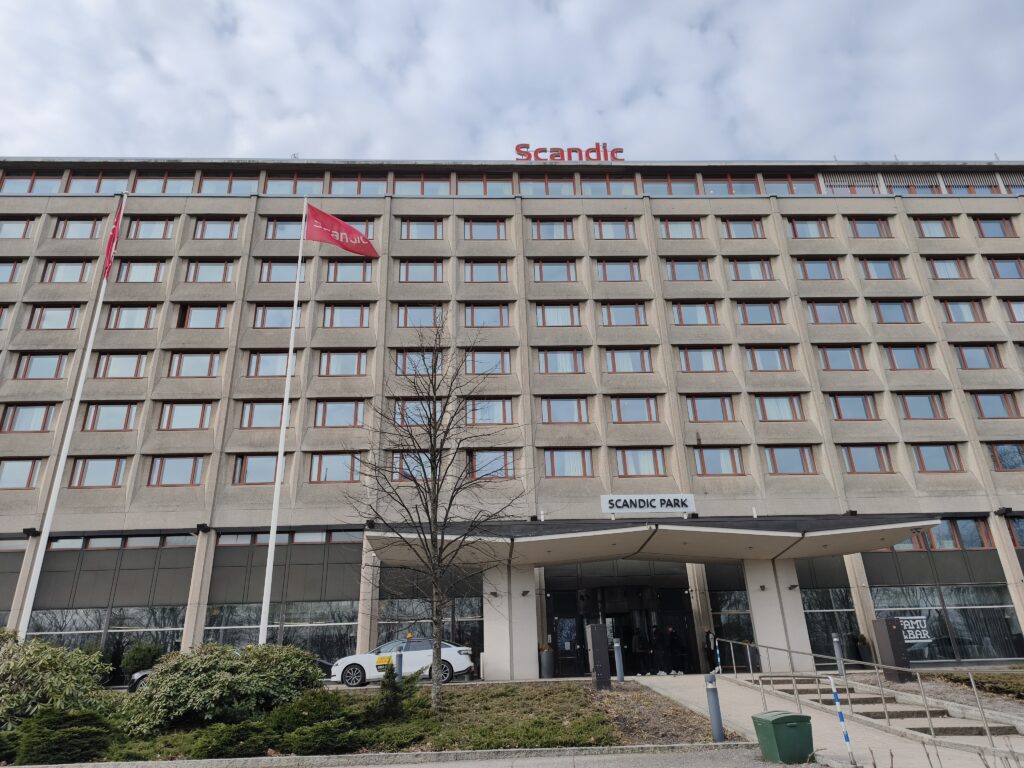

My Talk: Beyond work_mem Myths
I had the privilege of representing credativ on stage with my talk, Beyond work_mem Myths: A Source-Code-Guided Tour Through PostgreSQL Memory Usage. In the talk, I explained how PostgreSQL memory management at the connection level is frequently misunderstood, and how work_mem should be viewed as a soft limit that can be exceeded multiple times even during seemingly simple operations. Using measurements based on Linux smaps kernel interface data collected during the execution of different queries, I demonstrated that the amount of memory consumed by a single backend process can be significantly higher than the configured and expected work_mem value.
Highlights from the Schedule
The schedule was packed with high-quality technical content, covering everything from operational challenges at scale to emerging AI use cases. While it was difficult to choose between the parallel tracks, here are some of the talks that stood out to me.
- Unlock AI Agents with PostgreSQL (Mats Berglin & Miguel Toscano): In the era of AI agents, data serves as the bridge between generic LLMs and unique, context-aware experiences. The talk explained vector search at scale, specifically how the ScaNN algorithm can deliver strong performance with lower resource overhead.
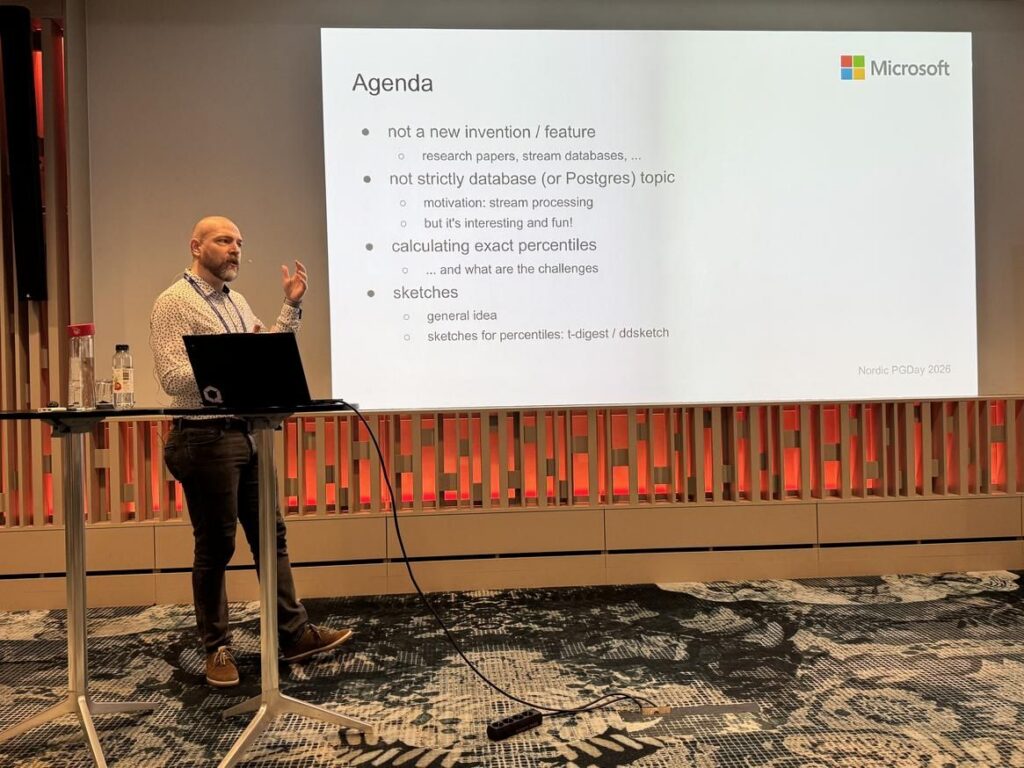
- Efficiently approximating/estimating percentiles and histograms (Tomas Vondra): Tomas delivered a highly technical and insightful session on approximation algorithms. It was an excellent deep dive into how statistical insights can be gathered efficiently without severely impacting performance.
- Why Postgres Won (Gianni Ciolli): PostgreSQL is today one of the most common choices for transactional workloads, for a number of reasons. This talk explored at least one of those reasons by examining MVCC and VACUUM, topics frequently discussed within the PostgreSQL community.
- A PostgreSQL Journey – What We Learned Migrating Between 3 Platforms (James McDonald & Nina Angelvik): Database migrations are rarely just about moving data. The speakers shared their experiences from two major PostgreSQL migrations within the same organization. Each migration solved real problems, but also exposed new challenges related to performance, operational practices, developer behavior, and organizational processes.
Looking Ahead
Nordic PGDay 2026 was an excellent conference. Between the stunning northern lights, the welcoming atmosphere, the flawless organization, and the high level of technical discussion, it was an event I will not soon forget. I am already looking forward to meeting the community again at Nordic PGDay 2027.
All photos (c) Nordic PGDay organizers
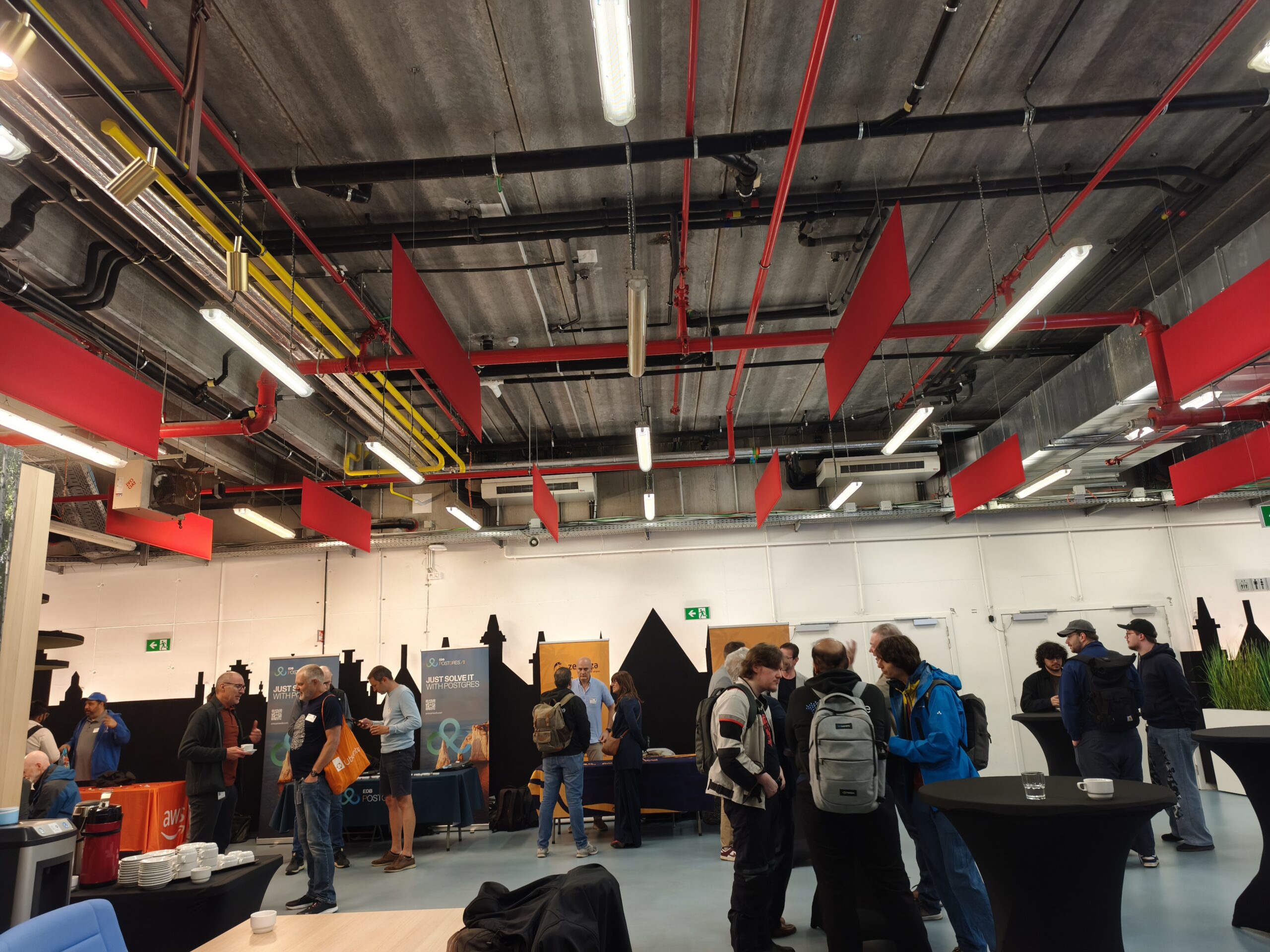
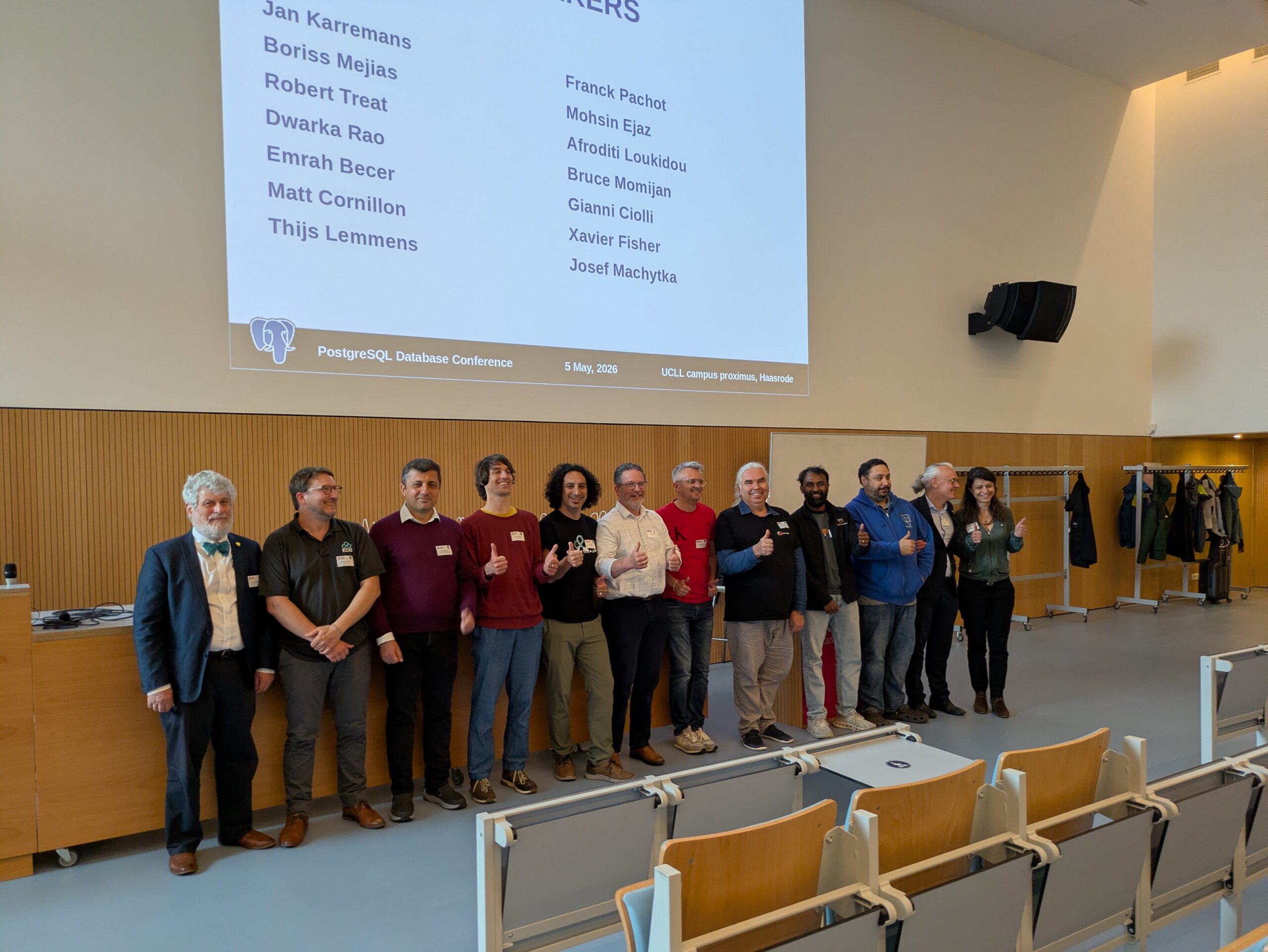
On May 5th, 2026, the Belgian PostgreSQL community and speakers from across the world met for the sixth edition of the PGConf Belgium. The event was hosted at the UCLL Campus Proximus in Leuven, on the grounds of University College Leuven-Limburg, which has been a long-standing host and partner of the conference. PGConf Belgium is a single-day event organized by Wim Bertels (UCLL), An Vercammen (Groep IDEWE) and Giulio Gioffredi (enosac). Attendance is free, but the number of seats is intentionally limited to 120 to keep the atmosphere personal and to leave room for hallway conversations.
Remarkable Speakers
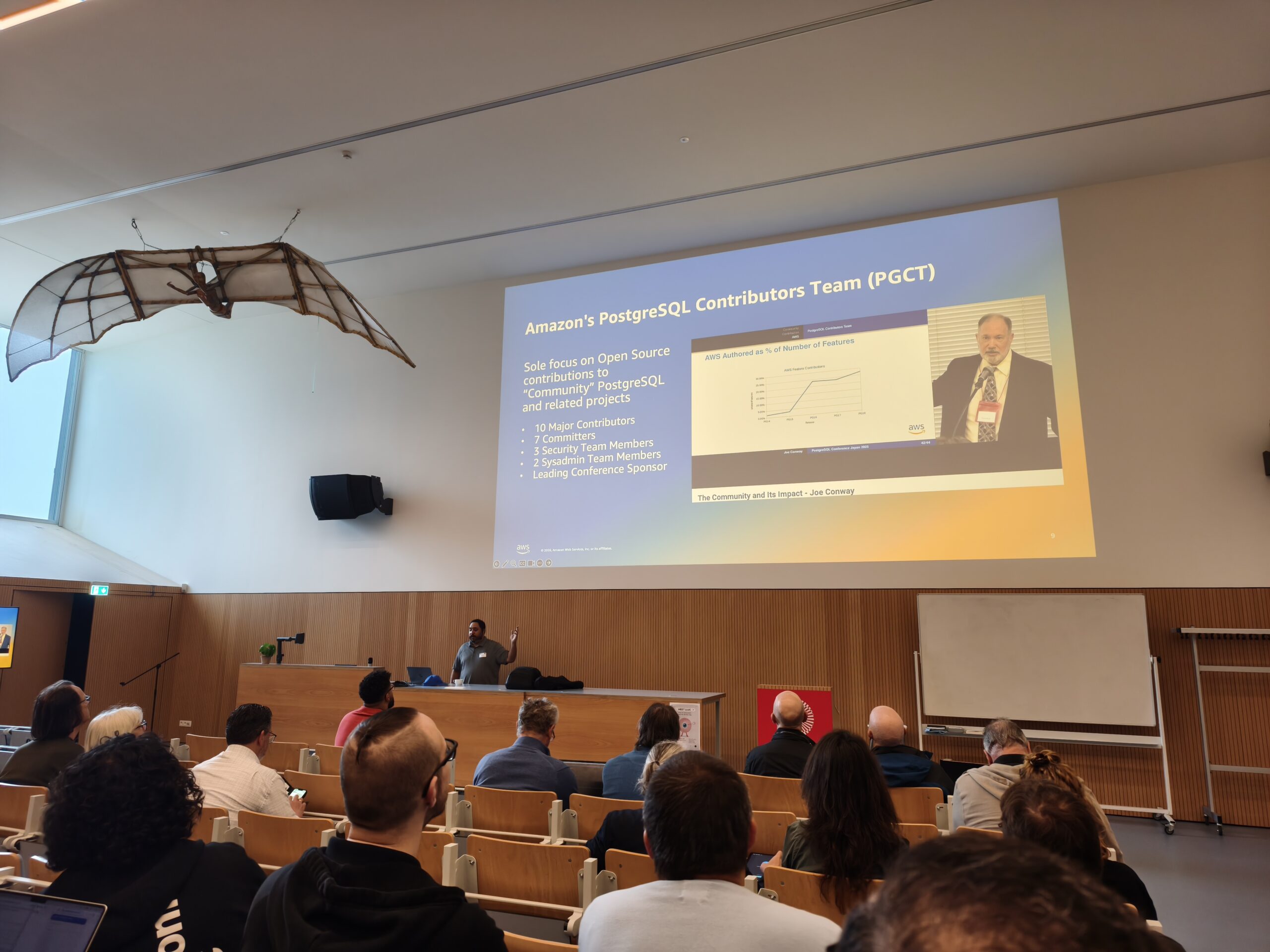
This year’s conference welcomed remarkable speakers. The first one, Robert Treat, a long-time PostgreSQL major contributor, opened the conference with his talk “Postgres @ Amazon” – a retrospective of Amazon’s journey with PostgreSQL. AWS has its own dedicated open source team with several major contributors to PostgreSQL. The talk traced the evolution of open source database offerings at AWS – from the large-scale internal migration off Oracle, to the creation of Amazon RDS for PostgreSQL, and onward to Amazon Aurora for PostgreSQL.
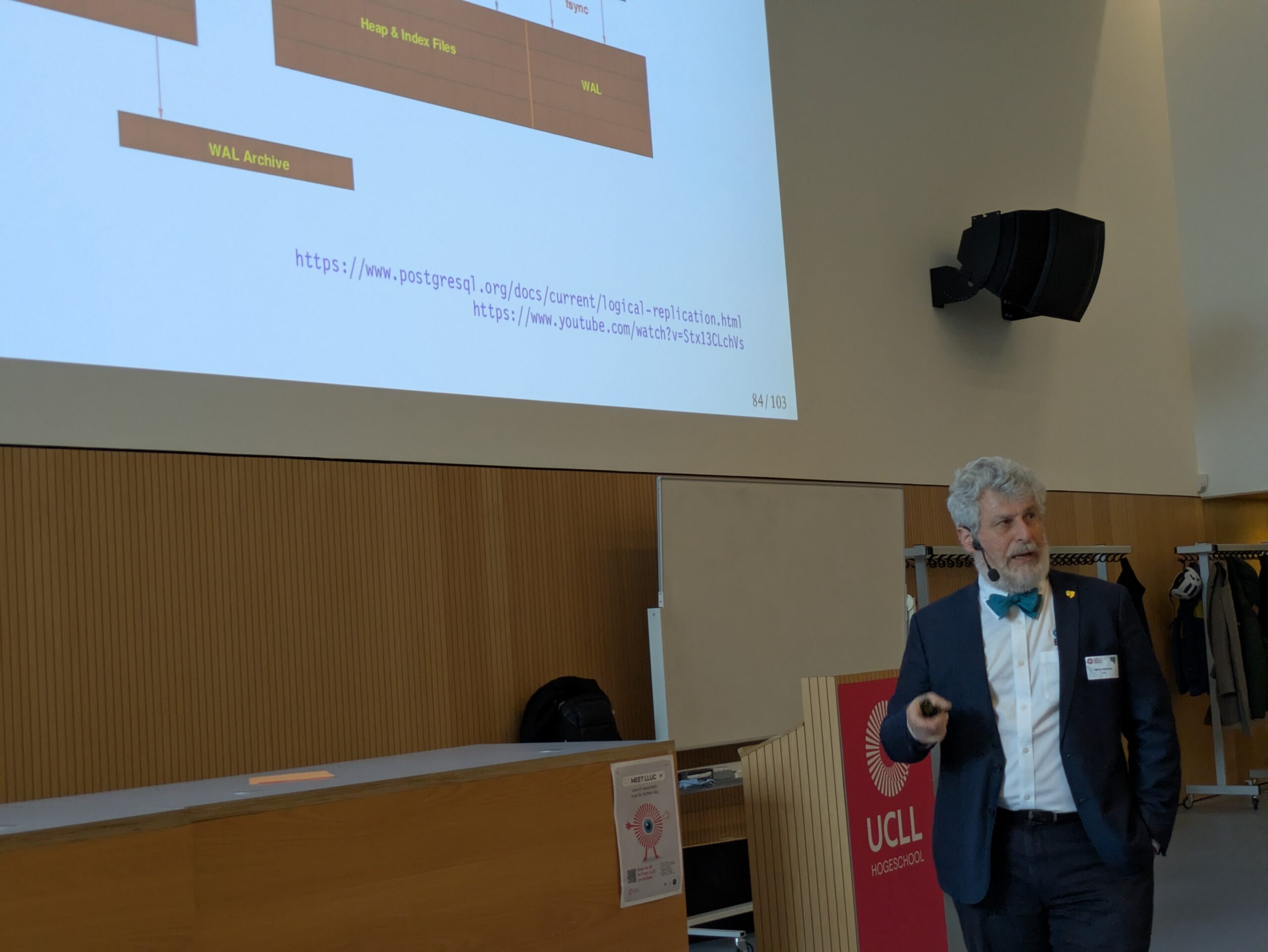
The second one was Bruce Momjian, who delivered a talk titled “The Wonderful World of WAL”. The Write-Ahead Log sits at the heart of crash recovery, point-in-time recovery, binary replication and logical replication. Bruce walked the audience through what is actually stored in the WAL, how binary and logical replication work, and how replication slots track replication progress.
My talk: Migrating Legacy & Proprietary Databases to PostgreSQL
I had the pleasure of representing credativ at this conference with a session titled “Migrating Legacy & Proprietary Databases to PostgreSQL”. European organizations are actively re-evaluating their dependence on proprietary databases, and digital sovereignty has moved from a buzzword to a concrete project requirement. PostgreSQL is, in many cases, the natural target. Drawing on our experience with heterogeneous migrations – from Oracle, MS SQL Server, Sybase ASE, IBM Db2, SQL Anywhere and MySQL towards PostgreSQL – I presented a pragmatic decision framework rather than a rigid recipe. I compared offline strategies (dump/restore, ETL, bulk COPY) against online, near-zero-downtime approaches (CDC, logical replication, dual-write), with special attention to designing reversible cutovers to minimize operational risk. I explained why the size of the database is rarely the biggest issue. The biggest problem is usually the complexity of the existing data model and application, and dependency on vendor-specific features. I also shared specific experiences with migration from IBM Db2, Informix and Sybase ASE to PostgreSQL using our tool credativ-pg-migrator.
Other highlights from the schedule
- PostgreSQL Partitioning: What Works and What Breaks – Dwarka Rao – an honest, practical and production-focused look at PostgreSQL partitioning. Dwarka went beyond syntax to discuss how partitioned tables interact with MVCC, vacuum and autovacuum, why partitioning redistributes bloat rather than eliminates it, and how partition count, size and access patterns affect vacuum scheduling, index maintenance and planning time. Real-world failure modes were on display: over-partitioning, poorly chosen partition keys, vacuum storms, retention jobs causing I/O spikes, and surprising behavior with replicas and logical replication.
- Creating a “Dungeon Master” with Postgres and MCP – Matt Cornillon – probably the most playful, and arguably the most thought-provoking talk of the day, visited by most of the attendees and also by many university students from UCLL. Instead of building “yet another chatbot”, Matt built an AI Dungeon Master for a Dungeons & Dragons campaign, using PostgreSQL as the knowledge base. The session showed how to architect a Model Context Protocol (MCP) server that gives an AI agent secure, contextual access to a PostgreSQL database for complex tasks.
- Deadly Sins when Running CloudNativePG – Boriss Mejías – with his famous sense of humor, Boriss tackled the cultural collision between “classic DBAs” and “Kubernetes folks”. The session focused on practical pitfalls when running CloudNativePG and offered concrete advice for DBAs adapting to the cloud-native world without facing the “Cloud Native Inquisition”.
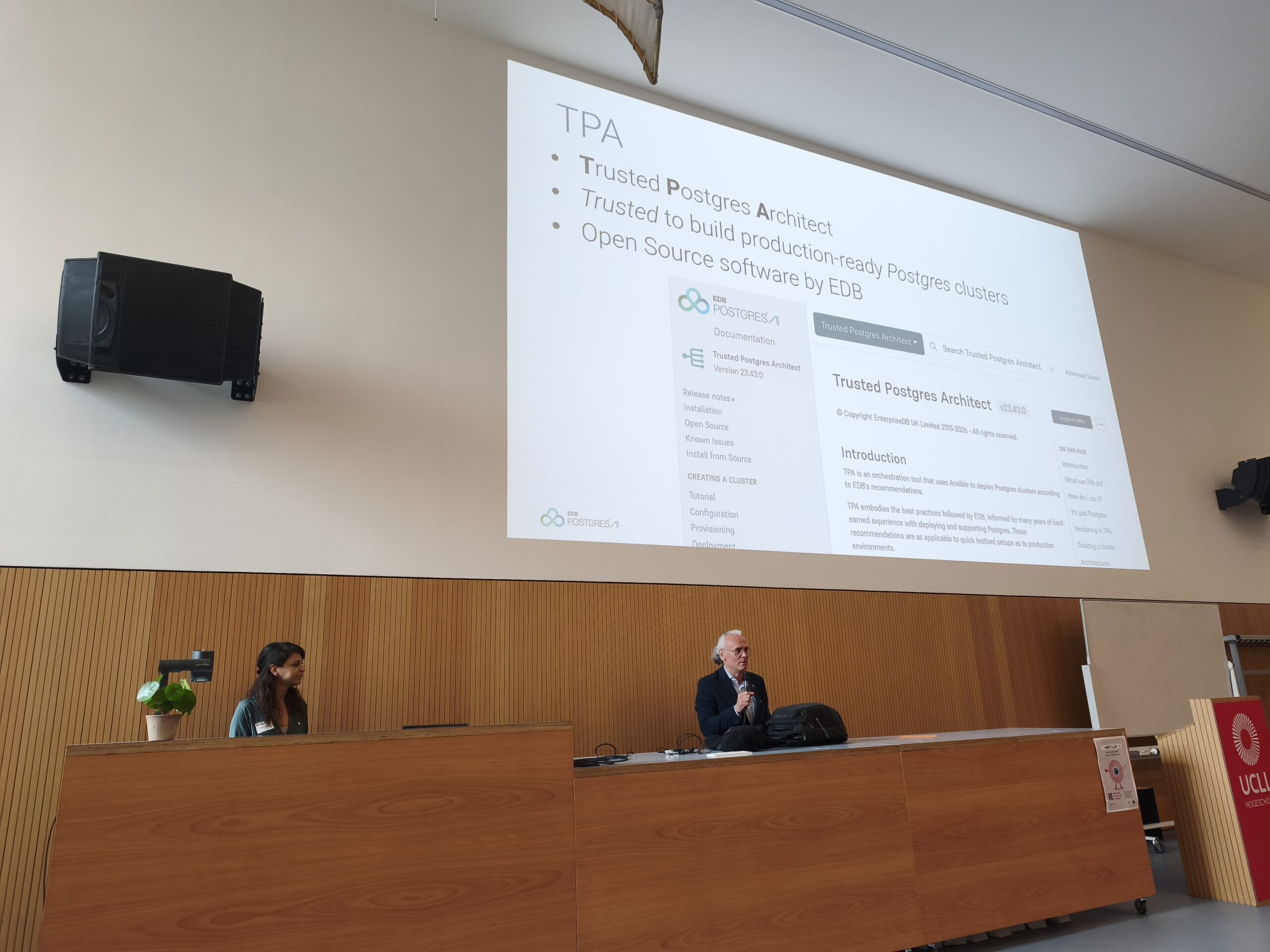
- How to reproduce production environments, and Why – Gianni Ciolli & Afroditi Loukidou – a joint session about reproducibility as a serious engineering discipline. Gianni and Afroditi showed how TPA (Trusted Postgres Architect) can be used to replicate a production Postgres cluster, enabling safer deployments, realistic performance testing and faster incident response. The talk concluded with a practical example of reproducing a production environment and running 1:1 performance tests while keeping cloud costs negligible.
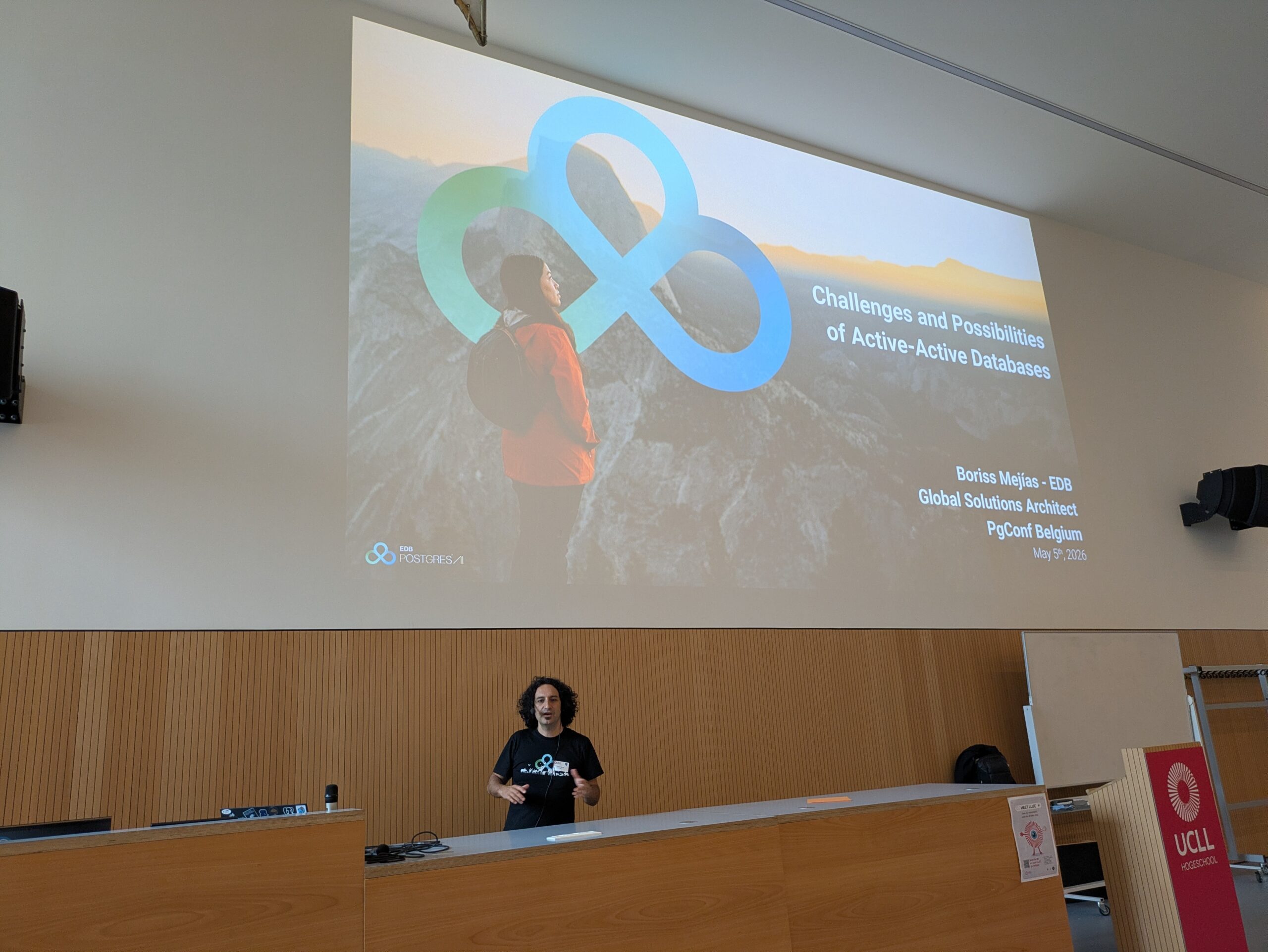
- Closing keynote: Challenges and possibilities of Active-Active Databases – Boriss Mejías – the closing keynote tackled the hard topic of active-active (multi-master) databases. Architects need to understand conflict resolution, consensus, sharding and the broader implications of distributed systems. To keep it concrete, Boriss illustrated the concepts using EDB Postgres Distributed, showing how some of these challenges are solved in practice.
Conclusion
PGConf Belgium 2026 was an excellent conference – technically rich, friendly in atmosphere and perfectly organized. Many thanks to all organizers for the tremendous amount of work that goes into running an event like this on a volunteer basis. Thanks also to the sponsors who make it possible to keep attendance free, and of course to all speakers and attendees for the great conversations. I am already looking forward to PGConf Belgium 2027. If you have not been there yet – mark your calendar next spring. It is worth the trip.
CERN PGDay 2026 took place on Friday, February 6, 2026, at CERN campus in Geneva, Switzerland. This was the second annual PostgreSQL Day at CERN, co-organized by CERN and the Swiss PostgreSQL Users Group. The conference offered a single-track schedule of seven sessions (all in English), followed by an on-site social event for further networking in the inspiring environment of CERN. With around 100 participants, this is already a very large PostgreSQL event for Switzerland. But what made this event absolutely special was its location. Hosting a database conference at CERN – one of the world’s leading science laboratories – provided a unique experience for everyone.
PostgreSQL VACUUM and ANALYZE are two important maintenance processes that ensure the optimal performance of your database. VACUUM cleans up obsolete row versions and makes their storage space reusable, while ANALYZE collects statistics that the Query Planner needs for optimal query strategies. Autovacuum automatically starts both processes in the background by default. However, they can also be executed manually to specifically improve database performance.
(more…)Securing PostgreSQL databases correctly requires a multi-layered approach with robust authentication procedures, regular backups, and continuous monitoring. Effective security combines transport- and storage-level encryption with strict access controls and proactive monitoring. This comprehensive guide answers the most important questions regarding PostgreSQL security for enterprises.
What are the greatest security risks for PostgreSQL databases?
The greatest security risks for PostgreSQL databases include weak authentication, unencrypted data transmission, poorly configured access rights, and missing security updates. Additionally, SQL injection attacks, unsecured network connections, and insufficient monitoring pose serious threats.
Unzureichende Authentifizierung entsteht häufig durch schwache Passwort-Richtlinien oder die Verwendung von Standard-Anmeldedaten. Viele Installationen verwenden noch immer einfache Passwörter oder lassen Benutzerkonten ohne angemessene Berechtigung zu. This gives attackers direct access to sensitive company data. PostgreSQL 18 already offers modern and secure options for user authentication with OAuth2.
A lack of encryption during data transmission allows attackers to intercept communication between applications and the database, as login credentials and business data are transmitted in plain text without SSL/TLS encryption. Today, unencrypted data transmission is a clear no-go in the vast majority of scenarios, even in-house. When working in a cloud environment in the broadest sense—including the use of hosting or service providers—strong transport layer encryption is an absolute must-have. At the same time, unencrypted data storage jeopardizes security in the event of physical access to servers.
Missing or incorrect adjustments to the pg_hba.conf file lead to unintended or more extensive access than intended. This is less about permissions for data within the database and more about the ability to connect to the database at all. Additionally, permissions for the actual data within the database are often configured more broadly than necessary, partly due to convenience or historical reasons. These potential problems are further exacerbated by outdated PostgreSQL versions without current security patches.
How to set up secure authentication and access control?
Unfortunately, a common pattern in applications today is still the fact that the software uses only one generic database user, which often receives more rights in the database than it actually needs. Especially with pre-installed systems, this user is configured with publicly known default passwords. This has nothing to do with security.
Note: In practice, the database user is often set up universally to avoid running into connection limits and/or to benefit from connection pooling and similar techniques.
Fundamentally, permissions (authorization) should be handled as little as possible within the application and instead by the database. This allows the application to save a lot of code and only react to denied access. The opposite is "common" today, which undermines effective data protection.
Secure PostgreSQL authentication is based on strong password policies, role-based access controls, and the principle of least privilege. Configure the pg_hba.conf file restrictively and implement multi-factor authentication for administrative access. Every user should only receive the minimum necessary rights.
Start by creating specific database roles for different application areas. Use CREATE ROLE commands to define function-specific roles. For example, reporting applications only require read access, while backup processes require special system rights. Avoid using the superuser account for routine operations.
The pg_hba.conf file controls client authentication and connection methods. Configure this file to allow only specific IP addresses and subnets. Use scram-sha-256 instead of md5 and forbid trust for production environments. Restrict local connections to necessary system users.
Implement strong password policies with extensions such as passwordcheck to enforce complex passwords. Regular auditing and the deactivation of unused roles further increase security.
In contrast, password rotations have been proven not to help with passwords that a human must enter. Here, the BSI and also the NIST have spoken out against regular rotation in current guidelines. It is clearly recommended to rely on other systems such as passkeys via OAuth2, two-factor authentication, or cryptographically secure passwords and passphrases.
For automatically generated, short-lived access to connect automations, for example, it is also possible to create temporary users with associated passwords via Hashicorp Vault and the "PostgreSQL database secrets engine". In this case, the permissions and availability of the accounts are defined in the Vault and are only created as needed and automatically removed again. This technique is often seen particularly in Kubernetes environments. Our Cloud Infra Team will be happy to advise you on this.
Which backup strategies guarantee full data recovery?
Full PostgreSQL data recovery requires at least logical, but ideally physical backups with continuous archiving of Write-Ahead Logs (WAL). Implement automated daily full backups, supplemented by continuous WAL archiving for Point-in-Time Recovery. Test recovery procedures regularly in isolated environments.
When backing up PostgreSQL databases, the 3-2-1 rule generally applies as always. This means that you create 3 copies on 2 different media, with 1 of them being an offsite backup. It is a fatal error if the backup and the database are on the same medium. Such a setup would be a feast for a ransomware attack. Fundamentally, backup media should either not be permanently available on the network or so-called "immutable" backup media should be used—storage media that can only be written to once. This does not necessarily mean optical storage; organizational locks such as an S3 Object Lock are also a viable solution. There are good approaches to solving this through open-source software, but manufacturers of high-quality storage solutions like NetApp also have corresponding offerings.
Backups should also not be performed without integration into monitoring. At the very least, it should be monitored that backups can be carried out as configured. However, a backup that runs "successfully" but afterwards contains only 0 to less than 100 bytes is worthless. Regular restore tests then confirm this status through spot checks.
Backup Methods
Logical backups with pg_dump are excellent for simple data backup and recovery as well as cross-platform compatibility. This method creates SQL commands to reconstruct database structures and content. For large databases, pg_dump offers parallel processing via the --jobs parameter, which can significantly reduce backup times depending on the database structure. It also makes it easy to back up an entire instance, individual databases, only schema data, or only content. However, it also applies that the restore is performed by executing the individual SQL commands. This can take a lot of time, again depending on the structure and size of the database.
Physical backups via pg_basebackup copy the entire database cluster structure at the file system level. This method allows for faster recovery of large databases and supports continuous archiving. However, there is no option to select which data should be backed up. The entire instance, including index data and other binary data in the data directory, is always included.
Combine base backups with WAL archiving for the option of Point-in-Time Recovery, which enables restores accurate to the second. Base backups can also check the integrity of the backed-up data using checksums. However, this only works if the respective instance has been initialized accordingly.
Continuous archiving of WAL files ensures minimal data loss in the event of system failures. Configure archive_mode and archive_command in the postgresql.conf for automatic WAL transfer to secure storage locations. Monitor archiving processes continuously and implement alerts for errors or delays. If you still have a recovery.conf file described in your environment's documentation, it may be worth having the installation and documentation checked by experts. This file was part of PostgreSQL up to and including PostgreSQL 11 and was merged into the postgresql.conf with PostgreSQL 12.
Another method would be the use of pgBackRest. This is a mature backup and restore framework for PostgreSQL that excels over built-in tools, especially with large clusters. This system can also implement compliance with RPO/RTO requirements. It supports full, differential, and incremental backups, parallelization, block-level delta, WAL archiving, encryption, compression (zstd/lz4), integrity checks, and remote/cloud repositories (e.g., S3, Azure Blob, GCS).
In Kubernetes environments, operators such as CloudNativePG or the Zalando Postgres Operator are often used today. These also use tools like Wal-E or Barman Cloud for backup and recovery and already provide high levels of integration and monitoring.
How to encrypt PostgreSQL data correctly?
PostgreSQL data encryption occurs on three levels: transport encryption with SSL/TLS for network connections, encryption of data at rest at the storage level, and field-based encryption for particularly sensitive information. Configure SSL certificates for secure client-server communication and use file system or partition encryption, such as LUKS, for database files.
SSL/TLS transport encryption protects data during transmission between clients and servers. Enable SSL by setting ssl = on in the postgresql.conf and configure the corresponding certificate files. Use self-signed certificates for development environments and CA-signed certificates for production systems. The pg_hba.conf should mandate hostssl connections for critical applications.
Encryption of data at rest typically occurs at the file system or storage level using tools like LUKS on Linux, BitLocker on Windows, or cloud provider encryption. PostgreSQL itself does not offer integrated encryption for database files without add-ons; therefore, implement encryption below the database layer. This protects against physical access to storage media and data theft in the event of server compromise.
Feldbasierte Verschlüsselung für hochsensible Daten bietet z.B. die PostgreSQL-Erweiterungen pgcrypto. Diese Extension bietet Funktionen für symmetrische und asymmetrische Verschlüsselung einzelner Datenbankfelder. Use these for payment data, personal identifiers, or trade secrets, keeping in mind the impact on performance during search and sort operations. pgcrypto also provides support for various other cryptographic operations such as hashing or salting.
Which monitoring tools detect security incidents early?
Effective PostgreSQL security monitoring combines integrated logging functions with specialized monitoring tools for anomaly detection. Enable detailed logging in the postgresql.conf and use tools like pgAudit for comprehensive audit logging. Implement automated alerting systems for suspicious activities and performance anomalies.
PostgreSQL's integrated logging functions offer comprehensive monitoring capabilities by configuring the log_* parameters. Enable log_connections, log_disconnections, and log_statement for detailed connection and query logging. The log_line_prefix configuration should include timestamps, users, databases, and process IDs to enable effective forensic analysis.
Specialized tools like pgAudit extend standard logging functions with granular audit trails for compliance requirements. This extension logs database access at the object and role level and allows for the tracking of data modifications. Combine pgAudit with log_statement_stats for performance monitoring and the detection of resource-intensive attacks.
Automated monitoring systems such as Prometheus with PostgreSQL Exporter or specialized database monitoring tools detect anomalies in real time. Monitor metrics such as connection count, query performance, memory consumption, and unusual access patterns. Implement threshold-based alerts for critical events such as failed authentication attempts or unexpected database access outside of business hours.
Please note, however, that with every expansion of logging, the requirements for storage in terms of performance and especially space requirements also increase. Therefore, check very carefully which configurations are essential for you in production and which only offer added value in the development environment, for example. We are happy to support and advise you here.
How to perform regular security updates and maintenance?
Regular PostgreSQL security maintenance includes systematic update cycles, continuous vulnerability assessments, and proactive configuration reviews. Establish monthly minor updates for patches and plan major updates annually after thorough testing. PostgreSQL also has a relatively stable and well-documented release cycle, which makes the work easy to plan even months in advance.
Security patches for PostgreSQL are released regularly and address critical vulnerabilities. Subscribe to the PostgreSQL Announce mailing list for timely notifications about available minor updates and check the updates of the repositories you use for the corresponding packages. Test patches first in development and staging environments before implementing them in production systems. Use maintenance windows for planned updates and have rollback strategies ready.
Continuous configuration reviews identify security gaps caused by changing requirements or configuration drift. If possible, use automation such as Ansible or similar systems to ensure the desired state and to detect local deviations. Alternatively, at the very least, configuration files should be maintained and monitored with version control. Tools for optimizing configuration in terms of performance and security are available but should be used with appropriate caution, as most systems have individual requirements.
Comprehensive security audits should include quarterly external penetration tests, vulnerability scans, and compliance reviews. Professional PostgreSQL support can help meet complex security requirements and optimally protect critical systems. Conduct regular disaster recovery tests and update incident response plans based on new threat situations and business requirements.
How credativ helps with PostgreSQL security
credativ offers comprehensive PostgreSQL security solutions that cover all critical aspects of database protection. Our experts support you in implementing robust security strategies and ensure the optimal protection of your corporate data:
• Security audits and penetration tests: Comprehensive analysis of your PostgreSQL infrastructure to identify vulnerabilities and compliance gaps
• Backup and recovery strategies: Development and implementation of tailored backup concepts with automated monitoring and regular recovery tests
• Encryption implementation: Configuration of SSL/TLS, file system encryption, and column-based encryption according to industry standards
• Monitoring and alerting: Setup of professional monitoring systems with 24/7 support for critical security incidents
• Compliance support: Consulting on meeting GDPR, ISO 27001, and industry-specific security requirements
Secure your PostgreSQL databases with professional expertise. Contact us for an initial consultation and find out how we can optimally protect your database infrastructure.
Securing PostgreSQL databases requires a systematic approach with multiple layers of protection. By implementing robust authentication, comprehensive backup strategies, and continuous monitoring, you create a solid foundation for protecting your corporate data. Regular maintenance and proactive security measures ensure secure and reliable database operations in the long term.
PostgreSQL is an important building block for digital sovereignty. But even this building block requires a little effort and attention to be used effectively. We are happy to support you in the implementation as well as in the training of your IT team.
We are also happy to advise you on other topics related to Linux hardening, for example using AppArmor.
PostgreSQL offers various data types for the structured storage of different information in databases. The most important categories include numeric data types (INTEGER, BIGINT, DECIMAL), string data types (VARCHAR, TEXT), date and time data types (TIMESTAMP, DATE), and special data types such as JSON, BOOLEAN, and ARRAY. The correct selection significantly optimizes storage space and query performance.
What are PostgreSQL data types and why are they important?
PostgreSQL data types define what kind of data can be stored in a column and how that data is interpreted. They determine storage requirements, validation rules, and the available operations for each data value. Correctly selecting data types is crucial for database performance and data integrity.
Data types optimize storage space by precisely defining the required storage capacity. For example, an INTEGER requires 4 bytes, while a BIGINT uses 8 bytes. With millions of records, this difference has a significant impact on memory usage and query speed.
PostgreSQL organizes data types into various categories: numeric types for numbers, string types for text, date and time types for temporal data, and advanced types such as JSON, arrays, and geometric data structures. Each category offers specific functions and optimizations for different use cases.
Which numeric data types does PostgreSQL offer?
PostgreSQL provides several numeric data types: INTEGER, BIGINT, SMALLINT for integers, as well as DECIMAL, NUMERIC, REAL, and DOUBLE PRECISION for floating-point numbers. Integer data types differ in their value range and storage requirements, while floating-point types offer different levels of precision.
SMALLINT uses 2 bytes and stores values from -32,768 to 32,767. INTEGER requires 4 bytes for values between -2,147,483,648 and 2,147,483,647. BIGINT uses 8 bytes and supports extremely large numbers up to 9,223,372,036,854,775,807.
For decimal numbers, DECIMAL (synonymous with NUMERIC) offers exact precision without rounding errors, making it ideal for financial calculations. REAL uses 4 bytes for single floating-point precision, while DOUBLE PRECISION uses 8 bytes for double precision. In PostgreSQL development, the choice between exact and approximate arithmetic is crucial for data quality.
How do text and string data types work in PostgreSQL?
PostgreSQL offers four main types for text data: CHAR for fixed length, VARCHAR for variable length with a maximum, TEXT for unlimited length, and CITEXT for case-insensitive comparisons. VARCHAR and TEXT are the most commonly used options for most applications.
CHAR(n) always reserves n characters of storage space and pads shorter values with spaces. VARCHAR(n) stores only the characters actually used plus one byte for length information. TEXT has no length limit and offers maximum flexibility for large amounts of text.
Performance considerations show that VARCHAR and TEXT offer virtually identical performance. PostgreSQL optimizes both types equally efficiently. The choice between VARCHAR with a length limit and TEXT without a limit depends on validation requirements. PostgreSQL fully supports Unicode (UTF-8) and enables international character sets without additional configuration.
Which date and time data types are available in PostgreSQL?
PostgreSQL provides five temporal data types: DATE for calendar dates, TIME for times of day, TIMESTAMP for date and time, TIMESTAMPTZ for timezone-aware timestamps, and INTERVAL for time spans. TIMESTAMPTZ is recommended for most applications as it correctly manages time zones.
DATE stores only calendar dates without time information (YYYY-MM-DD). TIME records times of day with optional microsecond precision. TIMESTAMP combines both without a time zone reference, while TIMESTAMPTZ stores timestamps in UTC and converts them to the session time zone during queries.
INTERVAL allows calculations with time spans such as “3 months 2 days 14 hours”. PostgreSQL offers extensive functions for date arithmetic, formatting, and time zone conversion. Best practices recommend the consistent use of TIMESTAMPTZ for all time-related data in international applications.
What are special PostgreSQL data types and when should they be used?
PostgreSQL offers advanced data types for modern application requirements: BOOLEAN for truth values, UUID for unique identifiers, JSON/JSONB for structured documents, ARRAY for lists, and geometric types for spatial data. JSONB and ARRAY enable flexible data structures without separate tables.
BOOLEAN efficiently stores the truth values true, false, or null. UUID generates globally unique 128-bit identifiers, ideal for distributed systems. JSON stores documents as text, while JSONB provides a binary, indexable version with better performance.
ARRAY allows the storage of multiple values of the same type in a single column, for example, INTEGER[] for lists of numbers. Geometric types such as POINT, LINE, and POLYGON support spatial applications. These advanced data types integrate seamlessly into modern application architectures and reduce the complexity of data models through native support for complex structures.
How credativ® helps with the optimal use of PostgreSQL data types
credativ® supports companies in the strategic selection and implementation of the right PostgreSQL data types for maximum performance and data integrity. Our PostgreSQL solutions analyze your specific requirements and develop customized database structures:
- Performance Analysis: Evaluation of existing data structures and identification of optimization potential
- Data Modeling: Development of efficient schemas with optimally chosen data types
- Migration and Modernization: Secure transition of legacy data structures into modern PostgreSQL implementations
- Training and Consulting: Knowledge transfer for your development teams on best practices for data types
- 24/7 Support: Continuous support and optimization of your PostgreSQL environments
Contact us for a free initial consultation and find out how the right data type strategy can revolutionize your database performance.
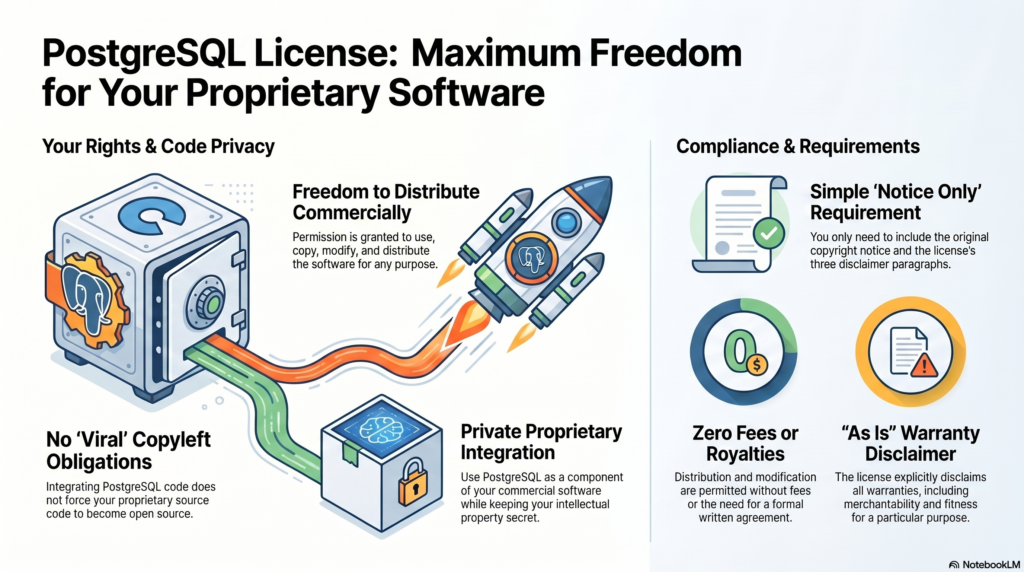
PostgreSQL® uses a permissive open-source license known as the PostgreSQL License. It is based on the BSD license and allows both commercial and non-commercial use without restrictions. Companies can use, modify, and redistribute PostgreSQL free of charge, and only need to retain the original copyright notice.
What is the PostgreSQL License, and why is it so popular?
The PostgreSQL License is a BSD-like open-source license that grants maximum freedom in using the database. It was specifically designed to offer both developers and companies the greatest possible flexibility, without the legal complexities of other licensing models.
This license is particularly popular with companies because it contains no copyleft provisions. This means you can integrate PostgreSQL into proprietary software without having to disclose your own application’s source code. The license dates back to 1996 and has since established itself as a stable, trusted licensing model.
The core characteristics make PostgreSQL attractive for commercial projects: no license fees, no limits on the number of users or installations, and full control over modifications. Companies particularly value the legal certainty and the ability to use PostgreSQL without long-term contractual commitments.
What rights and obligations do companies have when using PostgreSQL?
Specifically, the rights include: unlimited commercial use in any line of business, modification of the source code to meet your requirements, redistribution of both the original and modified versions, and integration into closed, proprietary software solutions without any disclosure obligation.
With PostgreSQL, companies receive extensive usage rights with no significant restrictions. They may use the database commercially, modify the source code, create their own versions, and even sell them. Integration into proprietary software is explicitly permitted.
The obligations are minimal and limited to a few points: the original copyright notice must remain included in all copies or substantial portions of the software. In addition, you must respect the original developers’ disclaimer of liability. Attribution in documentation or About dialogs is not mandatory, but it is appreciated.
- Unlimited use: Commercially in any line of business.
- Modification: Source code may be adapted as desired.
- Redistribution: Including in closed, proprietary products.
How does PostgreSQL differ from other database licenses?
PostgreSQL differs significantly from other database licensing models due to its permissive structure. While MySQL® is licensed under the GPL, Oracle® uses proprietary licenses, and MongoDB® introduced the restrictive SSPL, PostgreSQL remains consistently open and business-friendly.
The comparison shows clear differences: MySQL under the GPL often requires paid licenses for commercial use in proprietary software. Oracle Database generally requires license fees and offers only limited free versions. With the SSPL, MongoDB introduced a license that obliges cloud providers to disclose their entire service software.
For companies, PostgreSQL offers clear advantages: no licensing costs, no legal pitfalls when integrating into commercial products, and no obligation to disclose proprietary developments. PostgreSQL support is also available from various providers, without vendor lock-in effects.
The PostgreSQL License is compatible with almost all other open-source licenses. For example, PostgreSQL code can be incorporated into a GPL-licensed project without any issues.
Comparison of the GNU General Public License (GPL), the GNU Affero General Public License (AGPL), and the PostgreSQL License.
This table highlights, in particular, the differences in the obligation to disclose source code, which is crucial for commercial use and proprietary software development:
| Feature | GPL (v2 / v3) | AGPL (v3) | PostgreSQL License |
|---|---|---|---|
| License type | Strong copyleft (“viral effect”) | Strong copyleft (“viral effect”) | Permissive (liberal) |
| Source code disclosure upon distribution/redistribution | Yes. If derivative works (or combinations) are distributed, the entire source code must be disclosed under the GPL | Yes. As with the GPL, the source code must be disclosed upon redistribution | No. There is no obligation to disclose your own source code |
| Source code disclosure for network / SaaS use (ASP) | No. As long as the software is provided only over a network (without sending copies to the client), the source code does not have to be disclosed | Yes. The AGPL closes the so-called “ASP loophole”. Users who interact with the software over a network must be given access to the source code | No. Source code does not have to be disclosed, neither upon redistribution nor for network use |
| Combination with proprietary software (business advantage) | Not permitted/high risk. Proprietary systems may not integrate GPL code without themselves being placed entirely under the GPL (disclosure obligation) | Not permitted/high risk. Similar to the GPL, but with even stricter requirements for pure network use | Permitted. The software may be used, copied, modified, and distributed for any purpose (including commercial) without license fees and without a written contract |
The key business advantage of the PostgreSQL License
As the table shows, the biggest difference lies in how derivative works are handled and in integration into proprietary software.
The GPL and AGPL are strong copyleft licenses. This means: If you integrate software (such as a GPL-licensed database) into your own software and distribute this combined solution, the “viral effect” applies. Your own software is legally considered an extended work of the GPL software and must also be released under the GPL (including disclosed source code). The AGPL goes even further and requires source code disclosure even if you only offer the modified database as a service (SaaS/cloud) over a network.
The PostgreSQL License, by contrast, is a very permissive license (similar to MIT or BSD). It explicitly grants permission to use, copy, modify, and distribute the software and its documentation for any purpose, without fees or a written contract. The only condition is that the copyright notice and the two paragraphs of the disclaimer remain included in all copies. For a company, this represents a major business advantage: you can easily integrate a PostgreSQL database into a commercial, closed (proprietary) software product and sell it without ever being forced to disclose your own product’s source code.
Please note that this information reflects only the current state of our research and does not constitute legal advice. For a specific assessment of a particular use case, we recommend seeking individual legal advice for the respective case and the relevant jurisdiction.
What should you consider when using PostgreSQL commercially?
When using PostgreSQL commercially, you should follow basic compliance rules to ensure legal certainty. Document PostgreSQL usage in your project, retain copyright notices, and establish internal policies for handling open-source components.
Practical guidelines for legally compliant use include: maintain a software inventory list of all open-source components used, ensure development teams are informed about licensing terms, and store all relevant license texts and copyright notices in a central repository.
To minimize risk, professional support is recommended, especially for business-critical applications. Regular updates and security patches should be planned. Professional PostgreSQL support can help you manage both technical and legal aspects optimally and fully leverage the benefits of the permissive license. For a legal assessment of the licensing situation, please consult your attorney.
Liability
The PostgreSQL License also includes a warranty disclaimer. The software is provided “AS IS”. In our view, recourse against the authors or the project in the event of an error is therefore largely excluded. For this reason, in a business environment you should always safeguard PostgreSQL operations through a qualified service provider, such as the PostgreSQL Competence Center of credativ GmbH. Depending on compliance requirements, this may even be mandatory.
How credativ® supports PostgreSQL implementation
As an ISO 9001 and ISO 27001 certified service provider, credativ® offers comprehensive consulting and support for the optimal use of PostgreSQL. Our expert team helps you fully leverage the benefits of the PostgreSQL License while meeting all compliance requirements.
Our services include:
- Compliance consulting: Integrating PostgreSQL into your commercial software
- Technical implementation: Professional PostgreSQL installation and configuration
- 24/7 support: Continuous support for your PostgreSQL environment
- Migration and updates: Secure data migration and regular updates
- Training: Upskilling your teams on PostgreSQL best practices
Contact us today for a free consultation and learn how you can use PostgreSQL optimally and securely in your company.
Transparency notice:
Oracle® and MySQL® are trademarks of Oracle Corp. MongoDB® is a trademark of MongoDB Inc. PostgreSQL® is a trademark of the PostgreSQL Association, Canada. The mention of these trademarks is solely for the factual description of migration scenarios and services provided by credativ GmbH. There is no business relationship with the trademark owners mentioned with regard to the products referenced.
PostgreSQL is an open-source object-relational database that has been under development since 1986. It is characterized by ACID compliance, high extensibility, and strong SQL support. Companies value PostgreSQL for its reliability, performance, and cost-free nature. This guide answers the most important questions about the installation, configuration, and use of PostgreSQL in a corporate environment.
What is PostgreSQL and why do so many companies use it?

PostgreSQL is an object-relational database management system that is available as free open-source software. The database originated from the POSTGRES project at the University of California and has been continuously developed since 1986. PostgreSQL supports both relational and non-relational data structures and is considered one of the most advanced open-source databases worldwide.
The main features of PostgreSQL include ACID compliance for transaction security, Multi-Version Concurrency Control (MVCC) for concurrent access, and comprehensive SQL support. The database software also offers advanced data types such as JSON, XML, and arrays, as well as the ability to define custom functions and data types.
Companies of various sizes rely on PostgreSQL because it offers a stable and scalable solution for complex applications. The active developer community ensures regular updates and security patches. In addition, the free license allows for use without license costs, which is particularly attractive for growing companies.
How does PostgreSQL differ from other databases like MySQL?
PostgreSQL and MySQL differ in several important areas, with both having their specific strengths. PostgreSQL offers advanced data types such as JSON, JSONB, arrays, and geometric types, while MySQL focuses on basic SQL data types. PostgreSQL often shows better performance with complex queries and joins, while MySQL is often faster with simple read operations.
Licensing also differs: PostgreSQL is under the PostgreSQL license, which is very permissive, similar to the BSD license. MySQL uses dual licensing with GPL for open-source projects and commercial licenses for proprietary software. This can be relevant when deciding on commercial applications.
- PostgreSQL is particularly suitable for applications with complex data structures, analytical workloads, and when strict ACID compliance is required. For example, PostgreSQL natively supports geo-data and operations on geometric structures with the PostGIS extension.
- MySQL is often chosen for web applications, content management systems, and situations where simple configuration and high read performance are paramount.
Both databases have strong communities and professional support available.
What advantages does PostgreSQL offer for companies?
PostgreSQL offers companies significant cost advantages through the open-source license, as there are no license fees. This also enables small and medium-sized enterprises to build a professional database infrastructure. The saved license costs can be invested in hardware, development, or professional support.
PostgreSQL’s security standards meet enterprise requirements with features such as Row-Level-Security, SSL encryption, and comprehensive authentication options. The database supports various compliance standards and offers detailed audit functions for regulated industries.
PostgreSQL scales both vertically and horizontally and grows with the demands of your company. Independence from individual manufacturers prevents vendor lock-in and gives you the flexibility to obtain support and services from various providers. The large community and open development model ensure continuous innovation and long-term availability.
How to install and configure PostgreSQL correctly? Simple example:
The PostgreSQL installation is done in different ways depending on the operating system. Under Ubuntu/Debian, for example, use the command sudo apt-get install postgresql postgresql-contrib. For Windows, download the official installer from postgresql.org. macOS users can install PostgreSQL via Homebrew with brew install postgresql.
After the installation, you must start the PostgreSQL service and create a database user. Under Linux, this is done with sudo systemctl start postgresql and sudo -u postgres createuser --interactive. The basic configuration is done via the files postgresql.conf for general settings and pg_hba.conf for authentication.
This means that you are ready for a test on most Linux distributions. For more demanding applications, you should of course make further considerations, such as whether you want to rely on the packages and versions supplied with the respective distribution or whether you want to concentrate on the packages from PostgreSQL.org. A performant database server also requires considerations regarding the underlying file system and its optimization.
For productive use, you should also make important security settings:
- Change the default password of the postgres user, if one has been assigned
- Configure SSL encryption for network connections
- Restrict access via
pg_hba.confto necessary IP ranges - Enable logging for audit purposes
- Set up regular backups
How credativ® supports PostgreSQL projects
credativ® offers comprehensive PostgreSQL support for companies that need professional support for their database infrastructure. Our service includes 24/7 support from experienced PostgreSQL specialists who are immediately available for critical problems. You get direct access to our German support team without detours via international call centers. We are happy to help you and support you in the selection of open-source tools.
Our PostgreSQL services in detail:
- Migration from other database systems to PostgreSQL
- Installation consulting and audit of an existing installation
- Performance optimization and tuning of existing installations
- High availability setups with replication and clustering
- Backup and recovery strategies for maximum data security
- Monitoring and proactive maintenance of your PostgreSQL environment
- Long Term Support, which gives you time to complete the upgrades.
As PostgreSQL experts with over 20 years of experience, we help you to exploit the full potential of your database. Contact us for a non-binding consultation on your PostgreSQL project and find out how we can optimize your database infrastructure.
PostgreSQL 18 made one very important change – data block checksums are now enabled by default for new clusters at cluster initialization time. I already wrote about it in my previous article. I also mentioned that there are still many existing PostgreSQL installations without data checksums enabled, because this was the default in previous versions. In those installations, data corruption can sometimes cause mysterious errors and prevent normal operational functioning. In this post, I want to dissect common PostgreSQL data corruption modes, to show how to diagnose them, and sketch how to recover from them.
Corruption in PostgreSQL relations without data checksums surfaces as low-level errors like “invalid page in block xxx”, transaction ID errors, TOAST chunk inconsistencies, or even backend crashes. Unfortunately, some backup strategies can mask the corruption. If the cluster does not use checksums, then tools like pg_basebackup, which copy data files as they are, cannot perform any validation of data, so corrupted pages can quietly end up in a base backup. If checksums are enabled, pg_basebackup verifies them by default unless –no-verify-checksums is used. In practice, these low-level errors often become visible only when we directly access the corrupted data. Some data is rarely touched, which means corruption often surfaces only during an attempt to run pg_dump — because pg_dump must read all data.
Typical errors include:
-- invalid page in a table:
pg_dump: error: query failed: ERROR: invalid page in block 0 of relation base/16384/66427
pg_dump: error: query was: SELECT last_value, is_called FROM public.test_table_bytea_id_seq

-- damaged system columns in a tuple:
pg_dump: error: Dumping the contents of table "test_table_bytea" failed: PQgetResult() failed.
pg_dump: error: Error message from server: ERROR: could not access status of transaction 3353862211
DETAIL: Could not open file "pg_xact/0C7E": No such file or directory.
pg_dump: error: The command was: COPY public.test_table_bytea (id, id2, id3, description, data) TO stdout;

-- damaged sequence:
pg_dump: error: query to get data of sequence "test_table_bytea_id2_seq" returned 0 rows (expected 1)

-- memory segmentation fault during pg_dump:
pg_dump: error: Dumping the contents of table "test_table_bytea" failed: PQgetCopyData() failed.
pg_dump: error: Error message from server: server closed the connection unexpectedly
This probably means the server terminated abnormally
before or while processing the request.
pg_dump: error: The command was: COPY public.test_table_bytea (id, id2, id3, description, data) TO stdout;
Note: in such cases, unfortunately pg_dump exits on the first error and does not continue. But we can use a simple script which, in a loop, reads table names from the database and dumps each table separately into a separate file, with redirection of error messages into a table-specific log file. This way we both back up tables which are still intact and find all corrupted objects.
Understanding errors
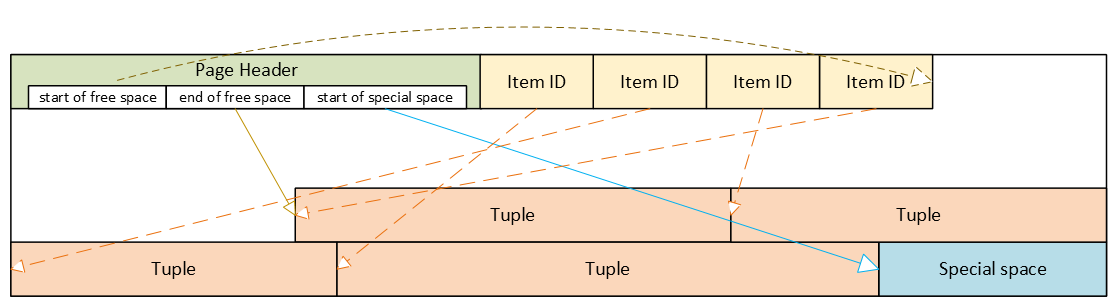
The fastest way to make sense of those symptoms is to map them back to which part of an 8 KB heap page is damaged. To be able to test it, I created a “corruption simulator” Python script which can surgically damage specific parts of a data block. Using it we can test common corruption modes. We will see how to diagnose each with pageinspect, look if amcheck can help in these cases, and show how to surgically unblock queries with pg_surgery when a single tuple makes an entire table unreadable.
PostgreSQL heap table format
- Header: metadata for block management and integrity
- Item ID (tuple pointer) array: entries pointing to tuples (offset + length + flags)
- Free space
- Tuples: actual row data, each with its own tuple header (system columns)
- Special space: reserved for index-specific or other relation-specific data – heap tables do not use it
Corrupted page header: the whole block becomes inaccessible
The page header contains the layout pointers for the page. The most important fields, which we can also see via pageinspect are:
- pd_flags: header flag bits
- pd_lower: offset to the start of free space
- pd_upper: offset to the end of free space
- pd_special: offset to the start of special space
- plus lsn, checksum, pagesize, version, prune_xid
ERROR: invalid page in block 285 of relation base/16384/29724
This is the only class of corruption error that can be skipped by enabling zero_damaged_pages = on when the cluster does not use data block checksums. With zero_damaged_pages = on, blocks with corrupted headers are “zeroed” in memory and skipped, which literally means the whole content of the block is replaced with zeros. AUTOVACUUM removes zeroed pages, but cannot zero out unscanned pages.
Where the error comes from in PostgreSQL source code
/*
* The following checks don't prove the header is correct, only that
* it looks sane enough to allow into the buffer pool. Later usage of
* the block can still reveal problems, which is why we offer the
* checksum option.
*/

if ((p->pd_flags & ~PD_VALID_FLAG_BITS) == 0 &&
    p->pd_lower <= p->pd_upper &&
    p->pd_upper <= p->pd_special &&
    p->pd_special <= BLCKSZ &&
    p->pd_special == MAXALIGN(p->pd_special))
    header_sane = true;

if (header_sane && !checksum_failure)
    return true;
SELECT * FROM page_header(get_raw_page('pg_toast.pg_toast_32840', 100));

     lsn    | checksum | flags | lower | upper | special | pagesize | version | prune_xid
------------+----------+-------+-------+-------+---------+----------+---------+-----------
0/2B2FCD68 | 0 | 4 | 40 | 64 | 8192 | 8192 | 4 | 0If the header is tested as corrupted, we cannot diagnose anything using SQL. With zero_damaged_pages = off any attempt to read this page ends with an error similar to the example shown above. If we set zero_damaged_pages = on then on the first attempt to read this page everything is replaced with all zeroes, including the header:
SELECT * from page_header(get_raw_page('pg_toast.pg_toast_28740', 578));
WARNING: invalid page in block 578 of relation base/16384/28751; zeroing out page

 lsn | checksum | flags | lower | upper | special | pagesize | version | prune_xid
-----+----------+-------+-------+-------+---------+----------+---------+-----------
 0/0 |        0 |     0 |     0 |     0 |       0 |        0 |       0 |         0
Corrupted Item IDs array: offsets and lengths become nonsense
- ERROR: invalid memory alloc request size 18446744073709551594
- DEBUG: server process (PID 76) was terminated by signal 11: Segmentation fault
SELECT lp, lp_off, lp_flags, lp_len, t_xmin, t_xmax, t_field3, t_ctid, t_infomask2, t_infomask, t_hoff, t_bits, t_oid, substr(t_data::text,1,50) as t_data
FROM heap_page_items(get_raw_page('public.test_table', 7));

 lp | lp_off | lp_flags | lp_len | t_xmin | t_xmax | t_field3 | t_ctid | t_infomask2 | t_infomask | t_hoff | t_bits | t_oid | t_data
----+--------+----------+--------+--------+--------+----------+--------+-------------+------------+--------+--------+-------+----------------------------------------------------
  1 |   7936 |        1 |    252 |  29475 |      0 |        0 |  (7,1) |           5 |       2310 |     24 |        |       | \x01010000010100000101000018030000486f742073656520
  2 |   7696 |        1 |    236 |  29476 |      0 |        0 |  (7,2) |           5 |       2310 |     24 |        |       | \x020100000201000002010000d802000043756c747572616c
  3 |   7504 |        1 |    189 |  29477 |      0 |        0 |  (7,3) |           5 |       2310 |     24 |        |       | \x0301000003010000030100001c020000446f6f7220726563
  4 |   7368 |        1 |    132 |  29478 |      0 |        0 |  (7,4) |           5 |       2310 |     24 |        |       | \x0401000004010000040100009d4d6f76656d656e74207374
Here we can nicely see the Item IDs array – offsets and lengths. The first tuple is stored at the very end of the data block, therefore it has the biggest offset. Each subsequent tuple is stored closer and closer to the beginning of the page, so offsets are getting smaller. We can also see lengths of tuples, they are all different, because they contain a variable-length text value. We can also see tuples and their system columns, but we will look at them later.
Now, when we damage the Item IDs array and diagnose how it looks like – output is shortened because all other columns are empty as well. Due to the damaged Item IDs array, we cannot properly read tuples. Here we can immediately see the problem – offsets and lengths contain random values, the majority of them exceeding 8192, i.e. pointing well beyond data page boundaries:
 lp | lp_off | lp_flags | lp_len | t_xmin | t_xmax
----+--------+----------+--------+--------+--------
  1 |  19543 |        1 |  16226 |        |
  2 |   5585 |        2 |   3798 |        |
  3 |  25664 |        3 |  15332 |        |
  4 |  10285 |        2 |  17420 |        |
SELECT * FROM verify_heapam('test_table', FALSE, FALSE, 'none', 7, 7);

 blkno | offnum | attnum | msg
-------+--------+--------+---------------------------------------------------------------------------
     7 |      1 |        | line pointer to page offset 19543 is not maximally aligned
     7 |      2 |        | line pointer redirection to item at offset 5585 exceeds maximum offset 4
     7 |      4 |        | line pointer redirection to item at offset 10285 exceeds maximum offset 4
Corrupted tuples: system columns can break scans
- 58P01 – could not access status of transaction 3047172894
- XX000 – MultiXactId 1074710815 has not been created yet — apparent wraparound
- WARNING: Concurrent insert in progress within table “test_table”
 lp | lp_off | lp_flags | lp_len |   t_xmin   |   t_xmax   |  t_field3  |       t_ctid       | t_infomask2 | t_infomask | t_hoff | t_bits | t_oid
----+--------+----------+--------+------------+------------+------------+--------------------+-------------+------------+--------+--------+-------
  1 |   6160 |        1 |   2032 | 1491852297 |  287039843 |  491133876 | (3637106980,61186) |       50867 |      46441 |    124 |        |
  2 |   4128 |        1 |   2032 | 3846288155 | 3344221045 | 2002219688 | (2496224126,65391) |       34913 |      32266 |     82 |        |
  3 |   2096 |        1 |   2032 | 1209990178 | 1861759146 | 2010821376 | (426538995,32644)  |       23049 |       2764 |    215 |        |
- XX000 – unexpected chunk number -556107646 (expected 20) for toast value 29611 in pg_toast_29580
- XX000 – found toasted toast chunk for toast value 29707 in pg_toast_29580
Dealing with corrupted tuples using pg_surgery
Even a single corrupted tuple can prevent selects from the entire table. Corruption in xmin, xmax and hint bits will cause a query to fail because the MVCC mechanism will be unable to determine visibility of these damaged tuples. Without data block checksums, we cannot easily zero out such damaged pages, since their header already passed the “sanity” test. We would have to do salvaging row-by-row using a PL/pgSQL script. But if a table is huge and the count of damaged tuples is small, this will be highly impractical.
In such a case, we should think about using the pg_surgery extension to freeze or remove corrupted tuples. But first, the correct identification of damaged tuples is critical, and second, the extension exists since PostgreSQL 14, it is not available in older versions. Its functions require ctid, but we must construct a proper value based on page number and ordinal number of the tuple in the page, we cannot use a damaged ctid from tuple header as shown above.
Freeze vs kill
Frozen tuples are visible to all transactions and stop blocking reads. But they still contain corrupted data: queries will return garbage. Therefore, just freezing corrupted tuples will most likely not help us, and we must kill damaged tuples. But freezing them first might be helpful for making sure we are targeting the proper tuples. Freezing simply means that function heap_force_freeze (with the proper ctid) will replace t_xmin with value 2 (frozen tuple), t_xmax with 0 and will repair t_ctid.
But all other values will stay as they are, i.e. still damaged. Using the pageinspect extension as shown above will confirm we work with a proper tuple. After this check, we can kill damaged tuples using the heap_force_kill function with the same parameters. This function will rewrite the pointer in the Item ID array for this specific tuple and mark it as dead.
Warning — functions in pg_surgery are considered unsafe by definition, so use them with caution. You can call them from SQL like any other function, but they are not MVCC-transactional operations. Their actions are irreversible – ROLLBACK cannot “undo” a freeze or kill, because these functions directly modify a heap page in shared buffers and WAL-log the change. Therefore, we should first test them on a copy of that specific table (if possible) or on some test table. Killing the tuple can also cause inconsistency in indexes, because the tuple does not exist anymore, but it could be referenced in some index. They write changes into the WAL log; therefore, the change will be replicated to standbys.
Summary
 PostgreSQL 17 introduced streaming I/O – grouping multiple page reads into a single system call and using smarter posix_fadvise() hints. That alone gave up to ~30% faster sequential scans in some workloads, but it was still strictly synchronous: each backend process would issue a read and then sit there waiting for the kernel to return data before proceeding. Before PG17, PostgreSQL typically read one 8kB page at a time.
- Heap sequential scans, like plain SELECT and COPY operations that stream lots of data
- VACUUM on big tables and indexes
- ANALYZE sampling
- Bitmap heap scans
Autovacuum benefits from this change too, since its workers share the same VACUUM/ANALYZE code paths. Other operations still remain synchronous for now:
- B‑tree index scans / index‑only scans
- Recovery & replication
- All write operations INSERT, UPDATE, DELETE, WAL writes
- Small OLTP lookups that touch a single heap page
Future work is expected to widen coverage, especially index‑only scans and some write‑path optimizations.
Significant improvements for cloud volumes
Community benchmarks show that PostgreSQL 18 AIO significantly improves cold cache data reads in cloud setups with network‑attached storage where latency is high. AWS documentation states that average latency of Block Express volumes is “under 500 microseconds for 16 KiB I/O size”, when latency of General Purpose volumes can exceed 800 microseconds. Some articles suggest that under high load each physical block read from disk can cost around 1ms, while page processing in PostgreSQL is much cheaper. By combining many pages into one read, all these pages together now cost around 1ms. And by performing multiple reading requests at the same time in parallel, we effectively pay that 1ms latency just once per the whole batch.
Asynchronous I/O methods
The new subsystem can run in one of three modes, configured via io_method parameter with possible values “worker” (default), “io_uring“, and “sync“. We will cover how each works and then show how to monitor asynchronous I/O in our environment.
io_method = sync
This mode effectively turns AIO off. Reads are executed through the same AIO API but synchronously, using regular preadv or pwritev methods on the backend process that issued the I/O. This method does not use any extra shared memory and is intended mainly for regression testing or if we suspect AIO is misbehaving. It is also used internally as fall back to the synchronous I/O for operations which cannot use asynchronous I/O. PostgreSQL core functions issue an error, if some extension would try to force asynchronous I/O through AIO API when global io_method is set to “sync”. Available benchmarks show that this PostgreSQL 18 mode performs similarly to PostgreSQL 17’s streaming I/O.
io_method = io_uring (Linux only)
SELECT pg_config FROM pg_config() where pg_config::text ilike ’%liburing%’;
- Backends write requests via API into a submission ring in shared memory
- The kernel performs I/O asynchronously and writes results into a completion ring
- Completion ring content is consumed by the backend with fewer context switches
Execution still happens in the same process, like with the “sync” method, but it uses kernel worker threads for parallel processing. This typically shines on very fast NVMe SSDs.
However, io_uring Linux feature also has had a rough security history. It bypasses traditional syscall audit paths and therefore has been involved in a large share of Linux kernel exploits. Google reported that 60% of Linux kernel vulnerabilities in 2022 involved io_uring and some security tools were unable to uncover these types of attacks. Therefore some container environments disable io_uring entirely.
io_method = worker
This is the cross‑platform, “safe” implementation and the default in PostgreSQL 18. Mechanism is very similar to existing parallel query processing. The main difference is that background I/O workers are long‑lived independent processes created at server start, not short‑lived processes spawned per query.
- At server start, the postmaster creates a pool of I/O worker processes. Number is controlled by io_workers parameter with a default of 3. However, benchmarks suggest this number should be higher on many‑core machines, typically between ¼ and ½ of available CPU threads. Best value depends on workload and storage latency.
- Backends submit read requests into a shared memory submission queue. This submission queue is generally a ring buffer that multiple backends can write into concurrently. It contains only metadata about the request – handle indices, not full request record. There is only one submission queue for the entire cluster, not per database or per backend. The actual details of the request are stored in separate memory structure.
- Request is checked if it must be executed synchronously or can be handled asynchronously. Synchronous execution can also be chosen if the submission queue is full. This avoids problems with shared memory usage under extreme load. In case of synchronous execution, code uses path for “sync” method described above.
- Request submission in shared memory wakes up one I/O worker, which pops request and executes traditional blocking read() / pread() calls. If queue is still not empty, woken worker can wake up 2 additional workers to process it in parallel. Note in code mentions that this can be in the future extended to configurable N workers. This limit helps to avoid so called “thundering herd problem”, when single submitter would wake up too many workers causing havoc and locks for other backends.
- One limitation for asynchronous I/O is the fact, that workers cannot simply reuse file descriptors opened by backends, they must reopen files in their own context. If this is not possible for some types of operations, synchronous I/O path is used for that specific request.
- When workers finish a request without an error, they write data blocks into share buffers, put result into a completion queue and signal the backend.
- From the perspective of the backend, I/O becomes “asynchronous”, because the “waiting” happens in worker processes, not in the query process itself.
- Works on all supported OSes
- Simple error handling: if a worker crashes, requests are marked as failed, worker exits and a new worker is spawned by postmaster
- Avoids the security concerns around Linux io_uring interface
- The downside is extra context switches and possible shared‑memory queue contention, but for many workloads the ability to overlap reads easily pays for that
- This method improves performance even in the case when all blocks are just copied from local Linux memory cache, because it is now done in parallel
Tuning the New I/O Parameters
PostgreSQL 18 adds or updates several parameters related to disk I/O. We already covered io_method and io_workers; let’s look at the others. Another new parameters are io_combine_limit and io_max_combine_limit. They control how many data pages PostgreSQL groups into a single AIO request. Larger requests typically yield better throughput, but can also increase latency and memory usage. Values without units are interpreted in 8kB data blocks. With units (kB, MB), they directly represent size – however, should be multiples of 8kB.
Parameter io_max_combine_limit is a hard server‑start cap, io_combine_limit is the user‑tunable value that can be changed at runtime but cannot exceed the max. Default values of both is 128kB (16 data pages). But documentation recommends setting up to 1MB on Unix (128 data pages) and 128kB on Windows (16 data pages – due to limitations in internal Widows buffers). We can experiment with higher values, but based on HW and OS limits AIO benefits plateau after some chunk size; pushing this too high doesn’t help and can even increase latency.
PostgreSQL 18 introduces also io_max_concurrency setting, which controls max number of IOs that one process can execute simultaneously. Default setting -1 means value will be selected automatically based on other settings, but it cannot exceed 64.
Other related parameter is effective_io_concurrency – number of concurrent I/O operations that can be executed simultaneously on storage. Range of values is from 1 to 1000, value 0 disables asynchronous I/O requests. Default value is now 16, some community articles suggest to go up to 200 on modern SSDs. Best setting depends on specific hardware and OS, however, some articles also warn that too high value may significantly increase I/O latency for all queries.
How to Monitor Asynchronous I/O
pg_stat_activity
SELECT pid, backend_start, wait_event_type, wait_event, backend_type
FROM pg_stat_activity
WHERE backend_type = 'io worker';


  pid |        backend_start          | wait_event_type |  wait_event  | backend_type
------+-------------------------------+-----------------+--------------+--------------
   34 | 2025-12-09 11:44:23.852461+00 | Activity        | IoWorkerMain | io worker
   35 | 2025-12-09 11:44:23.852832+00 | Activity        | IoWorkerMain | io worker
   36 | 2025-12-09 11:44:23.853119+00 | IO              | DataFileRead | io worker
   37 | 2025-12-09 11:44:23.8534+00   | IO              | DataFileRead | io worker
SELECT a.pid, a.usename, a.application_name, a.backend_type, a.state, a.query,
ai.operation, ai.state AS aio_state, ai.length AS aio_bytes, ai.target_desc
FROM pg_aios ai
JOIN pg_stat_activity a ON a.pid = ai.pid
ORDER BY a.backend_type, a.pid, ai.io_id;


-[ RECORD 1 ]----+------------------------------------------------------------------------
             pid | 58
         usename | postgres
application_name | psql
    backend_type | client backend
           state | active
           query | explain analyze SELECT ........
       operation | readv
       aio_state | SUBMITTED
       aio_bytes | 704512
     target_desc | blocks 539820..539905 in file "pg_tblspc/16647/PG_18_202506291/5/16716"
-[ RECORD 2 ]----+------------------------------------------------------------------------
             pid | 159
         usename | postgres
application_name | psql
    backend_type | parallel worker
           state | active
           query | explain analyze SELECT ........
       operation | readv
       aio_state | SUBMITTED
       aio_bytes | 704512
     target_desc | blocks 536326..536411 in file "pg_tblspc/16647/PG_18_202506291/5/16716"
pg_aios: Current AIO handles
- pid: backend issuing the I/O
- io_id, io_generation: identify a handle across reuse
- state: HANDED_OUT, DEFINED, STAGED, SUBMITTED, COMPLETED_IO, COMPLETED_SHARED, COMPLETED_LOCAL
- operation: invalid, readv (vectored read) or writev (vectored write)
- off, length: offset and size of I/O operation
- target, target_desc: what we’re reading/writing (typically relations)
- result: UNKNOWN, OK, PARTIAL, WARNING, ERROR
-- Summary of current AIO handles by state and result
SELECT state, result, count(*) AS cnt, pg_size_pretty(sum(length)) AS total_size
FROM pg_aios GROUP BY state, result ORDER BY state, result;

       state      |  result | cnt | total_size
------------------+---------+-----+------------
 COMPLETED_SHARED | OK      |   1 | 688 kB
 SUBMITTED        | UNKNOWN |   6 | 728 kB

-- In-flight async I/O handles
SELECT COUNT(*) AS aio_handles, SUM(length) AS aio_bytes FROM pg_aios;

 aio_handles | aio_bytes
-------------+-----------
           7 |     57344

-- Sessions currently waiting on I/O
SELECT COUNT(*) AS sessions_waiting_on_io FROM pg_stat_activity WHERE wait_event_type = 'IO';

 sessions_waiting_on_io
------------------------
9SELECT pid, state, operation, pg_size_pretty(length) AS io_size, target_desc, result FROM pg_aios ORDER BY pid, io_id; pid | state | operation | io_size | target_desc | result -----+-----------+-----------+------------+-------------------------------------------------------------------------+--------- 51 | SUBMITTED | readv | 688 kB | blocks 670470..670555 in file "pg_tblspc/16647/PG_18_202506291/5/16716" | UNKNOWN 63 | SUBMITTED | readv | 8192 bytes | block 1347556 in file "pg_tblspc/16647/PG_18_202506291/5/16719" | UNKNOWN 65 | SUBMITTED | readv | 688 kB | blocks 671236..671321 in file "pg_tblspc/16647/PG_18_202506291/5/16716" | UNKNOWN 66 | SUBMITTED | readv | 8192 bytes | block 1344674 in file "pg_tblspc/16647/PG_18_202506291/5/16719" | UNKNOWN 67 | SUBMITTED | readv | 8192 bytes | block 1337819 in file "pg_tblspc/16647/PG_18_202506291/5/16719" | UNKNOWN 68 | SUBMITTED | readv | 688 kB | blocks 672002..672087 in file "pg_tblspc/16647/PG_18_202506291/5/16716" | UNKNOWN 69 | SUBMITTED | readv | 688 kB | blocks 673964..674049 in file "pg_tblspc/16647/PG_18_202506291/5/16716" | UNKNOWN
pg_stat_io: Cumulative I/O stats
SELECT backend_type, context, sum(reads) AS reads,
pg_size_pretty(sum(read_bytes)) AS read_bytes,
round(sum(read_time)::numeric, 2) AS read_ms, sum(writes) AS writes,
pg_size_pretty(sum(write_bytes)) AS write_bytes,
round(sum(write_time)::numeric, 2) AS write_ms, sum(extends) AS extends,
pg_size_pretty(sum(extend_bytes)) AS extend_bytes
FROM pg_stat_io
WHERE object = 'relation' AND backend_type IN ('client backend')
GROUP BY backend_type, context
ORDER BY backend_type, context;

   backend_type |  context  |  reads  | read_bytes |  read_ms  | writes | write_bytes | write_ms | extends | extend_bytes
----------------+-----------+---------+------------+-----------+--------+-------------+----------+---------+--------------
 client backend | bulkread  |   13833 | 9062 MB    | 124773.28 |      0 | 0 bytes     |     0.00 |         |
 client backend | bulkwrite |       0 | 0 bytes    |      0.00 |      0 | 0 bytes     |     0.00 |       0 | 0 bytes
 client backend | init      |       0 | 0 bytes    |      0.00 |      0 | 0 bytes     |     0.00 |       0 | 0 bytes
 client backend | normal    | 2265214 | 17 GB      | 553940.57 |      0 | 0 bytes     |     0.00 |       0 | 0 bytes
 client backend | vacuum    |       0 | 0 bytes    |      0.00 |      0 | 0 bytes     |     0.00 |       0 | 0 bytes


-- Top tables by heap blocks read and cache hit ratio
SELECT relid::regclass AS table_name, heap_blks_read, heap_blks_hit,
ROUND( CASE WHEN heap_blks_read + heap_blks_hit = 0 THEN 0
ELSE heap_blks_hit::numeric / (heap_blks_read + heap_blks_hit) * 100 END, 2) AS cache_hit_pct
FROM pg_statio_user_tables
ORDER BY heap_blks_read DESC LIMIT 20;

      table_name      | heap_blks_read | heap_blks_hit | cache_hit_pct
----------------------+----------------+---------------+---------------
 table1               |       18551282 |       3676632 |         16.54
 table2               |        1513673 |     102222970 |         98.54
 table3               |          19713 |       1034435 |         98.13
...


-- Top indexes by index blocks read and cache hit ratio
SELECT relid::regclass AS table_name, indexrelid::regclass AS index_name,
idx_blks_read, idx_blks_hit
FROM pg_statio_user_indexes
ORDER BY idx_blks_read DESC LIMIT 20;

 table_name |    index_name   | idx_blks_read | idx_blks_hit
------------+-----------------+---------------+--------------
 table1     | idx_table1_date |        209289 |          141
 table2     | table2_pkey     |         37221 |      1223747
 table3     | table3_pkey     |          9825 |      3143947
...SELECT pg_stat_reset_shared('io');Then run our workload and query pg_stat_io again to see how many bytes were read/written and how much time was spent waiting on I/O.
Conclusion
PostgreSQL is a registered trademark oftThe PostgreSQL Community Association of Canada.