
Open Build Service - Utility to build and publish updated packages of an EOL distribution
| Categories: | credativ® Inside Debian |
|---|---|
| Tags: | Debian Linux OBS Open Build Server open build service |
Introduction
When it comes to providing extended support for end-of-life (EOL) Linux distributions, the traditional method of building packages from sources may present certain challenges. One of the biggest challenges is the need for individual developers to install build dependencies on their own build environments. This often leads to different build dependencies being installed, resulting in issues related to binary compatibility. Additionally, there are other challenges to consider, such as establishing an isolated and clean build environment for different package builds in parallel, implementing an effective package validation strategy, and managing repository publishing, etc.
To overcome these challenges, it is highly recommended to have a dedicated build infrastructure that enables the building of packages in a consistent and reproducible way. With such an infrastructure, teams can address these issues effectively, and ensures that the necessary packages and dependencies are available, eliminating the need for individual developers to manage their own build environments.
OpenSUSE’s Open Build Service (OBS) provides a widely recognized public build infrastructure that supports RPM-based, Debian-based, and Arch-based package builds. This infrastructure is well-regarded among users who require customized package builds on major Linux distributions. Additionally, OBS can be deployed as a private instance, offering a robust solution for organizations engaged in private software package builds. With its extensive feature set, OBS serves as a comprehensive build infrastructure that meets the requirements of teams to build security-patched package on top of already existing packages in order to extend the support of end-of-life (EOL) Linux distributions, for example.
Facts
On June 30, 2024, two major Linux distributions, Debian 10 “Buster” and CentOS 7, have reached their End-of-Life (EOL) status. These distributions gained widespread adoption in numerous large enterprise environments. However, due to various factors, organizations may face challenges in completing migration processes in a timely manner, requiring temporary extended support for these distributions.
When a distribution reaches its End-of-Life (EOL) support from upstream, mirrors and corresponding infrastructure are typically removed. This creates a significant challenge for organizations still using those distributions and seeking extended support, as they not only require access to a local offline mirror but also need the infrastructure to rebuild packages in such a way that is consistent with their former original upstream builds whenever there is a need to rebuild packages for security reasons.
Goal
To provide utilities that support teams building packages, OBS is able to help them. Thereby, it also helps them to have a build infrastructure that builds all existing source and binary packages along with their security patches in a semi-original build environment, further extending their support of EOL Linux distributions. This is achieved by keeping package builds at a similar level of quality and compatibility to their former original upstream builds.
Requirements
To achieve the goal mentioned above, two essential components are required:
- Local mirror of the EOL Linux distribution
- Private OBS instance.
In order to set up a private OBS instance, you can fetch OBS from the upstream GitHub repository and install as well as build it on your local machine, or alternatively, you can simply download the OBS Appliance Installer to integrate a private OBS instance as a new build infrastructure.
Keep in mind that the local mirror typically doesn’t contain the security patches to properly extend the support of the EOL distribution. Just rebuilding the existing packages won’t automatically extend the support of such distributions. Either those security patches must be maintained by the teams themselves and added to the package update by hand, or they are obtained from an upstream project that provides those patches already.
Nevertheless, once the private OBS instance is successfully installed, it can then be linked with the local offline mirror that the team wants to extend the support for, and be configured as a semi-original build environment. By doing so, the build environment can be configured as close as possible to the original upstream build environment to keep a similar level of quality and compatibility although packages might get built for security update with new patches.
This way, the already ended support of a Linux distribution can be extended because a designated team can not only build packages on their own but also provide patches for packages that are affected by bugs or security vulnerabilities.
Achievement
The OBS build infrastructure provides a semi-original build environment to simplify the package building process, reduce inconsistencies, and achieve reproducibility. By adopting this approach, teams can simplify their development and testing workflows and enhance the overall quality and reliability of the generated packages.
Demonstrates
Allow us to demonstrate how OBS can be utilized as a build infrastructure for teams in order to provide the build and publish infrastructure needed for extending the support of End-of-Life (EOL) Linux distributions. However, please note that the following examples are purely for demonstration purposes and may not precisely reflect the specific approach.
Config OBS
Once your private OBS instance is set up, you can log in to OBS by using its WebUI. You must use the ‘Admin‘ account with its default password ‘opensuse‘. After that, you can create a new project for the EOL Linux distribution as well as add users and groups for teams that are going to work on this project. In addition, you must link your project with a local mirror of the EOL Linux distribution and customize your OBS project to replicate the former upstream build environment.
OBS supports the Download on Demand (DoD) feature that can establish a connection with a local mirror on the OBS instance with the designated project within OBS to fetch build dependencies on-demand during the build process. This simplifies the build workflow and reduces the need for manual intervention.
Note: some configurations are only available with the Admin account, including Manage Users, Groups and Add Download on Demand (DoD) Repository.
Now, let’s dive into the OBS configuration of such a project.
Where to Add DoD Repository
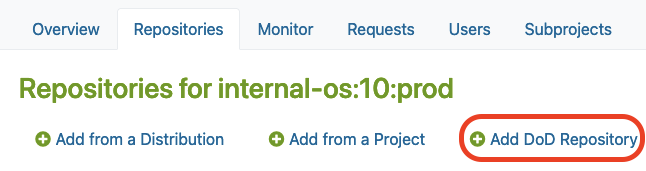
After you created a new project in OBS, you may find the “Add DoD Repository” option in the Repositories tab under the ‘Admin’ account.
There, you must click the Add DoD Repository button as shown below:
Link your local mirror via DoD
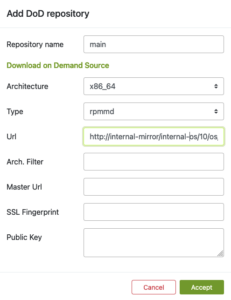
Next, you can provide a URL to link your local mirror via “Add DoD Repository“.
By doing so, you are going to configure the DoD repository. For this, you have to:
- Name the DoD Repo
- Provide a URL that points to the local mirror that is going to be used as a base for building packages in our project
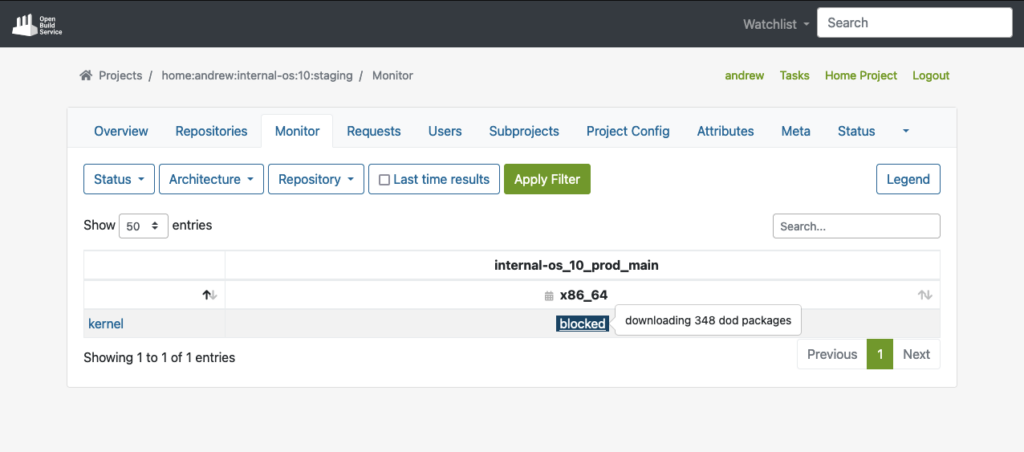
The build dependencies should now be available for OBS to download automatically via the DoD feature.
As you can see in the example below, OBS was able to fetch all the build dependencies for the shown “kernel” package via DoD before it actually started to build the package:
However, after you connected the local mirror with the EOL Linux Distribution, we should also customize the project configuration to re-create the semi-original build environment of the former upstream project in our OBS project.
Project Config
OBS offers a customizable build environment via Project Config, allowing teams to meet specific project requirements.
It allows teams to customize the build environment through the project configuration, enabling them to define macros, packages, flags, and other build-related settings. This helps to adapt their project to all requirements needed to keep the compatibility with the original packages.
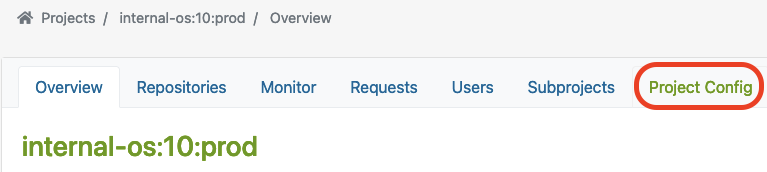
You can find the Project Config here:
Let’s have a closer look at some examples showing how the project configuration could look like for building RPM-based packages or Debian-based packages.
Depending on the actual package type that has been used by the EOL Linux distribution, the project configuration must be adjusted accordingly.
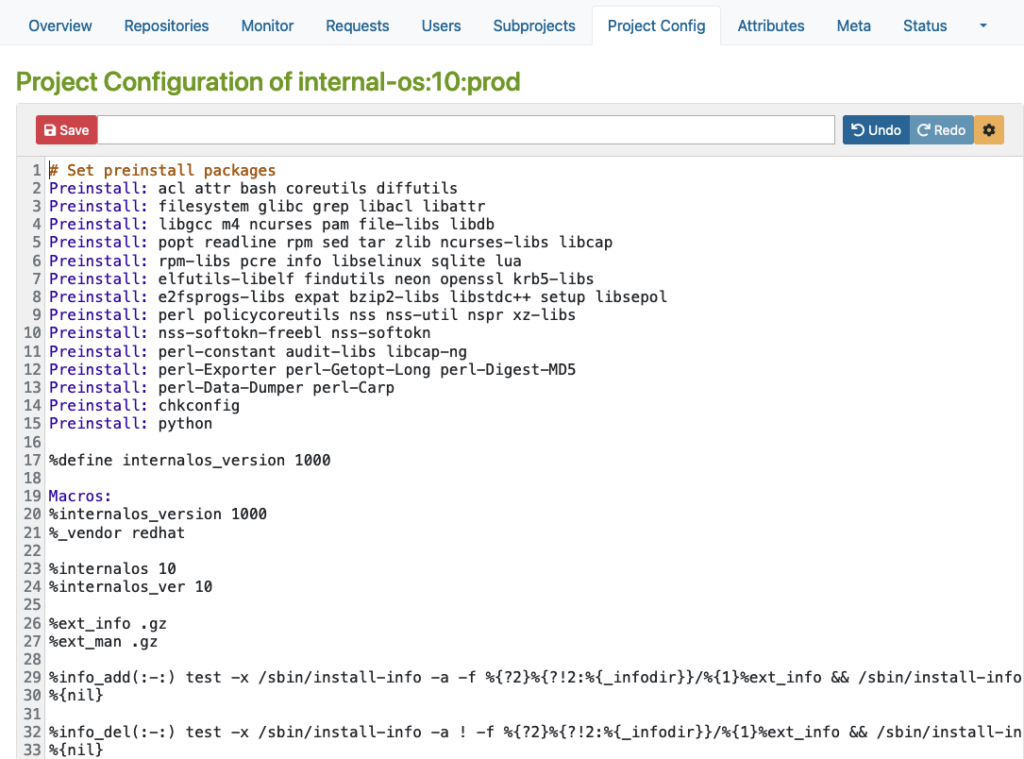
RPM-based config
Here is an example for an RPM-based distribution where you can define macros, packages, flags, and other build-related settings.
Please note that this example is only for demonstration purposes:
Debian based config
Then, there is another example for Debian-based distribution where you can specify Repotype: debian, define preinstalled packages, and build-related settings in the build environment.
Again, please note that this example is for demonstration purposes only:
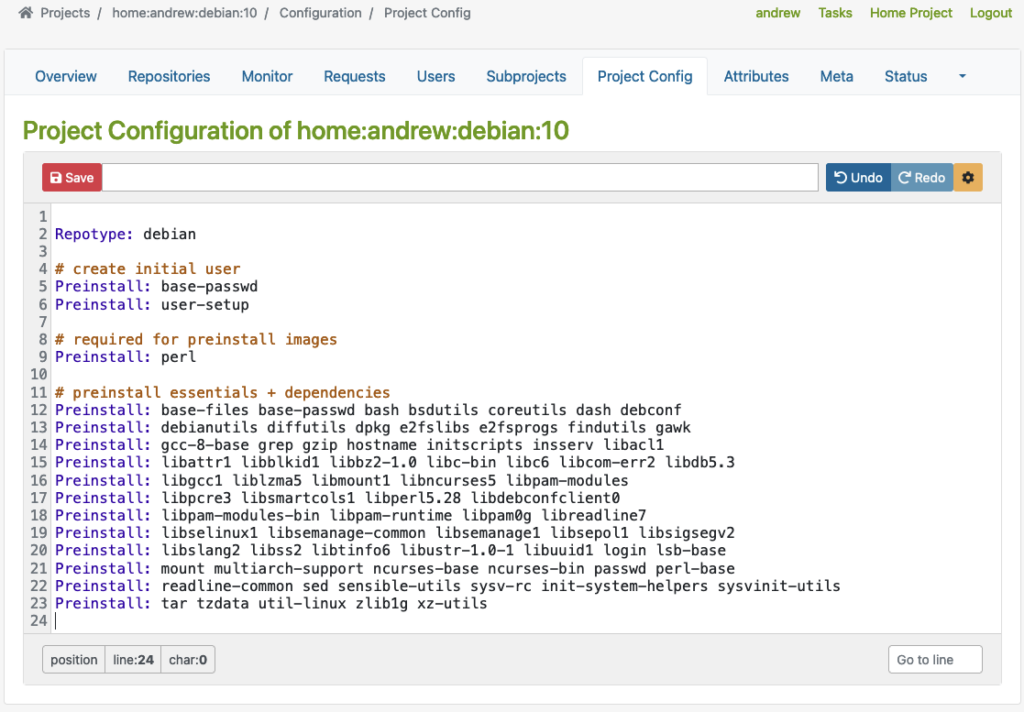
As you can see in the examples above, the Repotype defines the repository format for the published repositories. Preinstall defines packages that should be available in the build environment while building other packages. You may find more details about the syntax in the Build Configuration chapter in the manual provided by OpenSuSE.
With this customizable build environment feature, each build starts in a clean chroot or KVM environment, providing consistency and reproducibility in the build process. Teams may have different build environments in different projects that are isolated and can be built in parallel. The separated projects together, with dedicated chroot or KVM environments for building packages prevent interference or conflicts between builds.
User Management
In addition to projects, OBS offers flexible access control, allowing team members to have different roles and permissions for various projects or distributions. This ensures efficient collaboration and streamlined workflow management.
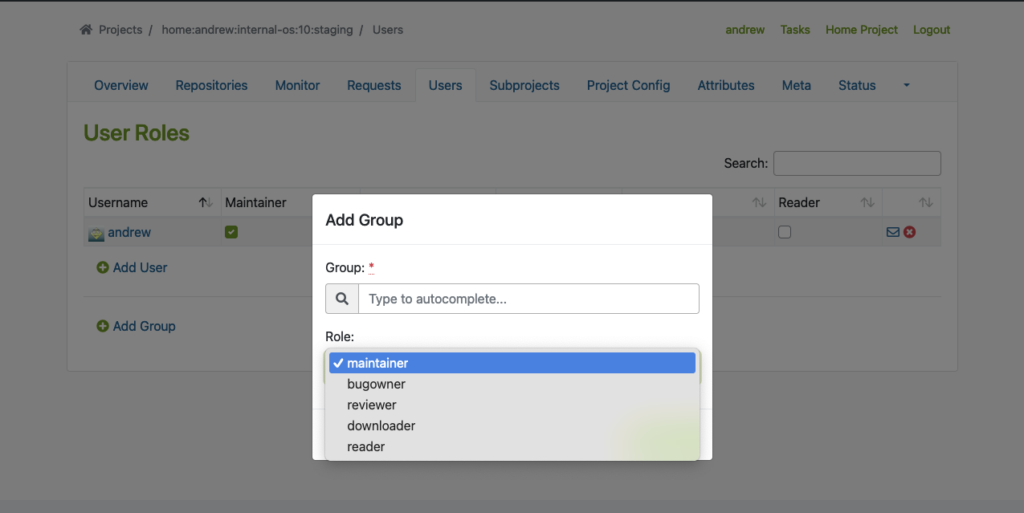
To use this feature properly, we must create Users and Groups by using the Admin account in OBS. You may find the ‘Users‘ tab within the project where you can add users and groups with different roles.
The following example shows how to add users and groups in a given project:
Flexible Project Setup
OBS allows teams to create separate projects for development, staging, and publishing purposes. This controlled workflow ensures thorough testing and validation of packages before they are submitted to the production project for publishing.
Testing Strategy with Projects
Before packages are released and published, proper testing of those packages is crucial. To achieve this, OBS offers repository publish integration that helps to implement a Testing Strategy. Developers may get their packages published in a corresponding Staging repository first before starting the validation process of the packages, so that they can be submitted to the Production project. From there, they will then be published and made available to other systems.
It seamlessly integrates with local repository publishing, ensuring that all packages in the build process are readily available. This eliminates the need for additional configuration on internal or external repositories.
The next example shows a ‘home:andrew:internal-os:10:staging’ project, which is used as a staging purposed repository. There, we import the nginx source package to build and validate it afterward.
Start the Build Process
Once the build dependencies are downloaded via DoD, the build process starts automatically.
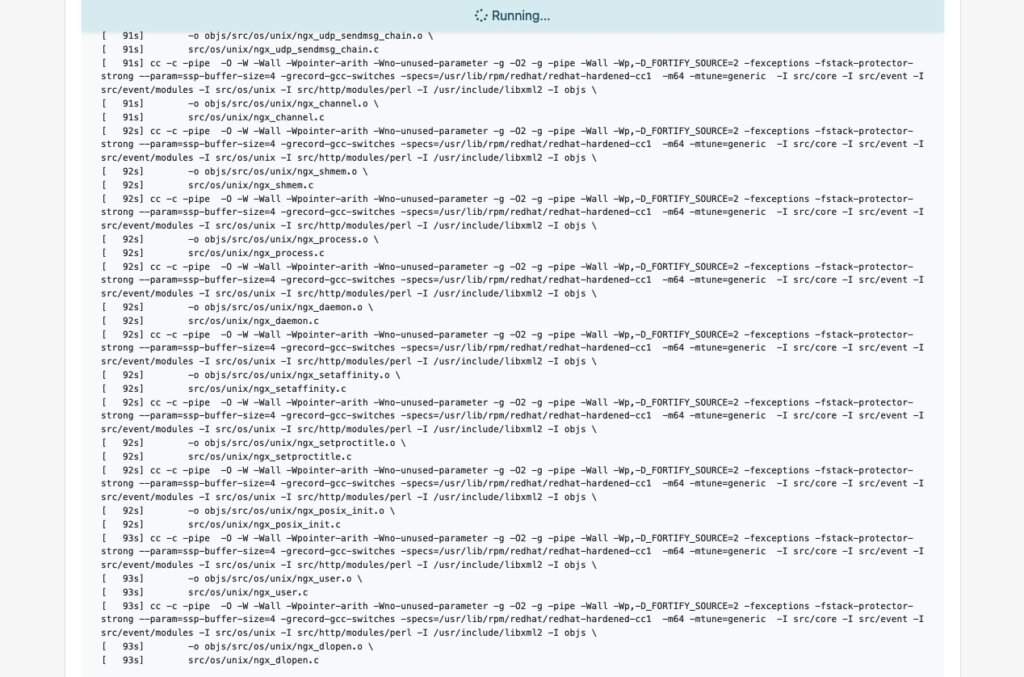
As soon as the build process for a package like ‘nginx’ succeeds, we will also see it in the interface:
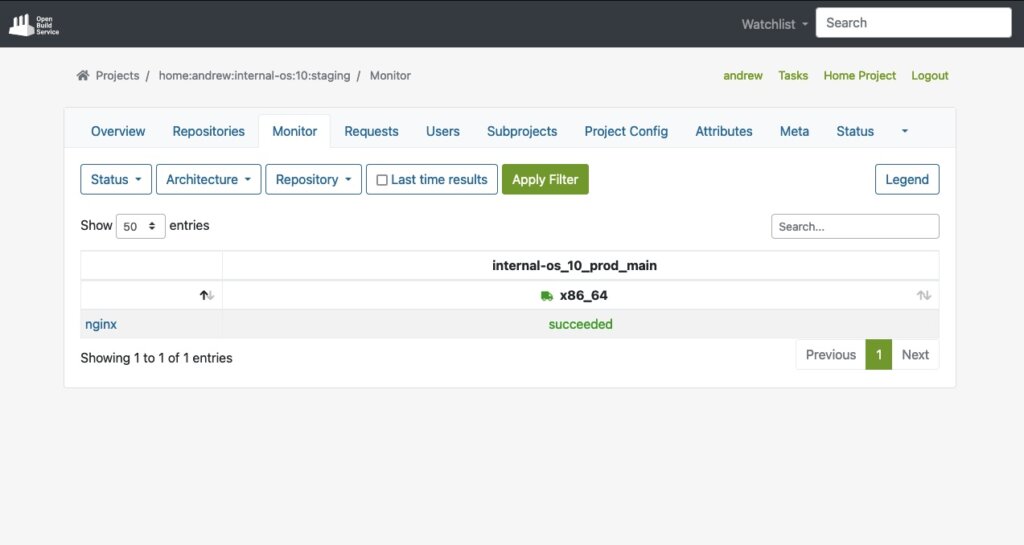
Last but not least, the package will automatically be published into a repository that is ready to be used with package managers like YUM. In our test case, the YUM-ready repository helps us to easily perform validation by conducting tests on VM or actual hardware.
Below, you can see an example of this staging repository (Index of the YUM-ready staging repository):
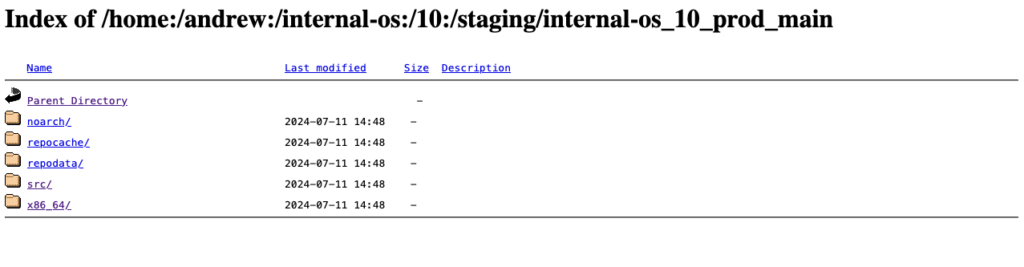
Please note: To meet the testing strategy in our example, packages should only be submitted to the Prod project once they have successfully passed the validation process in the Staging repository.
Submit to Prod after Validation
As soon as we validate the functionality of a package in the staging project and repository, we can move on by submitting the package to the production project. Underneath the package overview page (e.g., in our case, the ‘nginx’ package), you can find the Submit Package button to start this process:
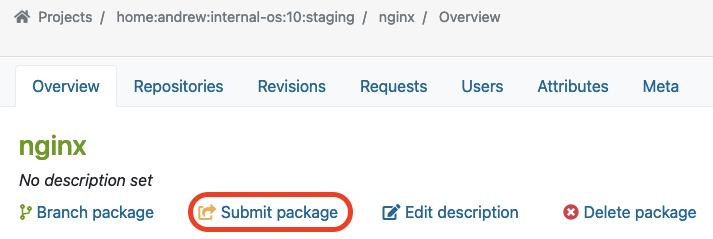
In our example, we use the ‘internal-os:10:prod’ project for the Production repository. Previously, we built and validated the ‘nginx’ package in the Staging repository. Now we want to submit this package into the Production project which we call ‘internal-os:10:prod’.
Once you click “Submit package“, the following dialog should pop up. Here, you can fill out the form to submit the newly built package to production:
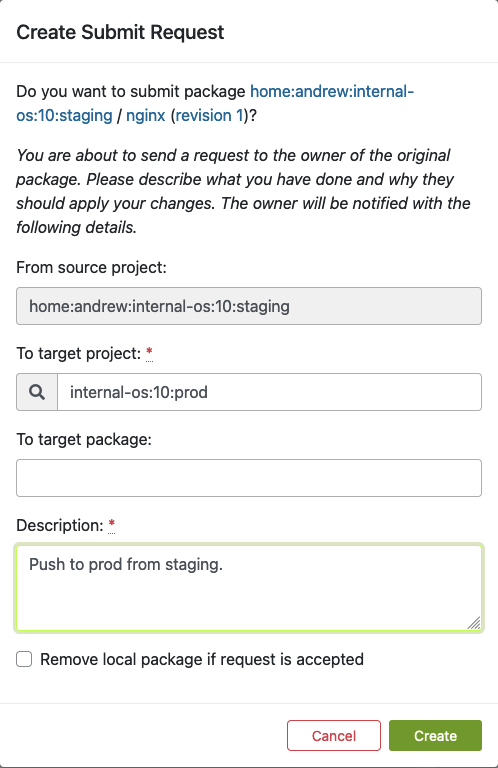
Fill out this form and click ‘Create’ as soon as you are ready to submit the new package to the production project.
Find Requests
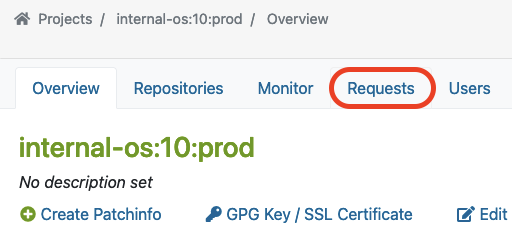
Next to submitting a package, a so-called repository master must approve the newly created requests for the designated project. This master can find a list of all requests in the Requests tab, where he/she can do the Request Review Control.
The master can find ‘Requests‘ in the project overview page like this:
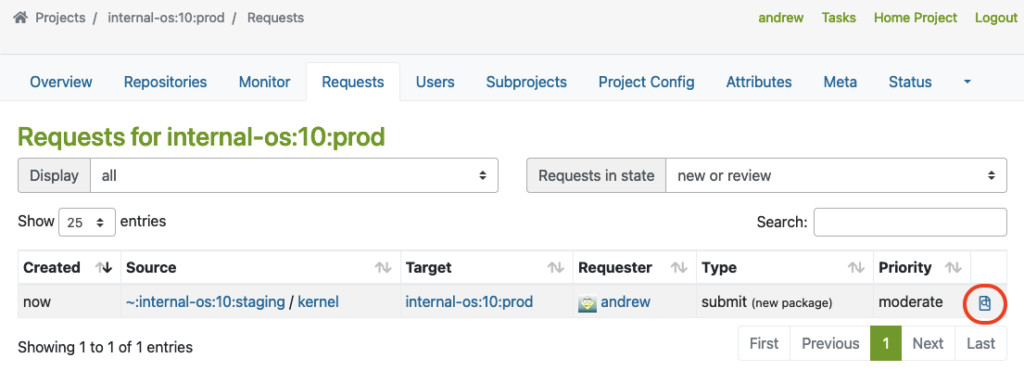
Here, you can see an example of a package that was submitted from Staging to the Prod project.
The master must click on the link marked with a red circle to perform the Request Review Control:
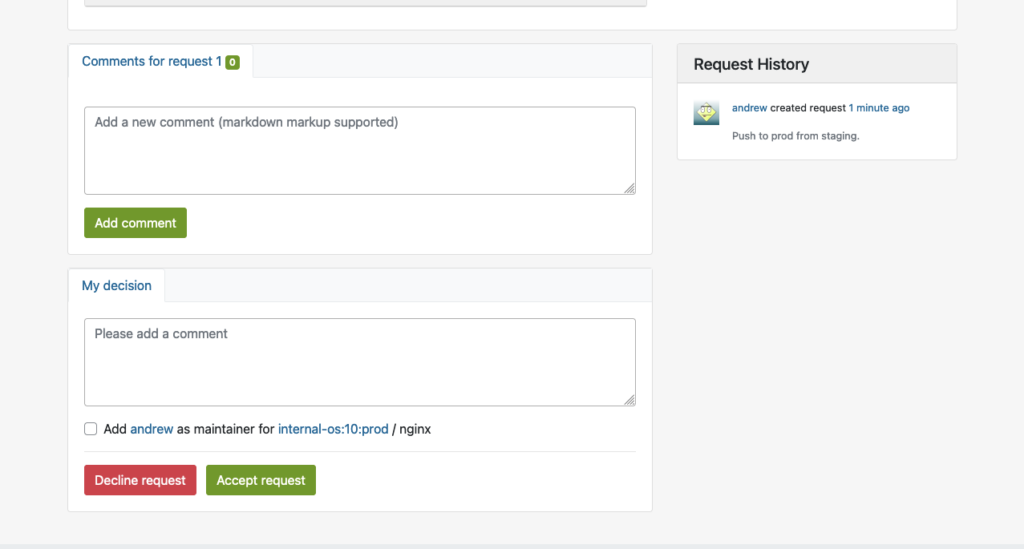
This will bring up the interface for Request Review Control, in which the repository master from the production project may decline or accept the package request:
Reproduce in Prod Project
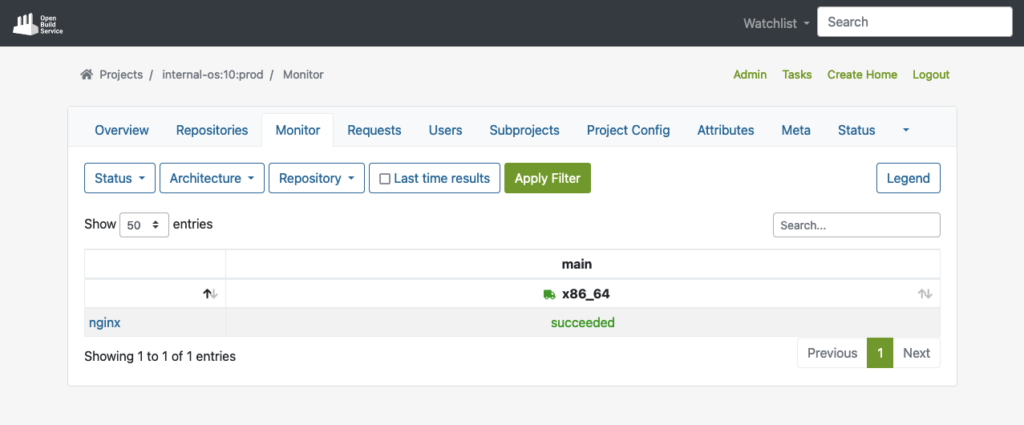
Once the package is accepted into the production project, it will automatically download all required dependencies from DoD, and reproduce the build process.
The example below shows the successfully built package in the production repo after the build process has been completed:
Publish to YUM-ready repository for Prod
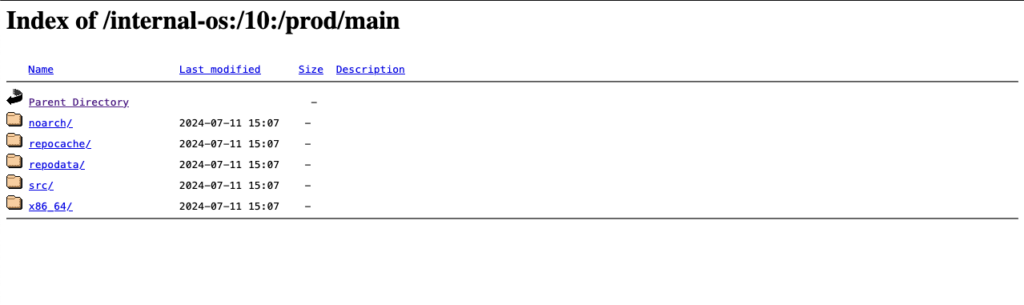
Finally, the package will then also be published to the YUM-ready Prod repository as soon as the package has been built successfully. Here, you can see an example of the YUM-ready Prod repository that OBS handles.
(Note: you can name the project and repository name on your preferences):
Extras
In this chapter, we want to have a look at some possible extra customizations for OBS in your build infrastructures.
Automated Build Pipelines
OBS supports automated builds that may seamlessly integrate into delivery pipelines. Teams can set up CI triggers to commit new packages into OBS to initiate builds automatically based on predefined criteria, reducing manual effort and ensuring timely delivery of updated packages.
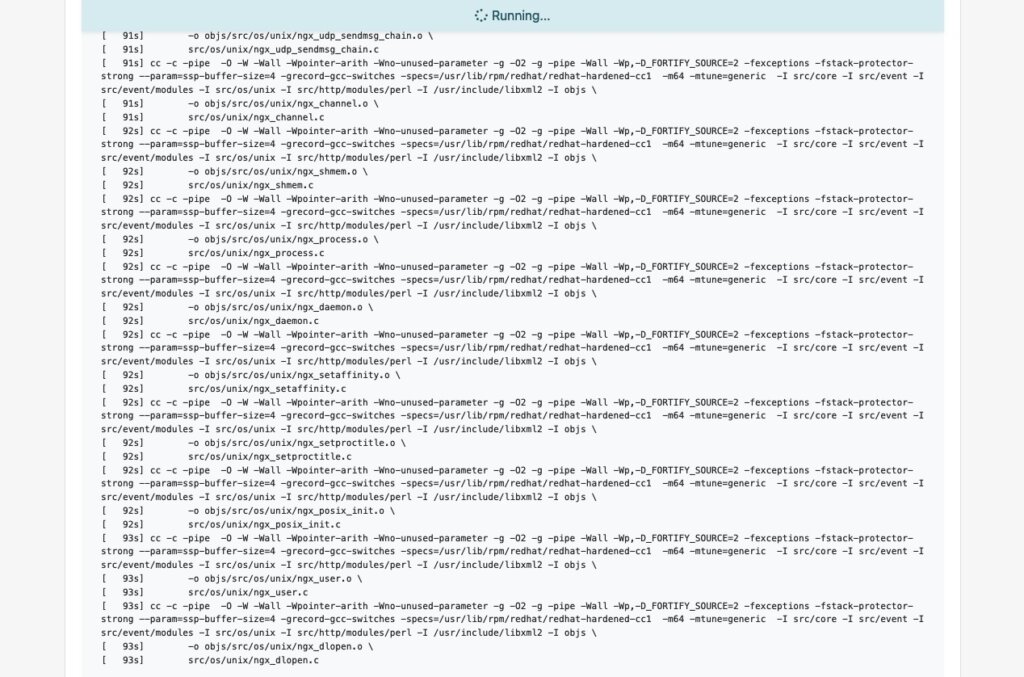
Packages get automated builds when committed into an OBS project, which enables administrators to easily integrate automated builds via pipelines:
OBS Worker
Further, the Open Build Service is capable of configuring multiple workers (builders) in multiple architectures. If you want to build with other architectures, just install the ‘obs-worker’ package on another hardware with a different architecture and then simply edit the /etc/sysconfig/obs-server file.
In that file, you must set at least those parameters on the worker node:
- OBS_SRC_SERVER
- OBS_REPO_SERVERS
- OBS_WORKER_INSTANCES
This method may also be useful if you want to have more workers in the same architecture available in OBS. The OpenSUSE’s public OBS instance has a large-scale setup which is a good example of this.
Emulated Build
In Open Build Service, it is also possible to configure emulated builds for cross-architecture build capabilities via QEMU. By using this feature, almost no changes are needed in package sources. Developers can build on target architectures without the need for other hardware architectures to be available. However, you might encounter problems with bugs or missing support in QEMU, and emulation may slow down the build process significantly. For instance, see how OpenSuSE managed this on RISC-V when they didn’t have the real hardware in the initial porting stage.
Conclusion
Integrating a private OBS instance as the build infrastructure provides teams a robust and comprehensive solution to build security-patched package for extended support of end-of-life (EOL) Linux distributions. By doing so, teams can unify the package building process, reduce inconsistencies, and achieve reproducibility. This approach simplifies the development and testing workflow while enhancing the overall quality and reliability of the generated packages. Additionally, by replicating the semi-original build environment, the resulting packages builds in the similar level of quality and compatibility to upstream builds.
If you are interested in integrating a private build infrastructure, or require extended support for any EOL Linux distribution. Please reach out to us. Our team is equipped with the expertise to assist you in integrating a private OBS instance into your exist infrastructure.
This article was originally written by Andrew Lee.
| Categories: | credativ® Inside Debian |
|---|---|
| Tags: | Debian Linux OBS Open Build Server open build service |
About the author
credativ Redaktion
about the person
Dieser Account dient als Sammelpunkt für die wertvollen Beiträge ehemaliger Mitarbeiter von credativ. Wir bedanken uns für ihre großartigen Inhalte, die das technische Wissen in unserem Blog über die Jahre hinweg bereichert haben. Ihre Artikel bleiben hier weiterhin für unsere Leser zugänglich.
